Working Instructions (mech)
1225-1010 Rev 1
5 Reassembly
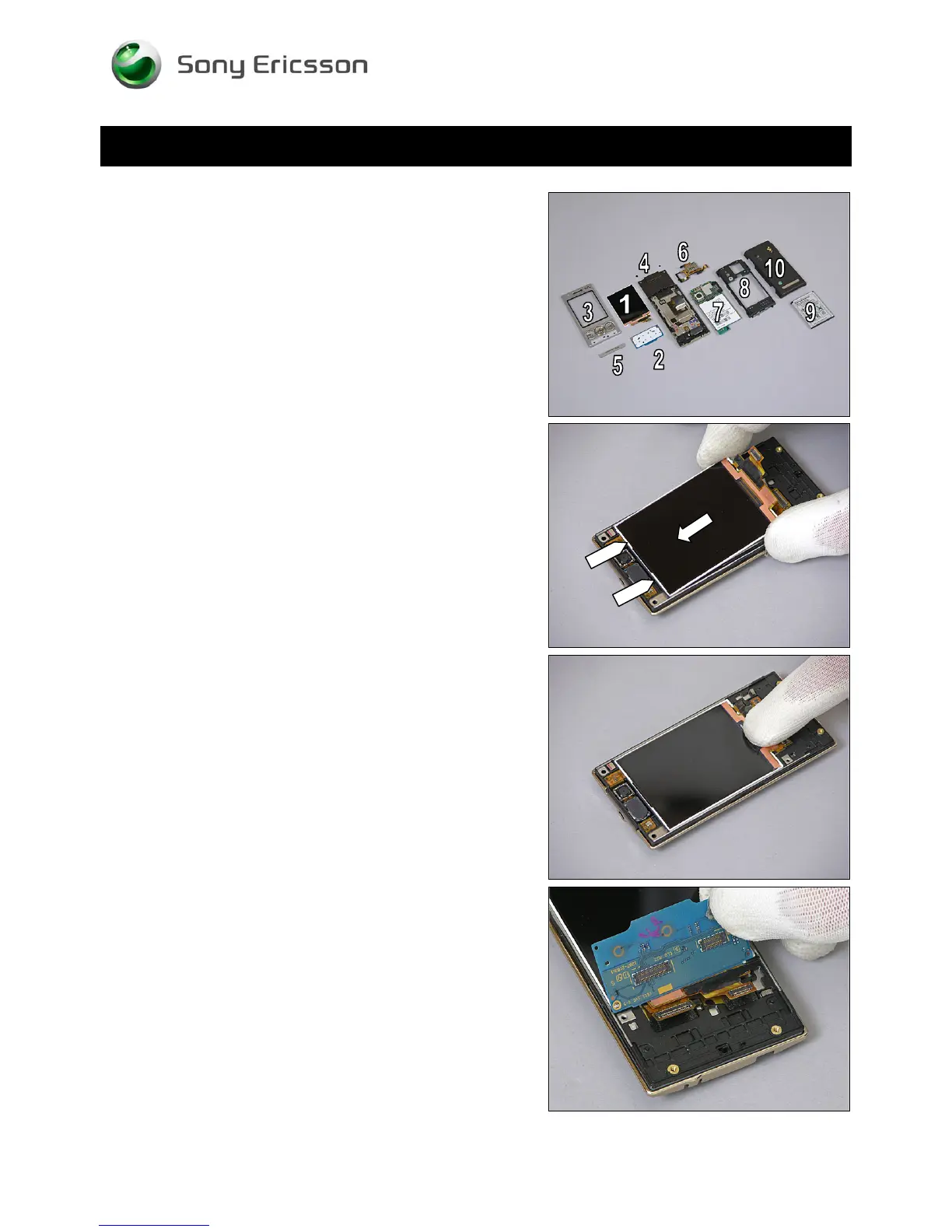
The reassembly is done in the following order:
1. Display
2. Navigation Key Unit
3. Front Cover
4. Screw Sheets
5. Co-branding
6. SIM Flex/Carrier Unit
7. Main PBA
8. Rear Cover
9. Battery
10. Battery Cover
5.1 Display
Hold the Display in a slight angle and insert it at the top as
indicated by the pointers and the arrow.
Push the Display down into its proper position.
5.2 Navigation Key Unit
Hold the Navigation Key Unit vertically as shown in picture.
© Sony Ericsson Mobile Communications AB – Company Internal
58(70)












 To Next Page