Working Instructions (mech)
1225-1010 Rev 1
Replacement
4.11 Core Unit Label
Follow the 3.1 – 3.3 Disassembly instructions!
Carry out the replacement as described below.
Follow the 5.8 – 5.10 Reassembly instructions!
REMOVAL
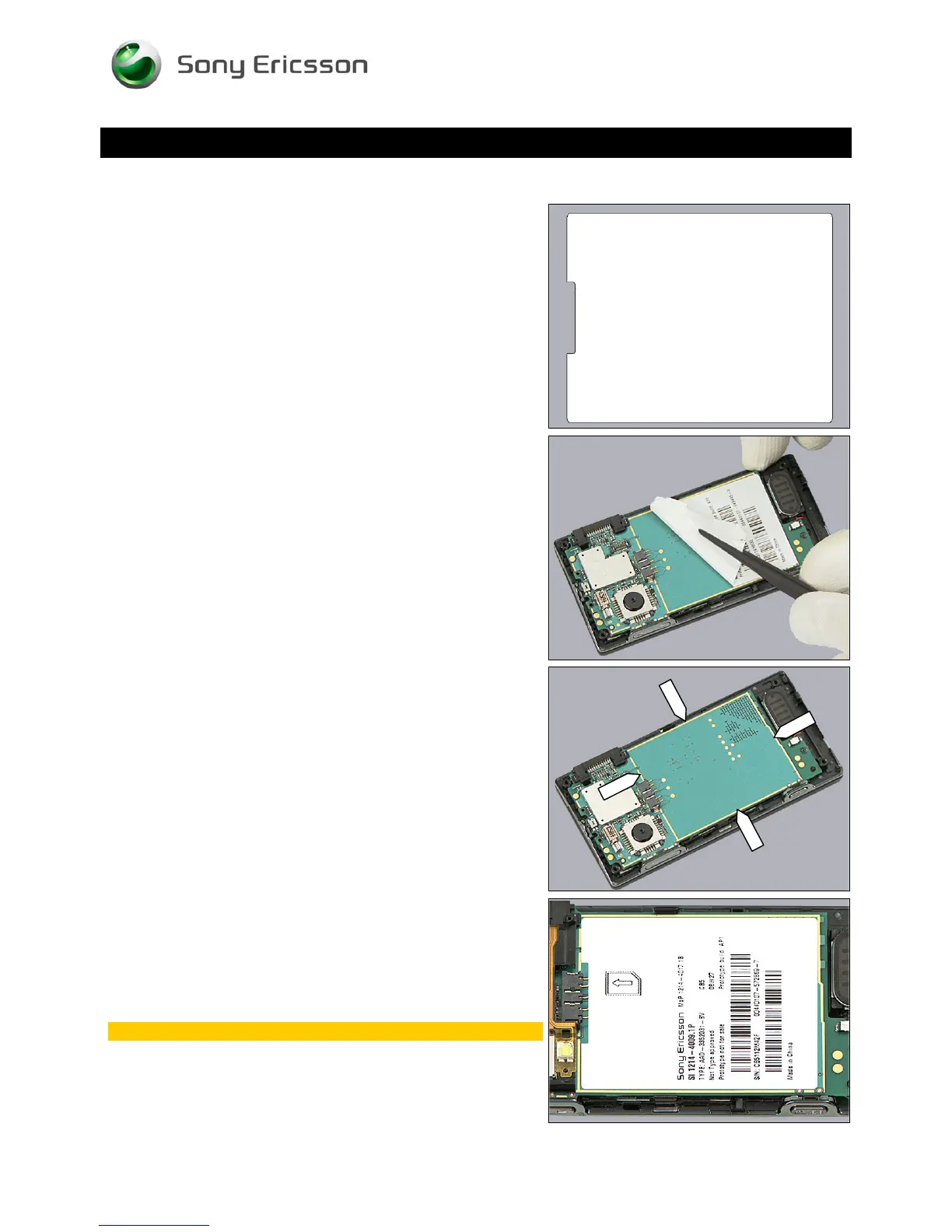
Read the old Core Unit Label and/or write the information
into the ‘LabelMake’ program before removal.
Carefully remove the Label by using the tweezers.
INSTALLATION
Check that the proper label format is loaded in the Zebra
printer and write a new Label by using the ‘LabelMake’
software.
The Label has to be positioned inside the ‘golden’ frame as
indicated by the pointers.
Place the new Core Unit Label inside the ‘golden’ frame as
shown in the adjacent picture.
One label only is allowed!
© Sony Ericsson Mobile Communications AB – Company Internal
24(70)












 To Next Page