Working Instructions (mech)
1225-1010 Rev 1
Disassembly
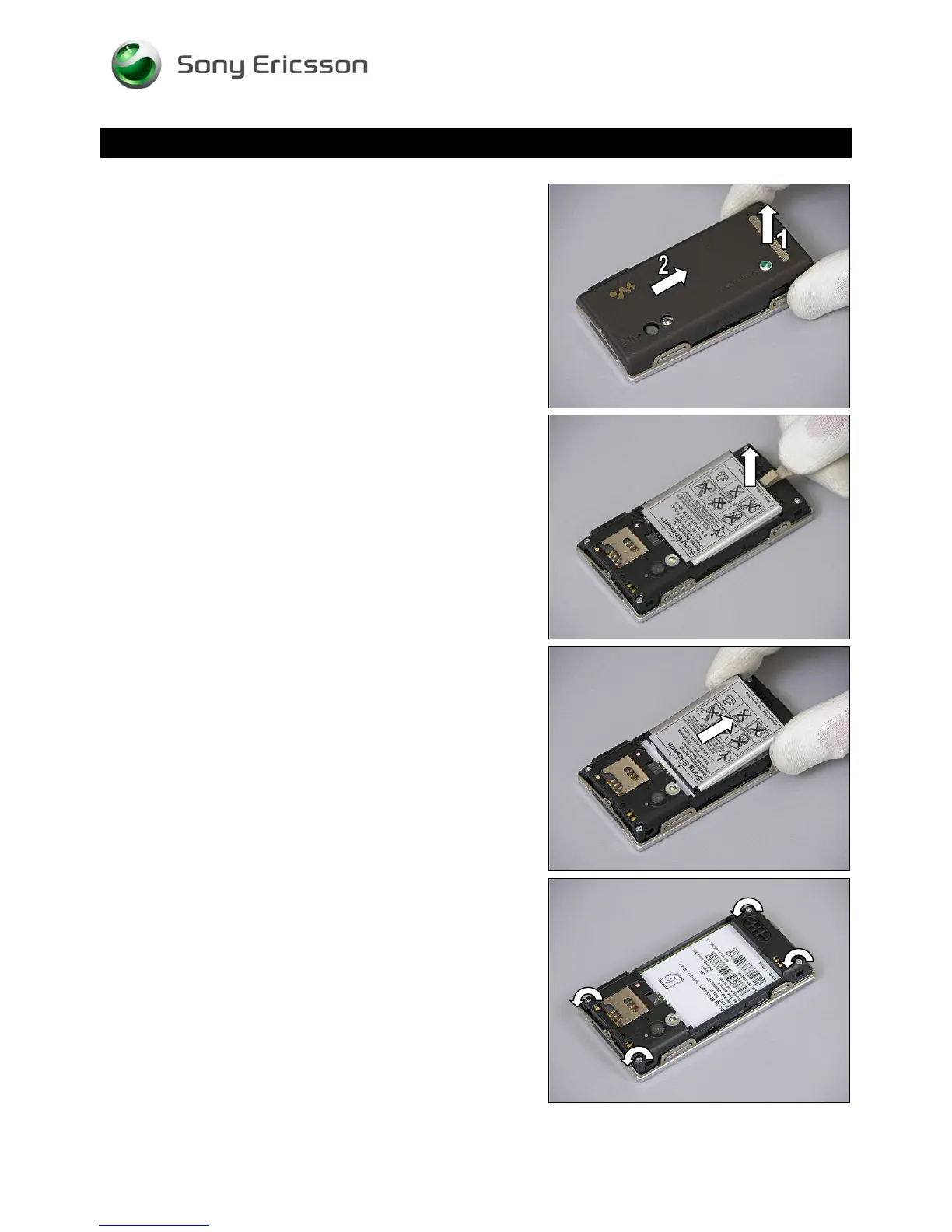
1. Raise the Battery Cover at the bottom.
2. Lift it off to remove it.
3.2 Battery
Insert the Front Opening Tool and raise the bottom of the
Battery to release it.
Remove the Battery.
3.3 Rear Cover
Remove these four 4.5 mm nickel screws by using torx bit
no. 6.
© Sony Ericsson Mobile Communications AB – Company Internal
7(70)












 To Next Page