Working Instructions (mech)
1225-1010 Rev 1
Reassembly
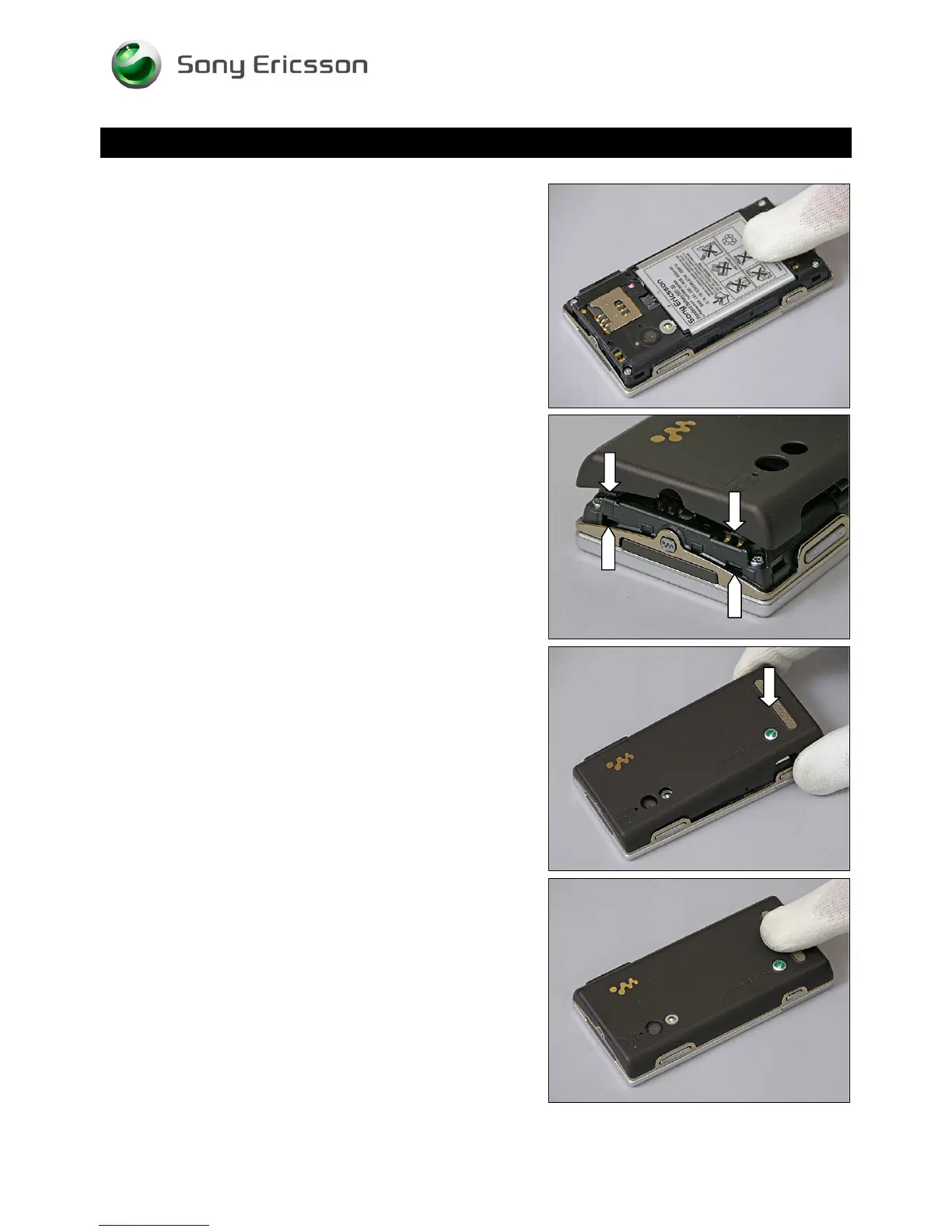
Press at the bottom to secure its position.
5.10 Battery Cover
Hold the Battery Cover in a 45
o
angle and insert the two
hooks of the Battery Cover into the pockets of the Rear
Cover,
and close the Battery Cover.
Press on both sides to make it snap onto the Rear Cover.
© Sony Ericsson Mobile Communications AB – Company Internal
68(70)












 To Next Page