Working Instructions (mech)
1225-1010 Rev 1
Replacement
4.9 Water Indicator
INSPECTION
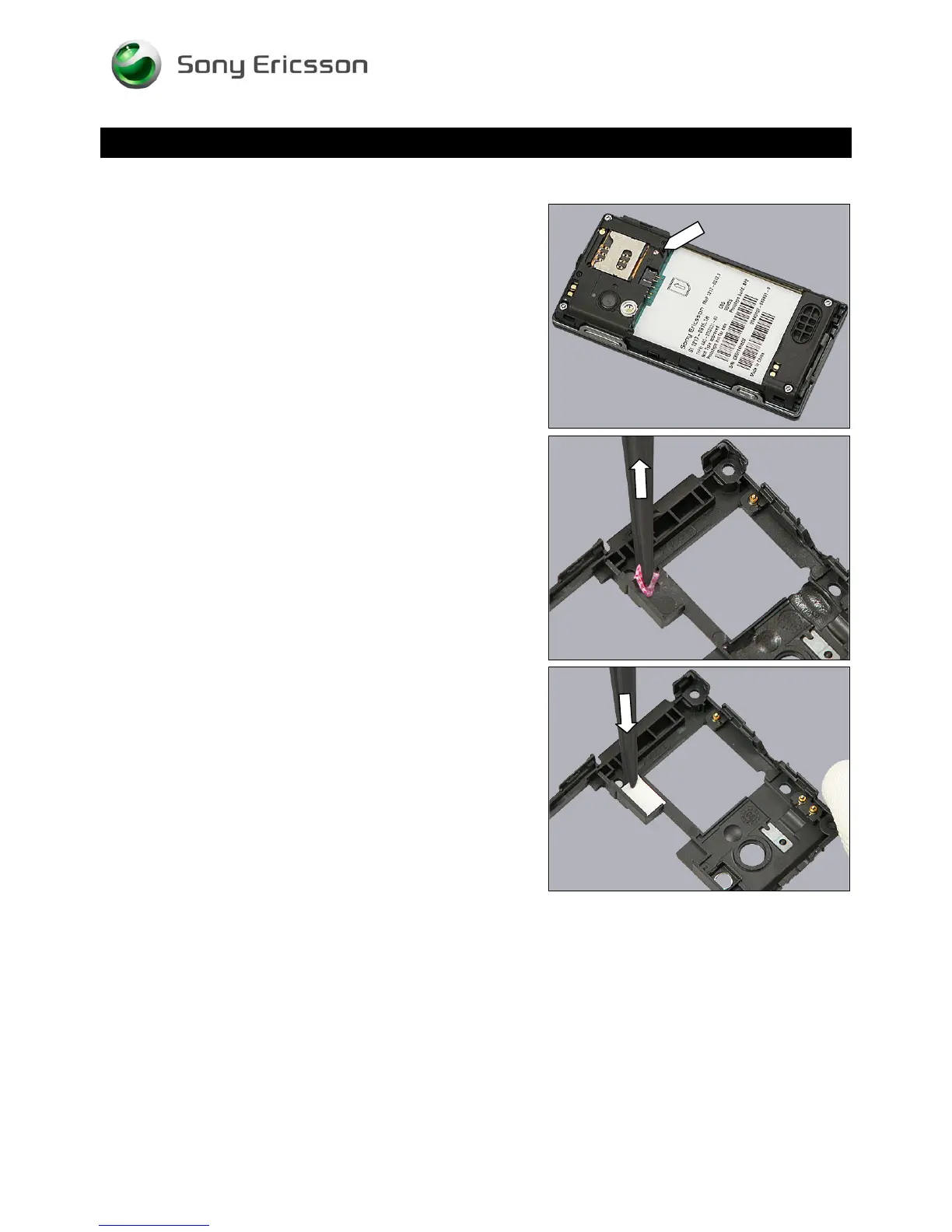
To check whether the Water Indicator has been activated
(reddish colour), just remove the Battery Cover.
If activated:
Follow the 3.1 – 3.3 Disassembly instructions!
Carry out the replacement as described below.
Follow the 5.8 – 5.10 Reassembly instructions!
REMOVAL
Remove the activated Water Indicator with the dentist hook
and the tweezers.
INSTALLATION
Attach the new Water Indicator with the tweezers and your
fingers.
© Sony Ericsson Mobile Communications AB – Company Internal
22(70)












 To Next Page