Working Instructions (mech)
1225-1010 Rev 1
Replacement: Camera Key
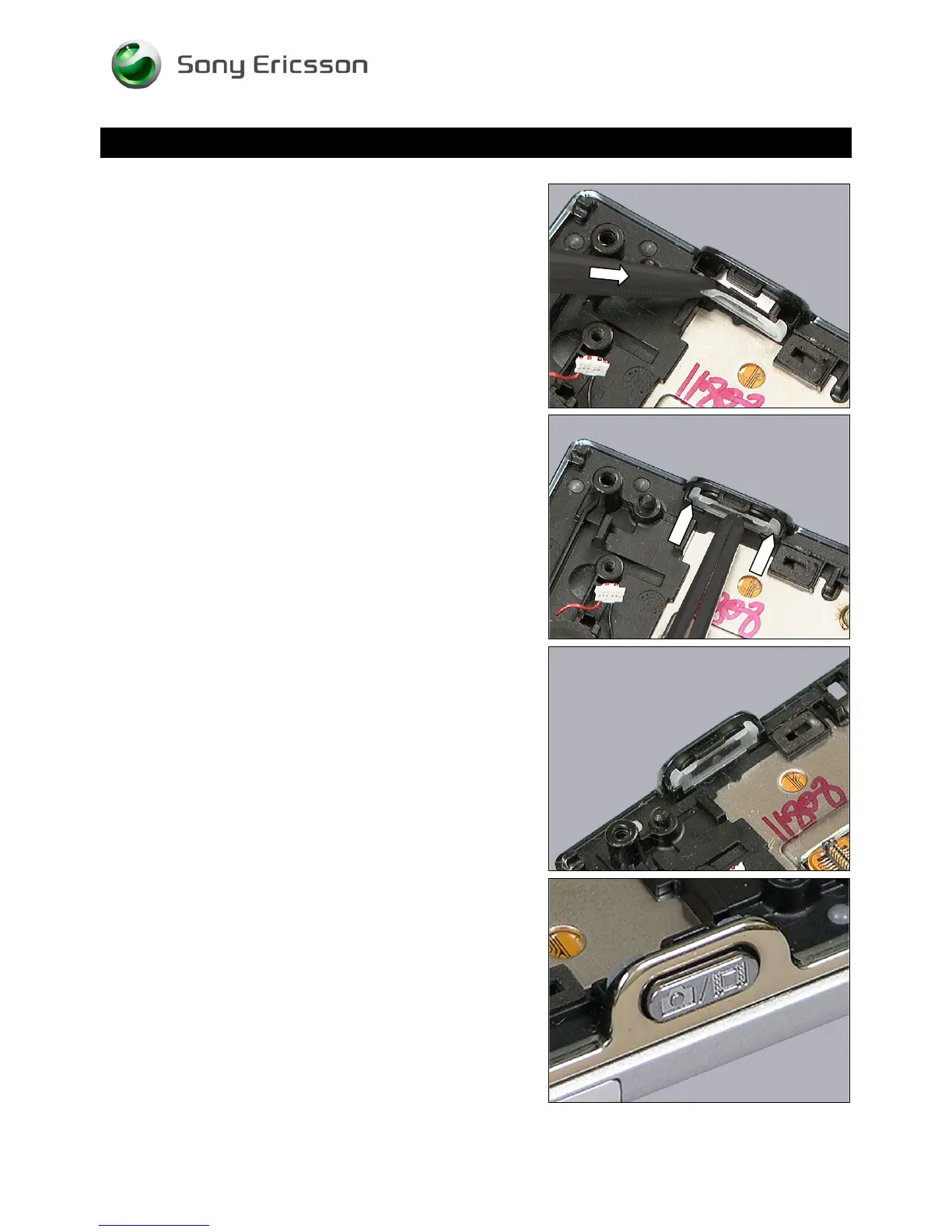
Place the ends of the Camera Key,
inside its corresponding pockets, and push by using the
tweezers,
until the Camera Key is properly installed as shown from the
inside,
and the outside, with the orientation shown in this picture.
© Sony Ericsson Mobile Communications AB – Company Internal
30(70)













 To Next Page