Help Guide
Color Video Camera
BRC-AM7
Adjusting the Shooting Direction Using the Web App
Moving the camera horizontally is called panning, and move the camera vertically is called tilting.
You can adjust the shooting direction using pan/tilt operations.
Hint
If [Execute Pan-Tilt Reset] is displayed below the joystick, an inconsistency has occurred in the pan/tilt control origin information of the
unit. Execute the pan/tilt reset function to update the origin information. For details, see “Resetting the Pan/Tilt.”
To face the camera back to the front
Press the
(Pan/tilt home) button on the (Others) tab in the camera control panel.
Note
Depending on the direction of the camera and the zoom position, part of the unit or cables connected to the connector block may be
visible. Before shooting, check the range that will be captured. You can also control the pan/tilt range using [Pan-Tilt] – [P/T Range
Limit] in the web menu. When the unit is turned on or pan/tilt reset is executed, this range limit setting is ignored. For details, see [Pan-
Tilt] – [P/T Range Limit] in the web menu.
Related Topic
Press the
(Pan/tilt/zoom) tab in the framing control panel to display the joystick.
1
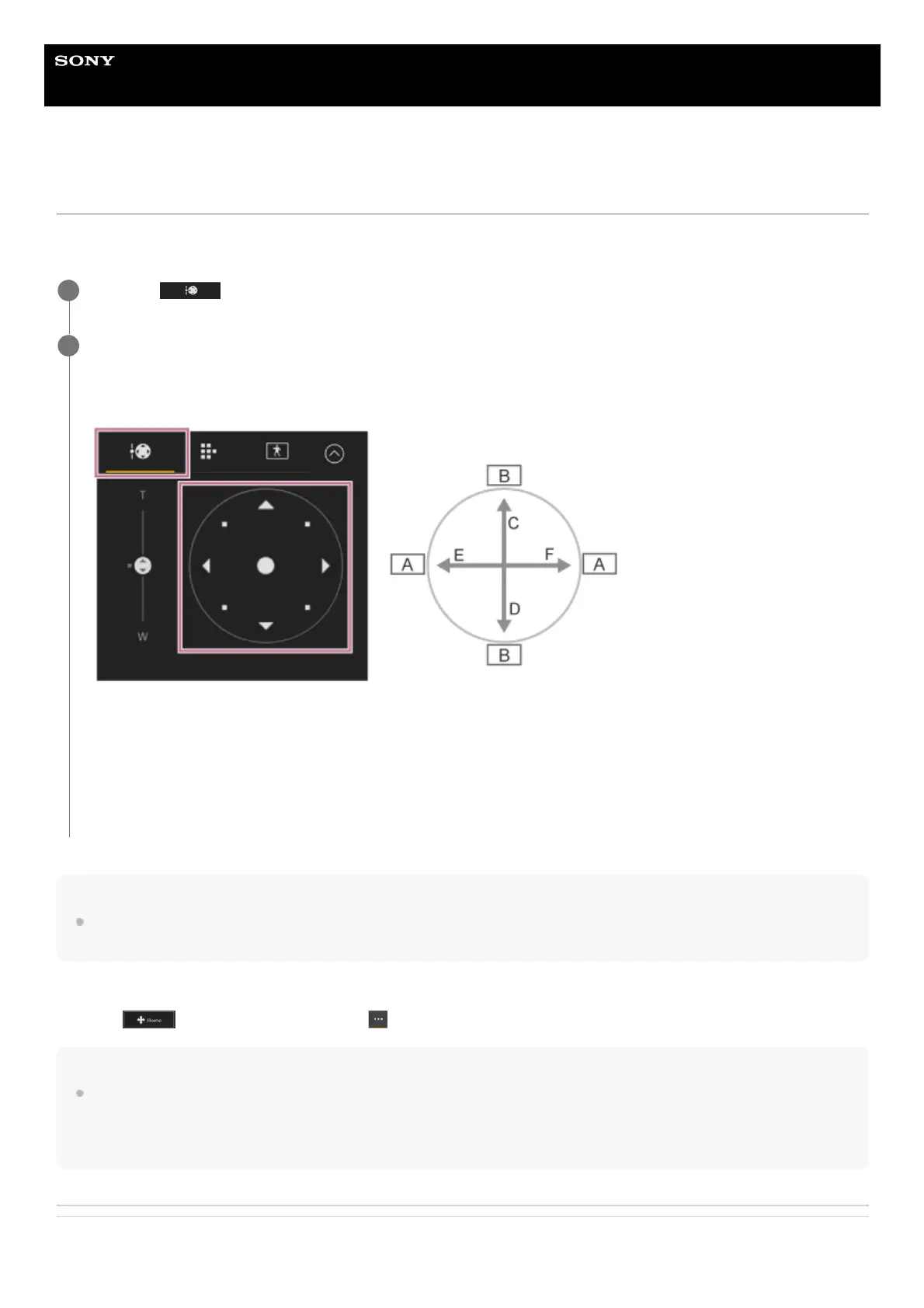
Drag the center of the joystick in the direction you want to view while monitoring the camera image panel.
The direction and speed of the camera changes in response to the drag direction and level.
You can adjust the pan/tilt more precisely by pressing the peripheral areas of the joystick.
A: Pan
B: Tilt
C: Up
D: Down
E: Left
F: Right
2



 To Next Page