Help Guide
Color Video Camera
BRC-AM7
Saving/Restoring Pan/Tilt and Zoom Position Using the Supplied Infrared Remote
Control
You can save the pan/tilt and zoom position and recall them when required using the supplied infrared remote control.
Related Topic
Changing the Transition Speed (Pan-Tilt/Zoom/Focus) When Restoring a Preset Position
TP1001804507
5-065-326-11(1) Copyright 2024 Sony Corporation
Adjust the pan/tilt and zoom of the camera.
1
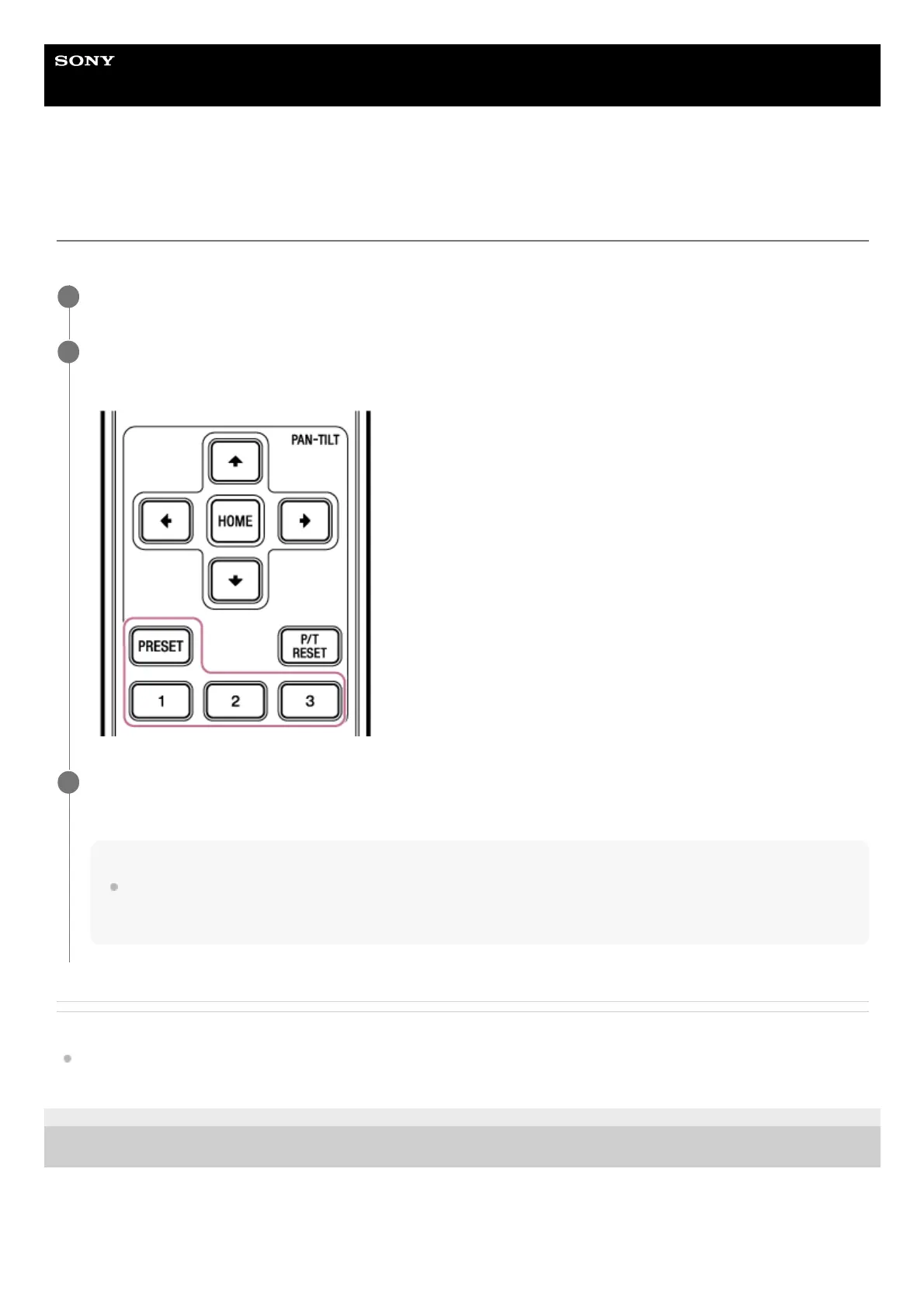
Press and hold the PRESET button and press one of the 1 to 3 buttons.
The position is saved.
2
Restore a saved position.
Press one of the 1 to 3 buttons to restore that preset position.
Hint
The transition speed when restoring a preset position is the transition speed value that was saved using [Pan-Tilt] – [P/T Preset]
in the web menu. You can change the transition speed after saving a value. For details, see “Changing the Transition Speed
(Pan-Tilt/Zoom/Focus) When Restoring a Preset Position.”
3



 To Next Page