Help Guide
Color Video Camera
BRC-AM7
Adjusting the Focus Manually Using the Supplied Infrared Remote Control
You can adjust the focus manually using the supplied infrared remote control.
Hint
You can also use auto focus when manual adjustment is the main method of operation. For details, see “Focusing Manually During
Auto Focus Using the Supplied Infrared Remote Control.”
Related Topic
Focusing Manually During Auto Focus Using the Supplied Infrared Remote Control
TP1001804515
5-065-326-11(1) Copyright 2024 Sony Corporation
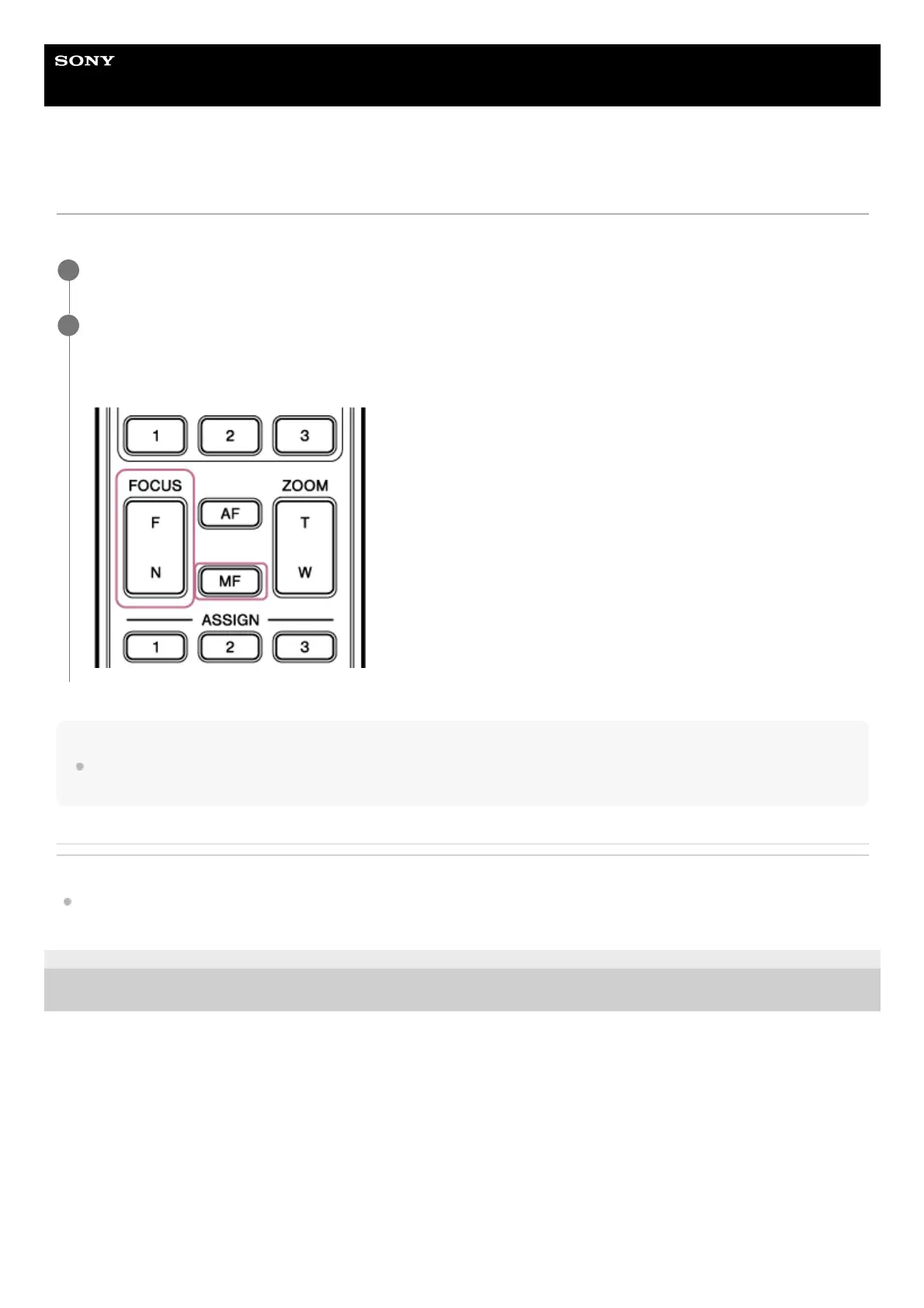
Press the MF button on the infrared remote control.
1
Adjust the focus manually using the F (Far) button and N (Near) button.
To focus on a far subject, press the F button.
To focus on a near subject, press the N button.
2



 To Next Page