Help Guide
Color Video Camera
BRC-AM7
Adjusting the Gain Automatically
You can adjust the brightness automatically using the gain.
TP1001804533
5-065-326-11(1) Copyright 2024 Sony Corporation
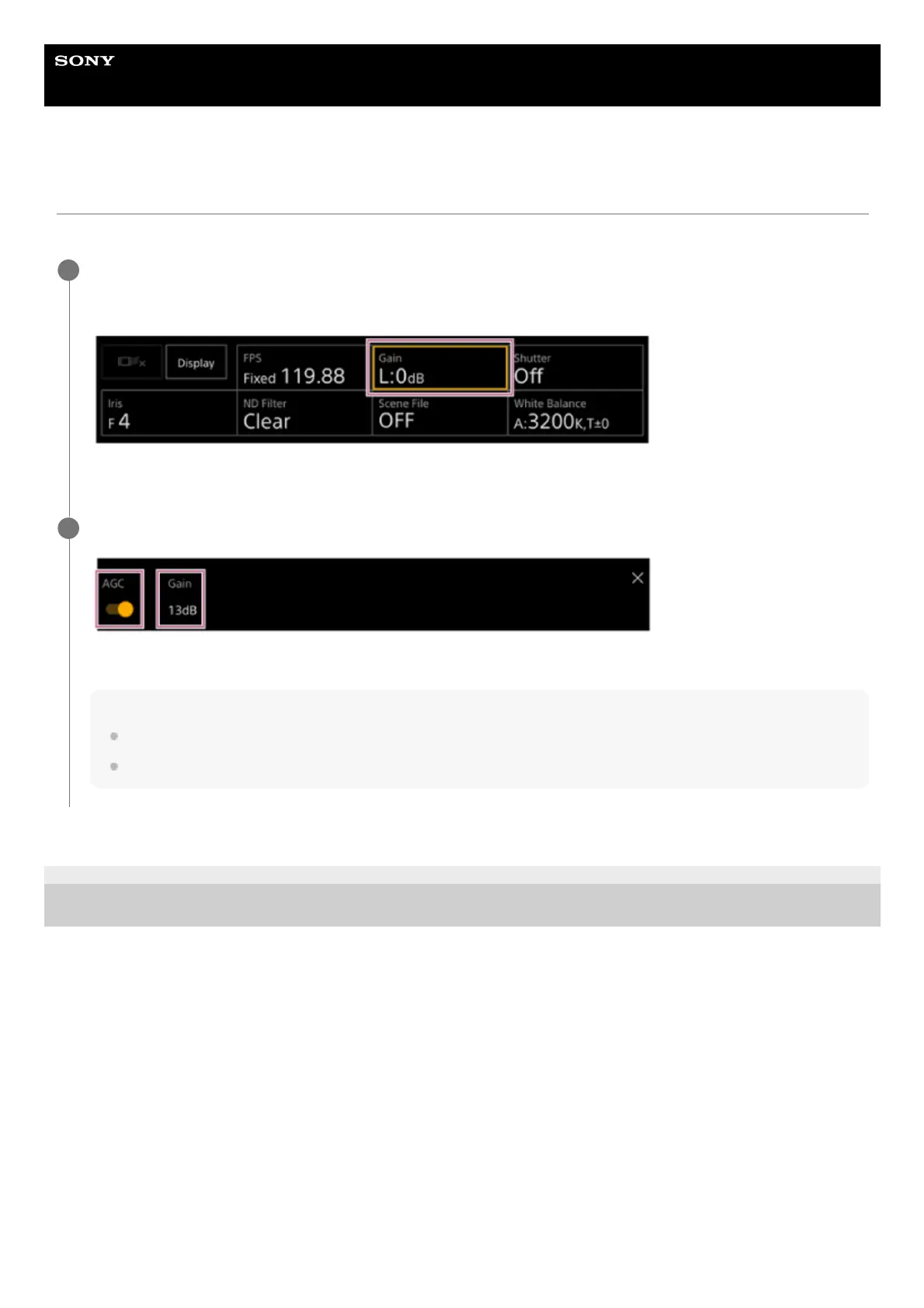
Press the [ISO/Gain] button in the camera basic configuration panel.
The frame of the [ISO/Gain] button changes to orange.
The ISO/Gain adjustment panel appears.
1
Slide the [AGC] switch to the right position to turn it on.
The gain switches to auto adjustment mode. The auto adjusted gain value is displayed on the right side of the switch.
Hint
You can also perform the same action by setting [Shooting] – [Auto Exposure] – [AGC] to [On] in the camera menu.
You can also assign [AGC] to an assignable button.
2



 To Next Page