Help Guide
Color Video Camera
BRC-AM7
Customizing a Look
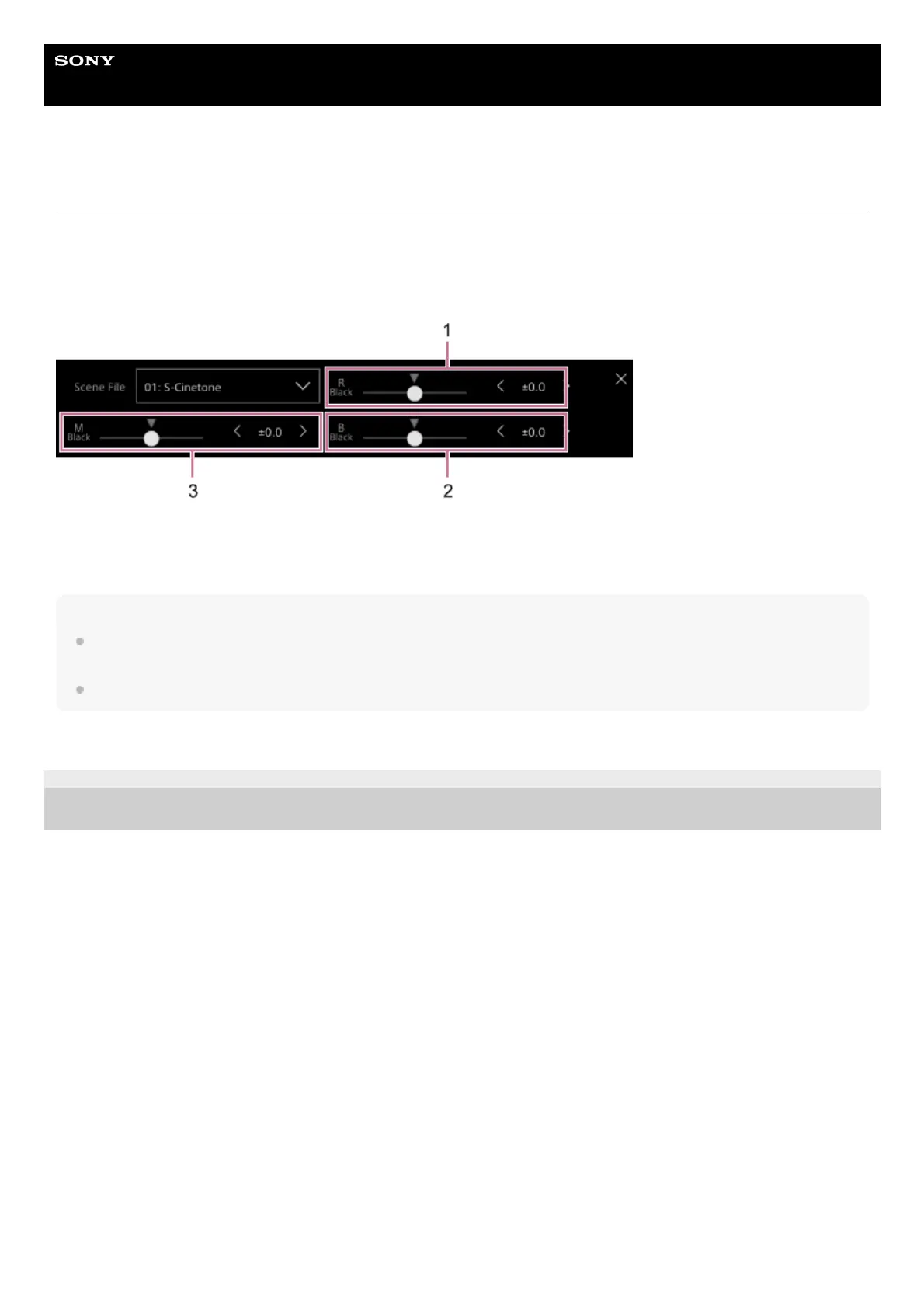
You can customize the look based on the base look using the [Master Black], [R Black], and [B Black] sliders in the Scene
File adjustment panel in the camera basic configuration panel and [Paint/Look] – [Matrix] and other setup items in the camera
menu.
Connect the unit to a TV or monitor, and adjust the picture quality while observing the picture on the TV or monitor screen.
1: [R Black] slider/adjustment buttons
2: [B Black] slider/adjustment buttons
3: [Master Black] slider/adjustment buttons
Note
When you import a 3D LUT file and apply it to the image, the desired look defined in the 3D LUT file will not be obtained if [Paint/Look]
– [Matrix] and settings other than the base look settings in the camera menu are changed.
You can reset all customized settings using [Paint/Look] – [Reset Paint Settings] – [Reset without Base Look] in the camera menu.
TP1001804560
5-065-326-11(1) Copyright 2024 Sony Corporation



 To Next Page