Related Topic
About File Transfer
Adjusting the Focus Automatically Using the Web App
Configuring Basic Operation
Slow & Quick Motion
Detecting and AF Tracking a Person
Setting the Zoom Type
Connecting External Monitors and Recording Devices
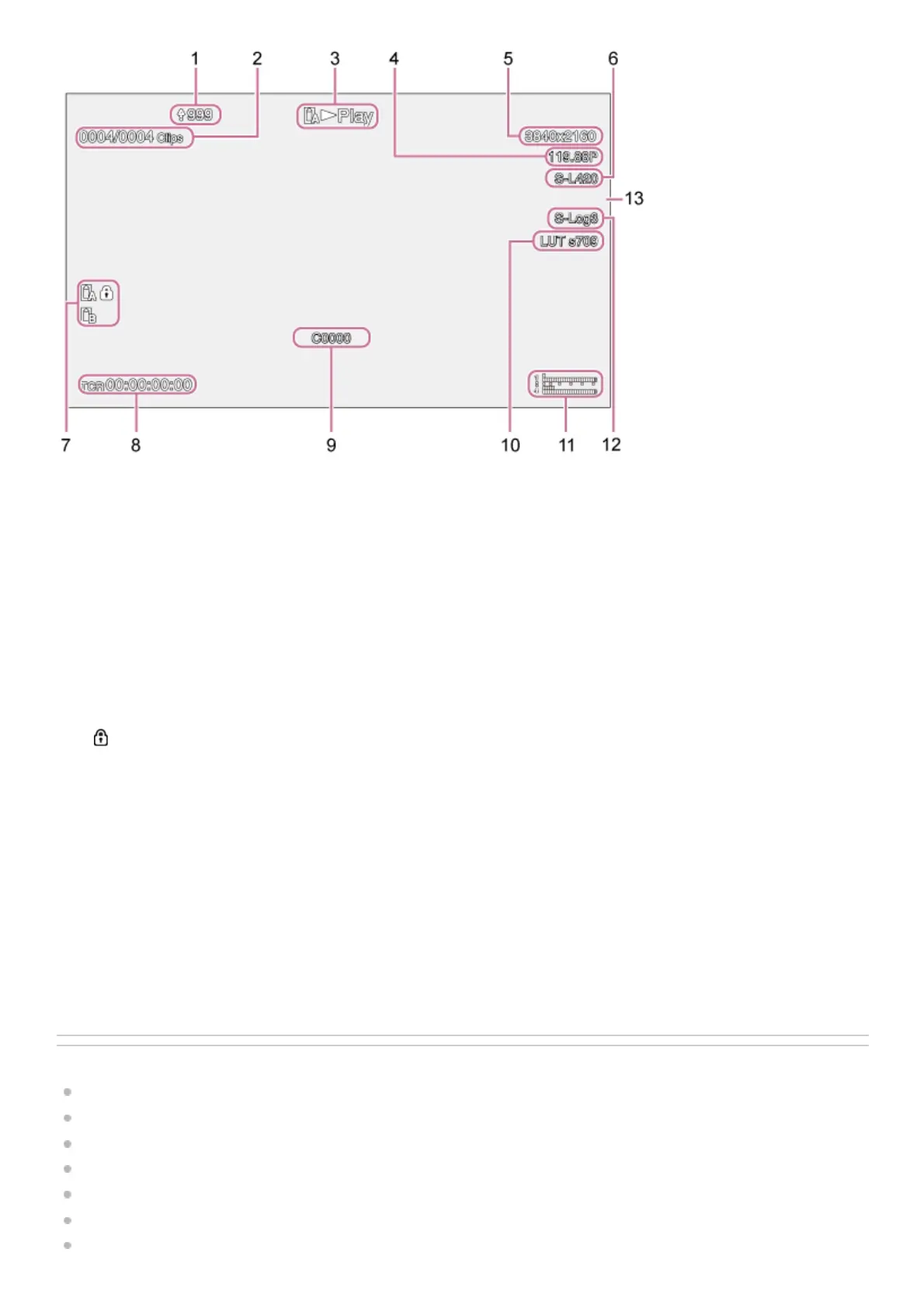
Upload indicator/remaining files indicator1.
Clip number2.
Playback status indicator3.
Playback format (frame rate and scan method) indicator4.
Playback format (picture size) indicator5.
Playback format (codec) indicator6.
Media indicator
A
(Protected) icon appears if the memory card is write-protected.
7.
Time data display8.
Clip name display9.
Monitoring look indicator10.
Audio level meter
Displays the playback audio level.
11.
Recording look indicator12.
Tally indicator13.



 To Next Page