EasyManua.ls Logo

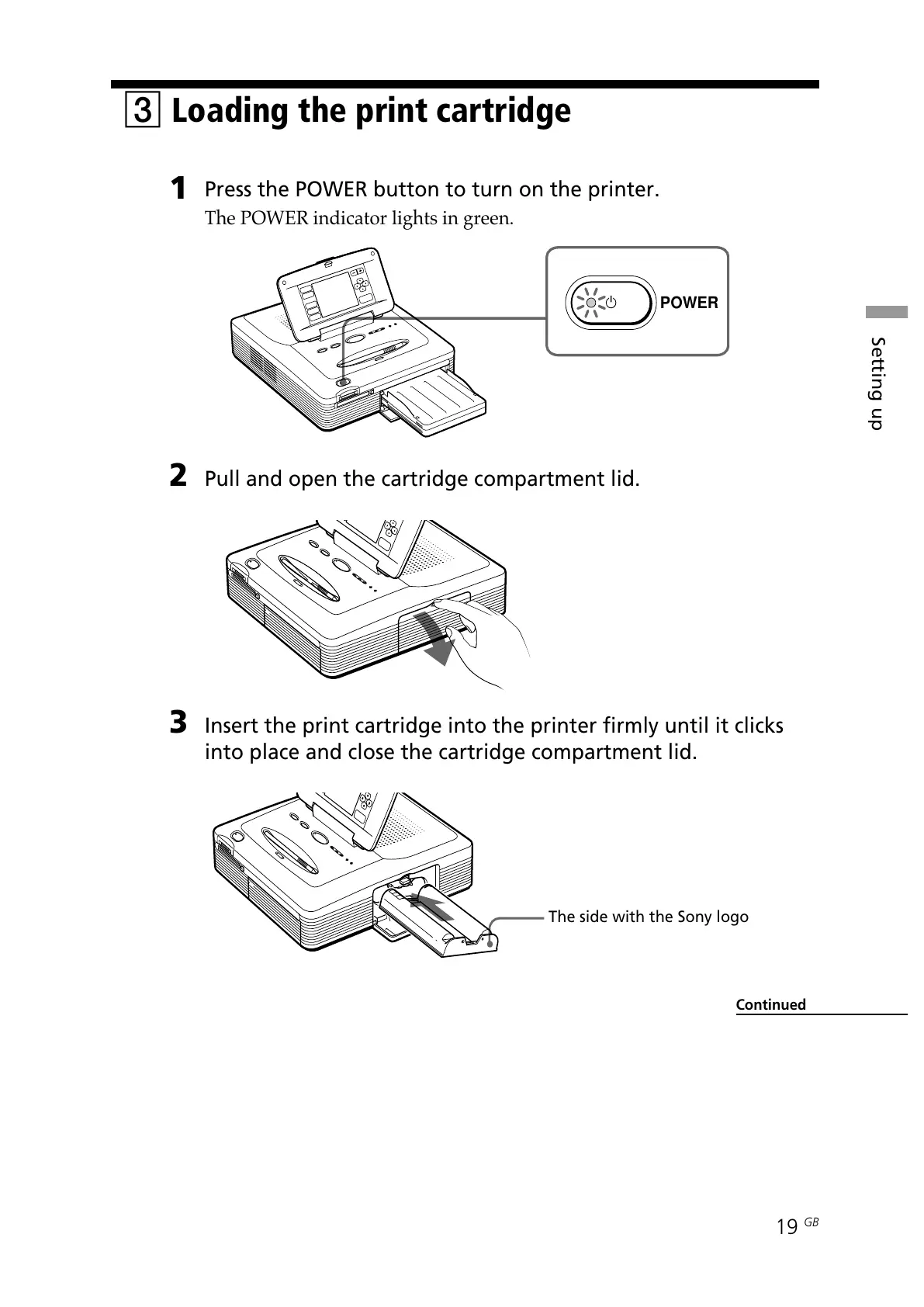
Sony DPP--SV77 - Loading the Print Cartridge; Step 1: Power On Printer; Step 2: Open Cartridge Compartment; Step 3: Insert Print Cartridge

Sony DPP--SV77
283 pages
Print Icon
To Next Page IconTo Next Page
To Previous Page IconTo Previous Page
Loading...
19
GB
Setting up
POWER
3 Loading the print cartridge
1
Press the POWER button to turn on the printer.
The POWER indicator lights in green.
2 Pull and open the cartridge compartment lid.
3 Insert the print cartridge into the printer firmly until it clicks
into place and close the cartridge compartment lid.
The side with the Sony logo
Continued

All manuals and user guides at all-guides.com

Table of Contents

Other manuals for Sony DPP--SV77

Related product manuals