36
GB
Adding drawings, stamps, or characters (Tool)
What you can do with the Tool sub menu
The Tool sub menu allows you to add freehand drawings, or input selected
stamps or characters to an image.
Follow the procedures below to display the Tool sub menu.
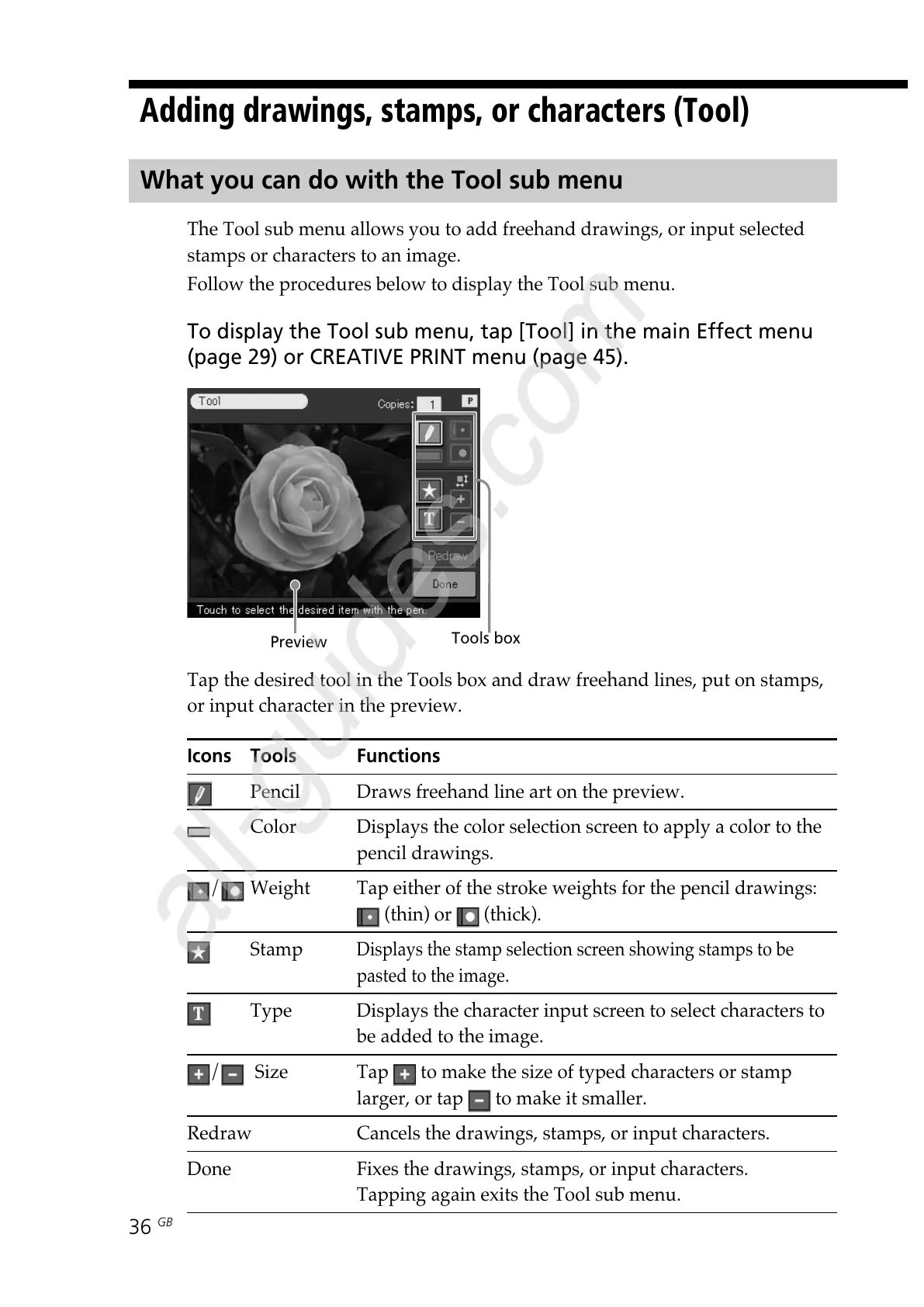
To display the Tool sub menu, tap [Tool] in the main Effect menu
(page 29) or CREATIVE PRINT menu (page 45).
Tap the desired tool in the Tools box and draw freehand lines, put on stamps,
or input character in the preview.
Icons Tools Functions
Pencil Draws freehand line art on the preview.
Color Displays the color selection screen to apply a color to the
pencil drawings.
/ Weight Tap either of the stroke weights for the pencil drawings:
(thin) or (thick).
Stamp
Displays the stamp selection screen showing stamps to be
pasted to the image.
Type Displays the character input screen to select characters to
be added to the image.
/ Size Tap to make the size of typed characters or stamp
larger, or tap
to make it smaller.
Redraw Cancels the drawings, stamps, or input characters.
Done Fixes the drawings, stamps, or input characters.
Tapping again exits the Tool sub menu.
Preview
Tools box



 To Next Page