40
GB
Adding drawings, stamps, or characters (Tool)
Pasting stamps ( )
You can use the stamp tool to paste selected stamp(s) to an image.
1
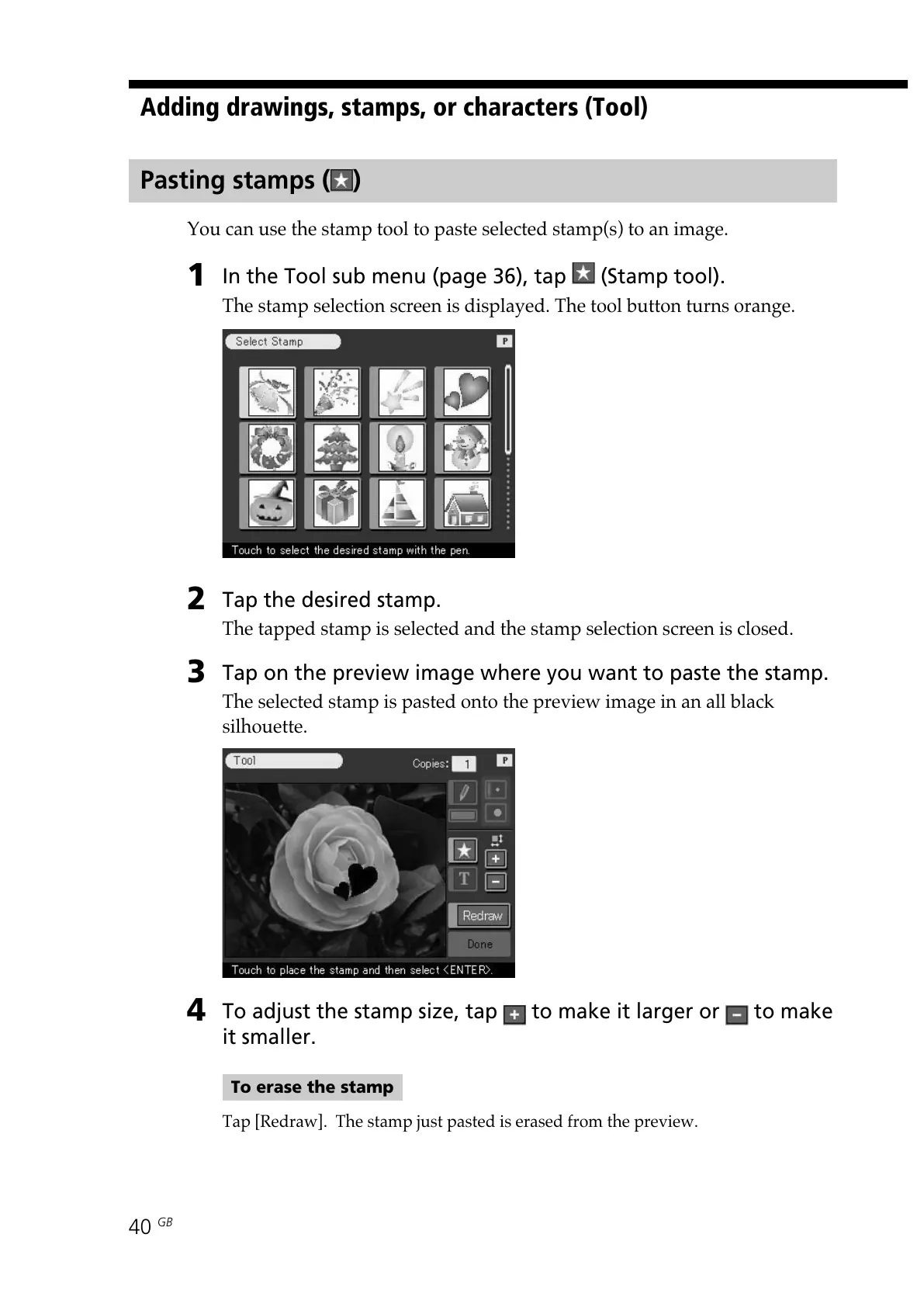
In the Tool sub menu (page 36), tap (Stamp tool).
The stamp selection screen is displayed. The tool button turns orange.
2
Tap the desired stamp.
The tapped stamp is selected and the stamp selection screen is closed.
3
Tap on the preview image where you want to paste the stamp.
The selected stamp is pasted onto the preview image in an all black
silhouette.
4
To adjust the stamp size, tap to make it larger or to make
it smaller.
To erase the stamp
Tap [Redraw]. The stamp just pasted is erased from the preview.



 To Next Page