55
GB
Advanced printing operations
Continued
Making a sticker
You can add a frame to each of the 9-split images to make a
9-split image sticker.
Note
You can make a sticker using Small size print paper only. Before you start making a
sticker, insert Small size print paper into your paper tray.
Making a 9-split image sticker with a frame
1
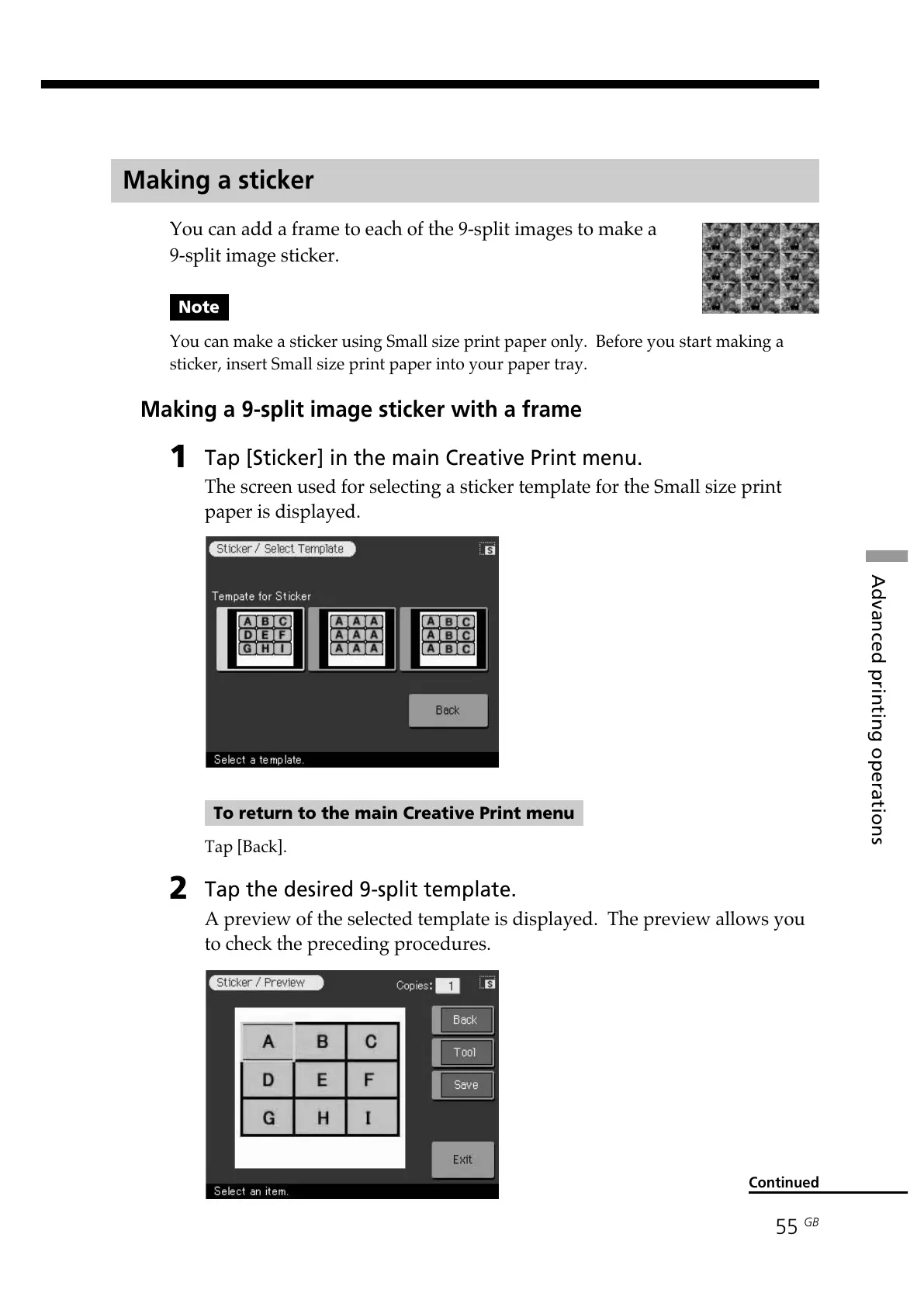
Tap [Sticker] in the main Creative Print menu.
The screen used for selecting a sticker template for the Small size print
paper is displayed.
To return to the main Creative Print menu
Tap [Back].
2
Tap the desired 9-split template.
A preview of the selected template is displayed. The preview allows you
to check the preceding procedures.



 To Next Page