47
GB
Advanced printing operations
Making a card
You can add a greeting and your own message to images and
make an original card like the one shown on the right.
1
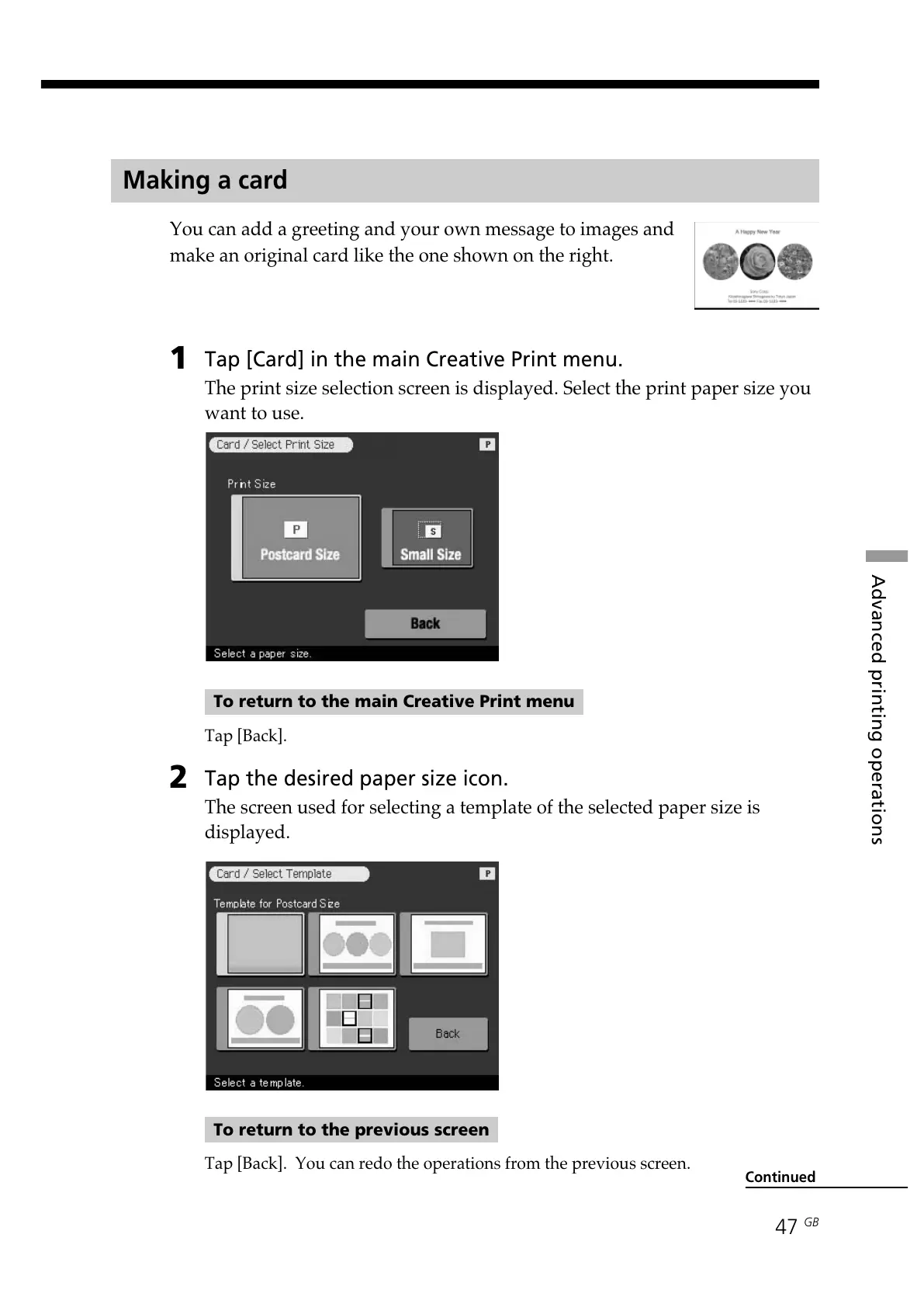
Tap [Card] in the main Creative Print menu.
The print size selection screen is displayed. Select the print paper size you
want to use.
To return to the main Creative Print menu
Tap [Back].
2
Tap the desired paper size icon.
The screen used for selecting a template of the selected paper size is
displayed.
To return to the previous screen
Tap [Back]. You can redo the operations from the previous screen.
Continued



 To Next Page