48
GB
Making various prints (CREATIVE PRINT)
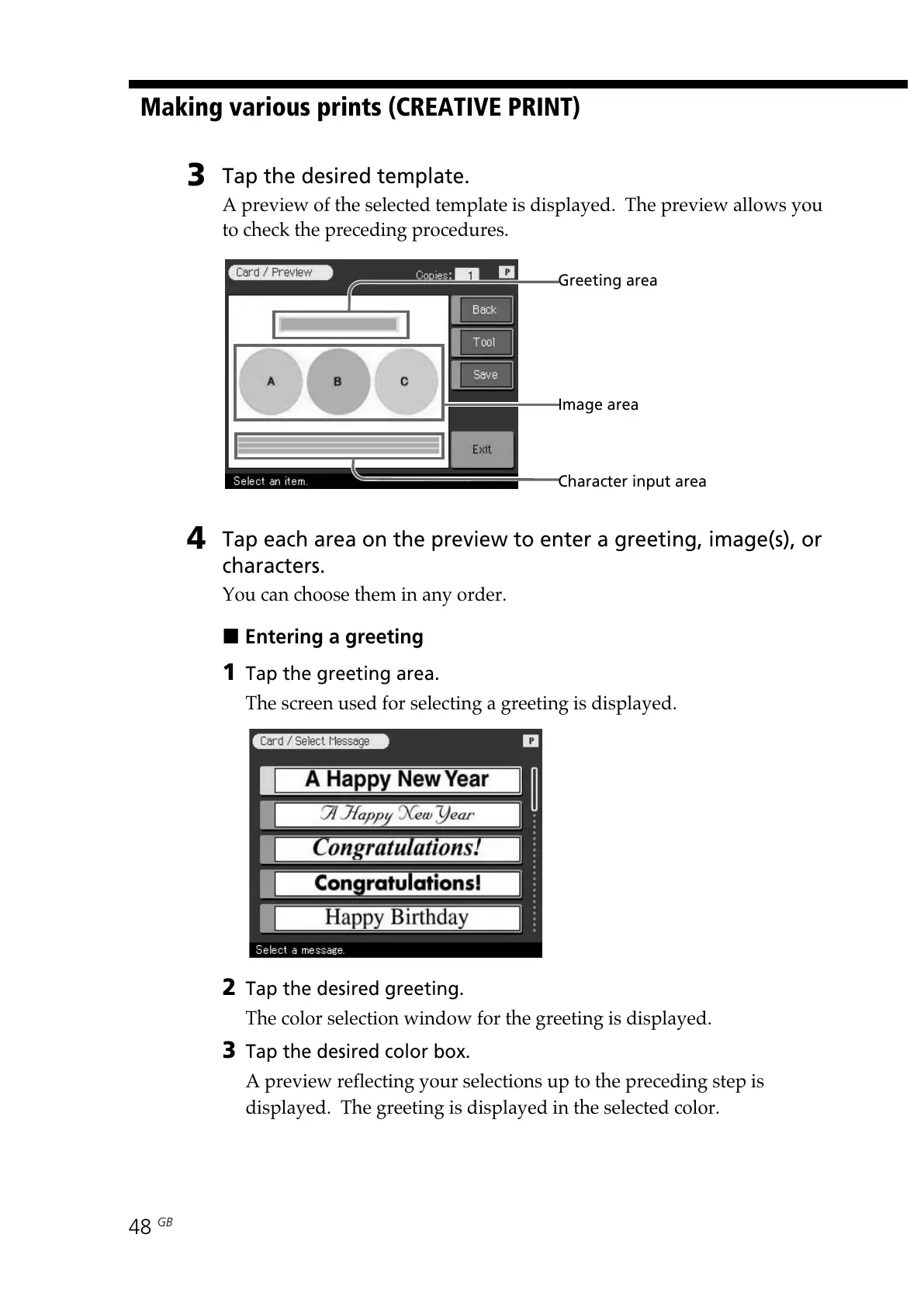
Greeting area
3
Tap the desired template.
A preview of the selected template is displayed. The preview allows you
to check the preceding procedures.
4
Tap each area on the preview to enter a greeting, image(s), or
characters.
You can choose them in any order.
x Entering a greeting
1 Tap the greeting area.
The screen used for selecting a greeting is displayed.
2 Tap the desired greeting.
The color selection window for the greeting is displayed.
3 Tap the desired color box.
A preview reflecting your selections up to the preceding step is
displayed. The greeting is displayed in the selected color.
Character input area
Image area



 To Next Page