57
GB
Advanced printing operations
Making an index print
You can make an index print of the images in the “Memory Stick” or PC card.
1
Tap [Index Print] in the main Creative Print menu.
The print size selection screen is displayed. Select the print paper size you
use.
To return to the main Creative Print menu
Tap [Back].
2
Tap the desired paper size icon.
The title selection screen is displayed.
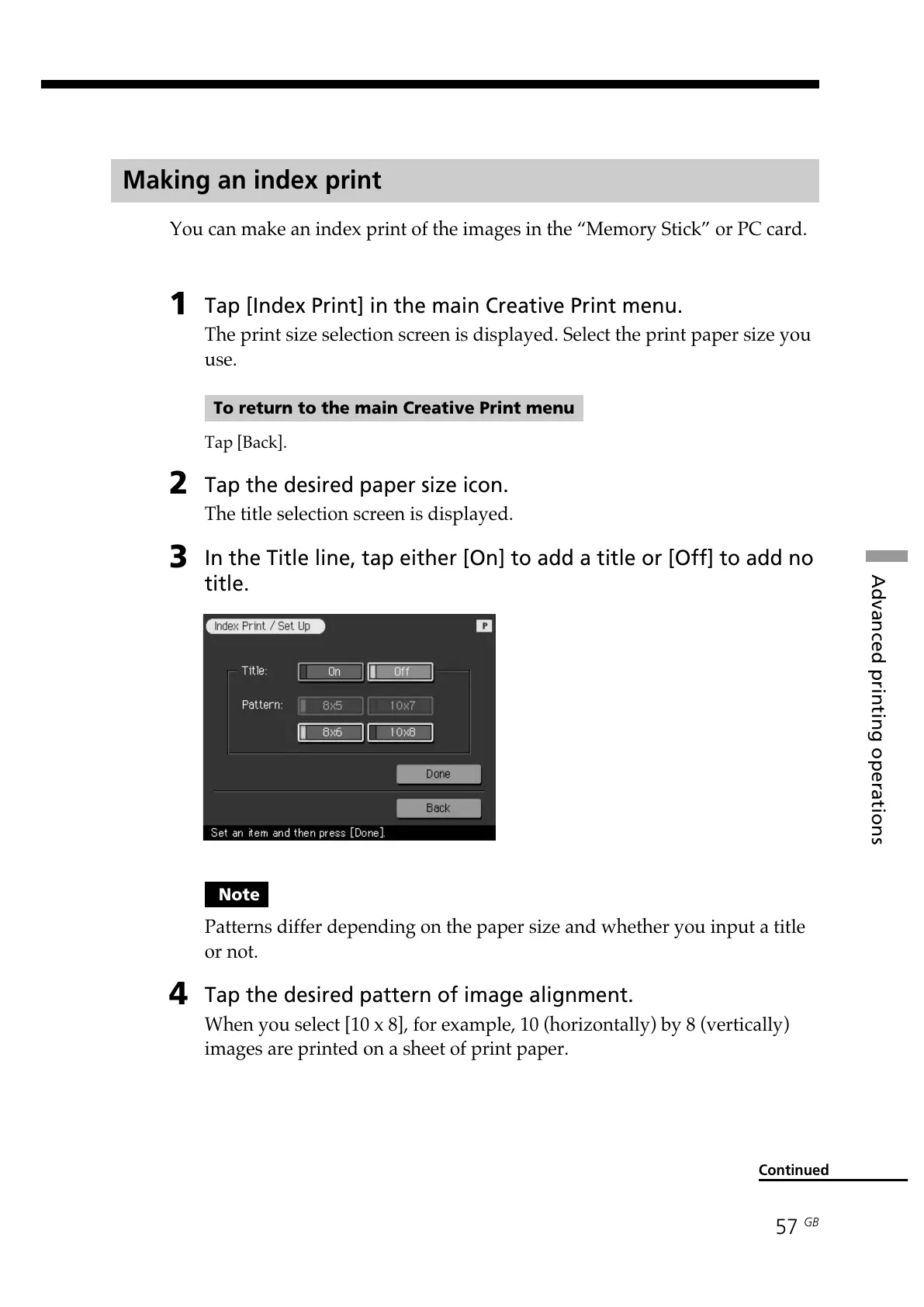
3
In the Title line, tap either [On] to add a title or [Off] to add no
title.
Continued
Note
Patterns differ depending on the paper size and whether you input a title
or not.
4
Tap the desired pattern of image alignment.
When you select [10 x 8], for example, 10 (horizontally) by 8 (vertically)
images are printed on a sheet of print paper.



 To Next Page