23
GB
Basic printing operations
POWER
MEMORY
STICK
PC
CARD PC
MEMORY
STICK
PC
CARD PC
Continued
Operation panel
Yellow frame (cursor)
Basic printing operations
Printing selected images
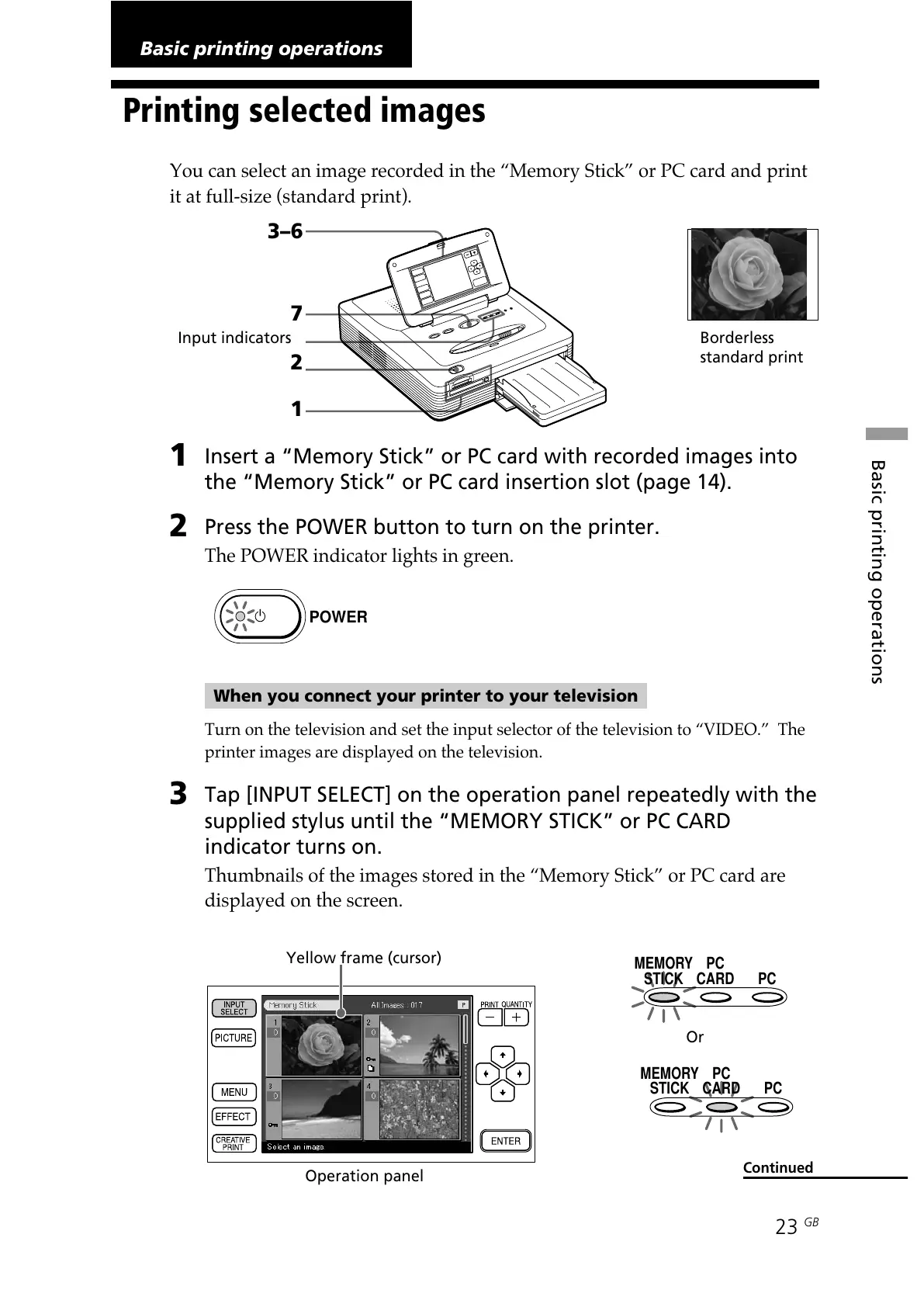
You can select an image recorded in the “Memory Stick” or PC card and print
it at full-size (standard print).
Borderless
standard print
3–6
7
Input indicators
2
1
1
Insert a “Memory Stick” or PC card with recorded images into
the “Memory Stick” or PC card insertion slot (page 14).
2
Press the POWER button to turn on the printer.
The POWER indicator lights in green.
When you connect your printer to your television
Turn on the television and set the input selector of the television to “VIDEO.” The
printer images are displayed on the television.
3
Tap [INPUT SELECT] on the operation panel repeatedly with the
supplied stylus until the “MEMORY STICK” or PC CARD
indicator turns on.
Thumbnails of the images stored in the “Memory Stick” or PC card are
displayed on the screen.
Or



 To Next Page