31
GB
Advanced printing operations
Continued
Changing the image size and position
The Edit sub menu allows you to enlarge, reduce, rotate, or flip an image.
1
Select the image to be edited in the thumbnail list or tap the
selected image or [PICTURE] to display its preview.
2
Tap [Effect].
The main Effect menu is displayed.
3
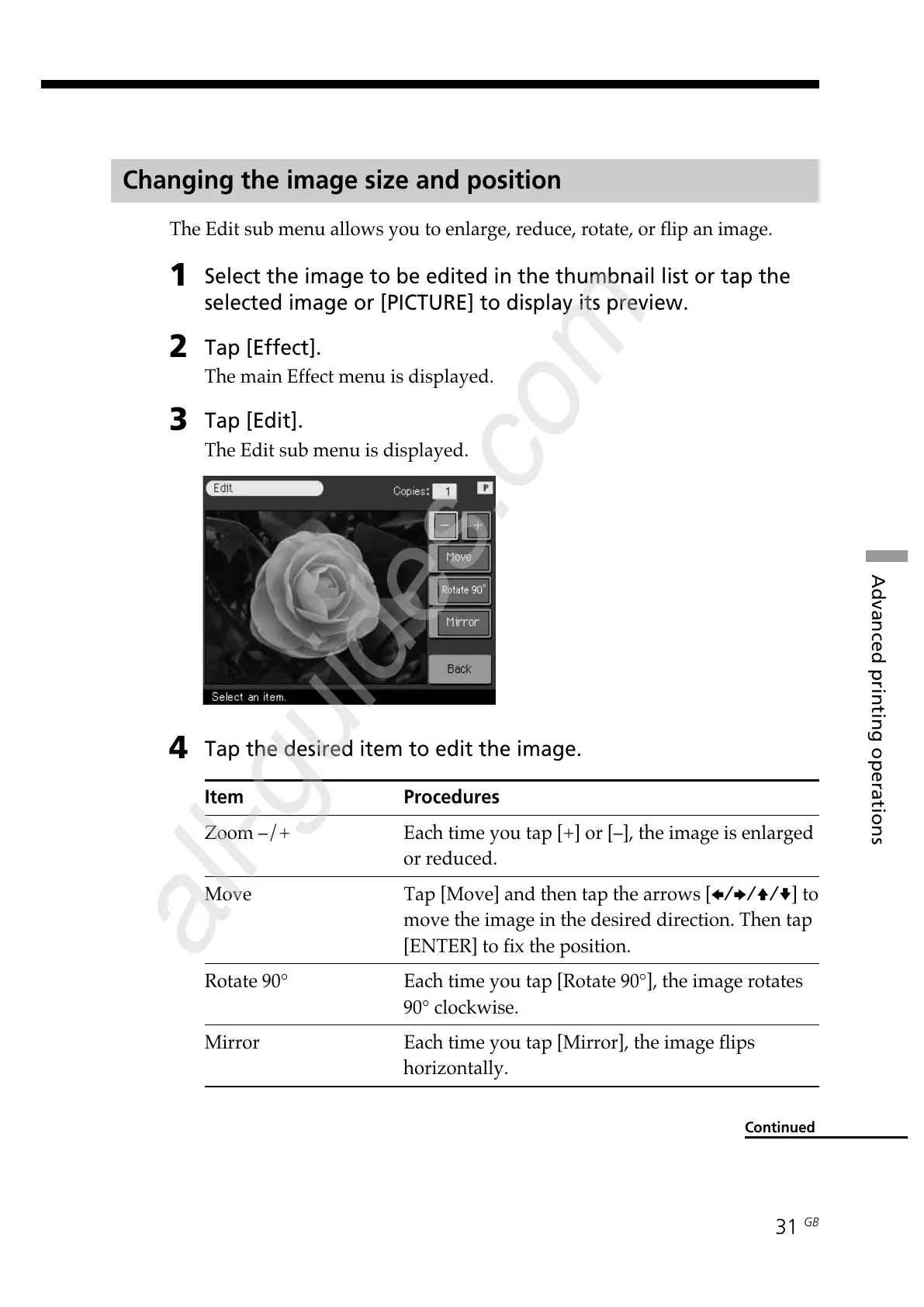
Tap [Edit].
The Edit sub menu is displayed.
4
Tap the desired item to edit the image.
Item Procedures
Zoom –/+ Each time you tap [+] or [–], the image is enlarged
or reduced.
Move Tap [Move] and then tap the arrows [B/b/V/v] to
move the image in the desired direction. Then tap
[ENTER] to fix the position.
Rotate 90° Each time you tap [Rotate 90°], the image rotates
90° clockwise.
Mirror Each time you tap [Mirror], the image flips
horizontally.



 To Next Page