22
GB
4 Inserting the print paper
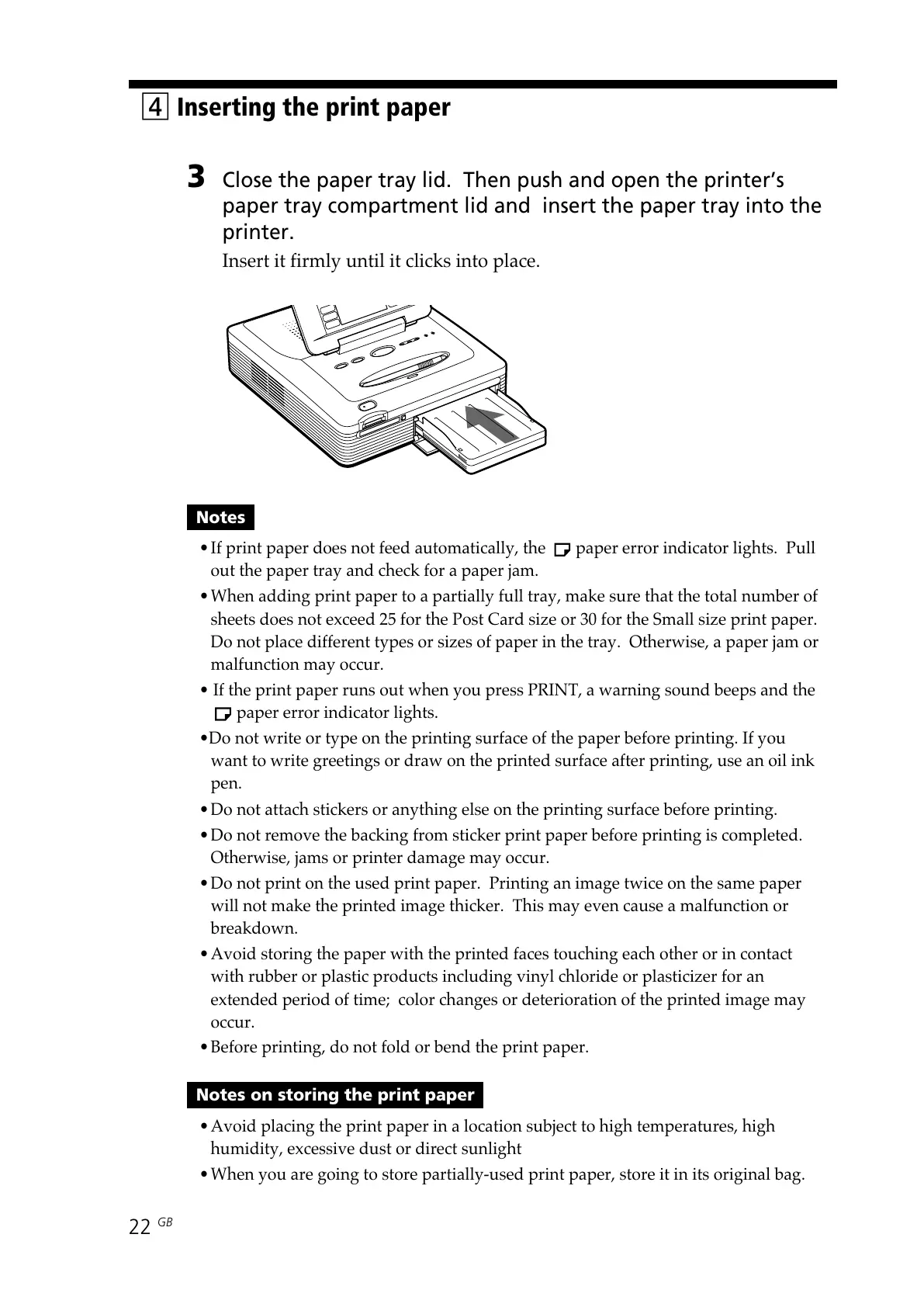
3 Close the paper tray lid. Then push and open the printer’s
paper tray compartment lid and insert the paper tray into the
printer.
Insert it firmly until it clicks into place.
Notes
•If print paper does not feed automatically, the paper error indicator lights. Pull
out the paper tray and check for a paper jam.
•When adding print paper to a partially full tray, make sure that the total number of
sheets does not exceed 25 for the Post Card size or 30 for the Small size print paper.
Do not place different types or sizes of paper in the tray. Otherwise, a paper jam or
malfunction may occur.
• If the print paper runs out when you press PRINT, a warning sound beeps and the
paper error indicator lights.
•Do not write or type on the printing surface of the paper before printing. If you
want to write greetings or draw on the printed surface after printing, use an oil ink
pen.
•Do not attach stickers or anything else on the printing surface before printing.
•Do not remove the backing from sticker print paper before printing is completed.
Otherwise, jams or printer damage may occur.
•Do not print on the used print paper. Printing an image twice on the same paper
will not make the printed image thicker. This may even cause a malfunction or
breakdown.
•Avoid storing the paper with the printed faces touching each other or in contact
with rubber or plastic products including vinyl chloride or plasticizer for an
extended period of time; color changes or deterioration of the printed image may
occur.
•Before printing, do not fold or bend the print paper.
Notes on storing the print paper
•Avoid placing the print paper in a location subject to high temperatures, high
humidity, excessive dust or direct sunlight
•When you are going to store partially-used print paper, store it in its original bag.



 To Next Page