43
GB
Advanced printing operations
To select the color
The characters are input in the color displayed next to [Font Color]. To select a
different color, tap [Font Color] and then tap the desired color box on the color
selection screen.
To delete characters in the input box
•To delete a character before the cursor, tap [Delete]. Each time you tap [Delete],
the character before the cursor is deleted. Input a new character.
•To delete a character in the middle of the input box, tap the space after the
character you want to delete. The [Insert] button turns orange and the orange
cursor appears after the character. (You can also tap [Insert] and then tap the
arrows [B/b] to move the cursor after the character you want to delete.)
Then tap [Delete] to delete the character. Each time you tap [Delete], the
character before the cursor is deleted. You can then input a new character. To
release insertion mode and place the cursor to the end of the line, tap [Insert].
3
Enter the remaining characters for the line and then tap [Exit].
The character input screen is closed.
4
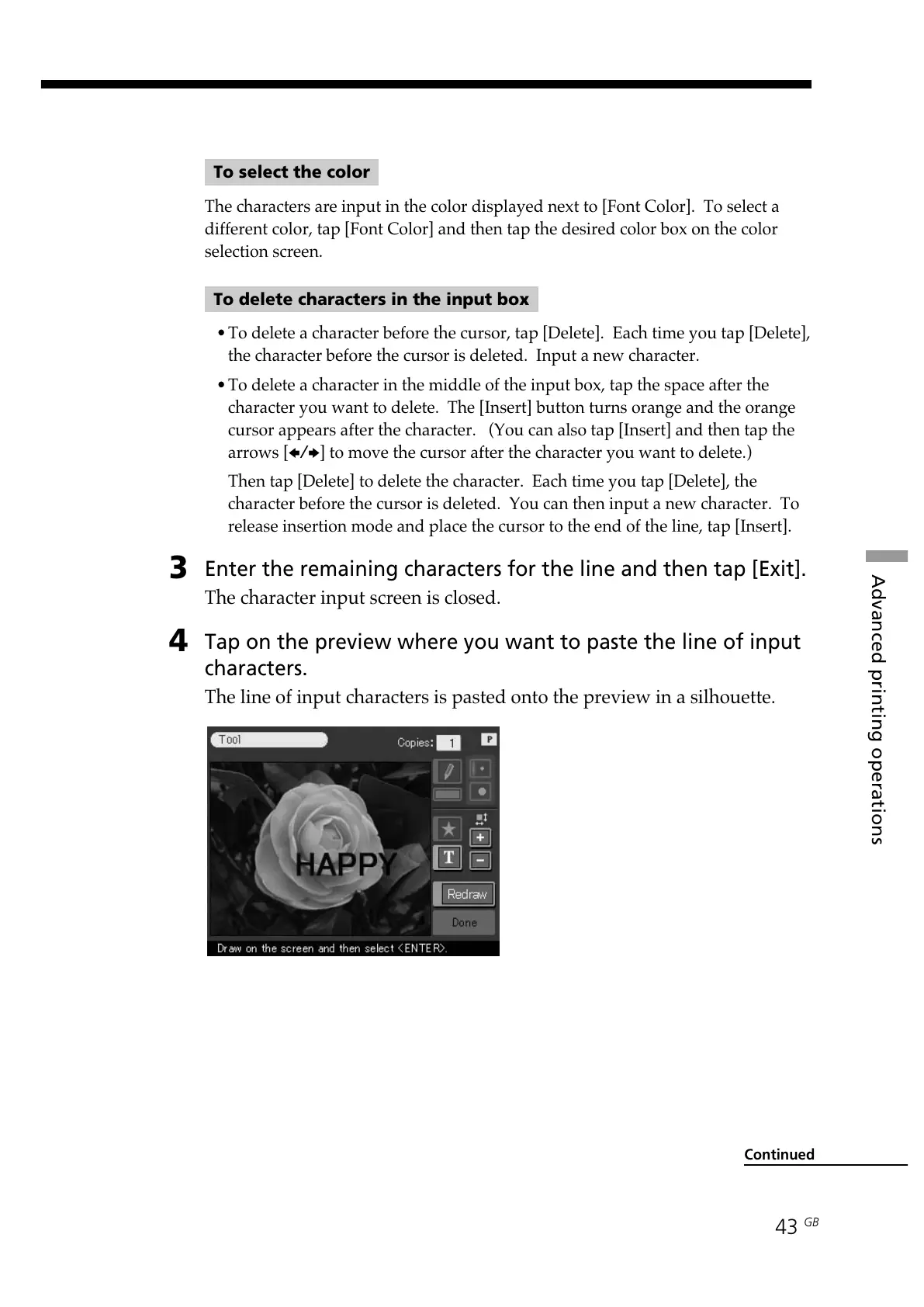
Tap on the preview where you want to paste the line of input
characters.
The line of input characters is pasted onto the preview in a silhouette.
Continued



 To Next Page