52
GB
Making various prints (CREATIVE PRINT)
4
Tap each area on the preview to set the calendar and add
image(s).
You can choose them in any order.
x Selecting image(s)
Tap the image area to select and adjust an image. For details, see
“Selecting image(s)” on page 49.
x Setting the calendar
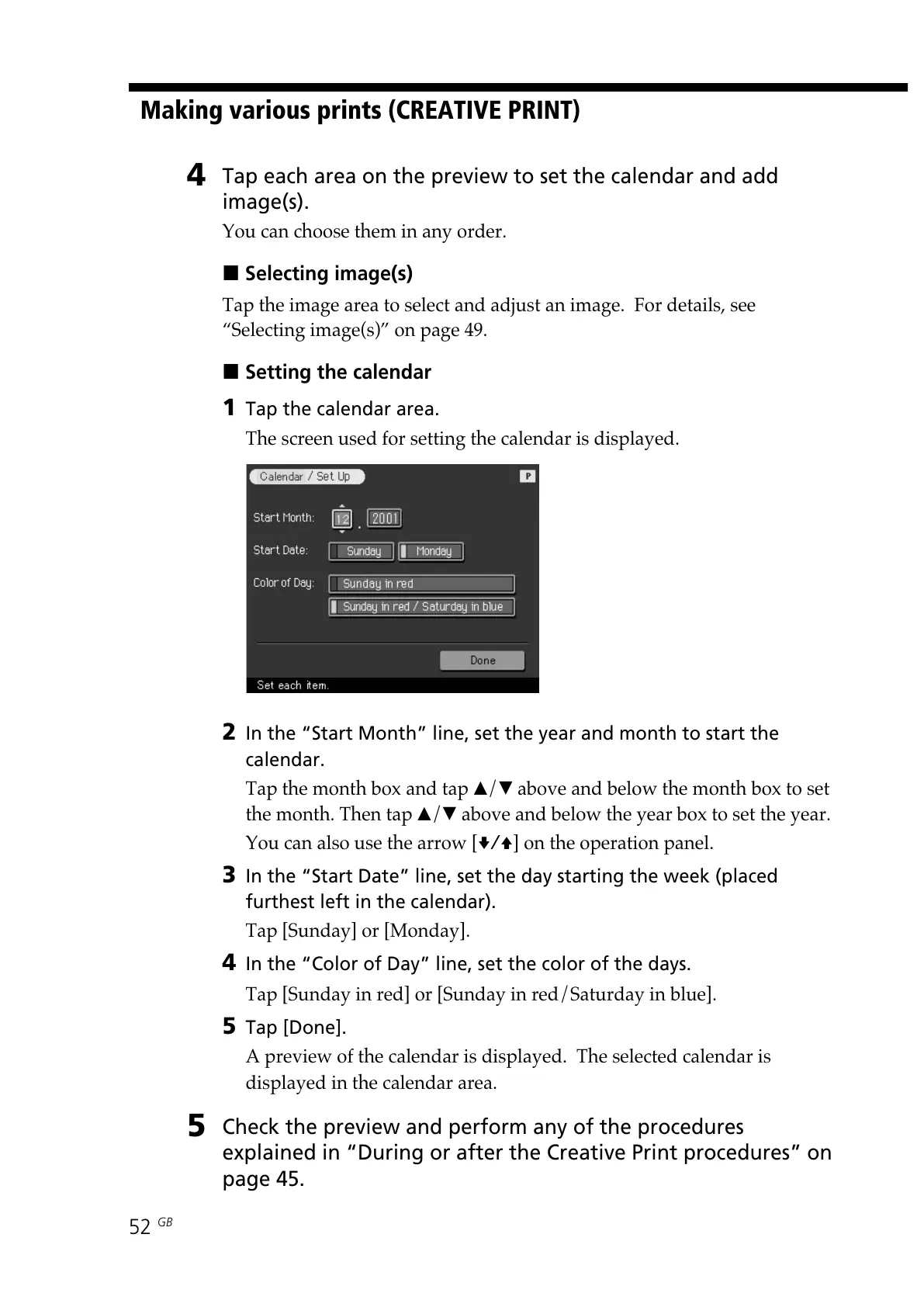
1 Tap the calendar area.
The screen used for setting the calendar is displayed.
2 In the “Start Month” line, set the year and month to start the
calendar.
Tap the month box and tap v/V above and below the month box to set
the month. Then tap v/V above and below the year box to set the year.
You can also use the arrow [v/V] on the operation panel.
3 In the “Start Date” line, set the day starting the week (placed
furthest left in the calendar).
Tap [Sunday] or [Monday].
4 In the “Color of Day” line, set the color of the days.
Tap [Sunday in red] or [Sunday in red/Saturday in blue].
5 Tap [Done].
A preview of the calendar is displayed. The selected calendar is
displayed in the calendar area.
5
Check the preview and perform any of the procedures
explained in “During or after the Creative Print procedures” on
page 45.



 To Next Page