79
GB
Printing from your computer
3 Set “Orientation.”
To print in portrait (tall) format, select “Portrait.” To print in landscape
(wide) format, select “Landscape.”
To set properties of the printer
Click “Properties” to display the “Properties” dialog box.
❒ Graphics tab
You can set the used resolution when printing an image. You cannot
specify dithering, intension or color.
❒ Device Options tab
You can select finish from either “Glossy” or “Texture.”
4
Click “OK” to close the “Print Setup” dialog box.
5
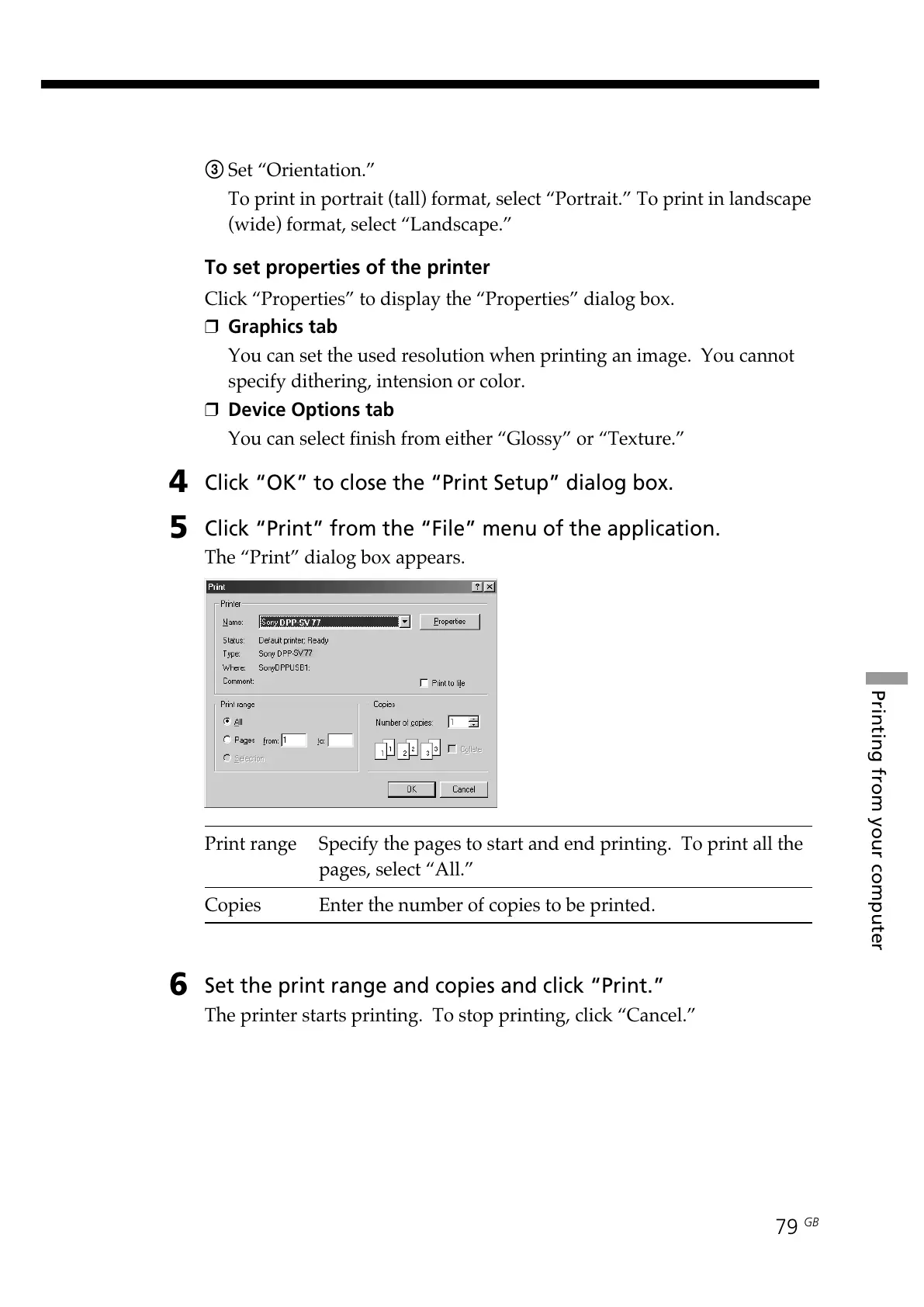
Click “Print” from the “File” menu of the application.
The “Print” dialog box appears.
Print range Specify the pages to start and end printing. To print all the
pages, select “All.”
Copies Enter the number of copies to be printed.
6
Set the print range and copies and click “Print.”
The printer starts printing. To stop printing, click “Cancel.”



 To Next Page