EasyManua.ls Logo

Sony DPP--SV77 - Printing from Software Application (Macintosh) - Continued; Setting Orientation and Print Properties (Macintosh); Print Dialog Box Options (Macintosh); Starting and Stopping Print Job (Macintosh)

Sony DPP--SV77
283 pages
Print Icon
To Next Page IconTo Next Page
To Previous Page IconTo Previous Page
Loading...
84
GB
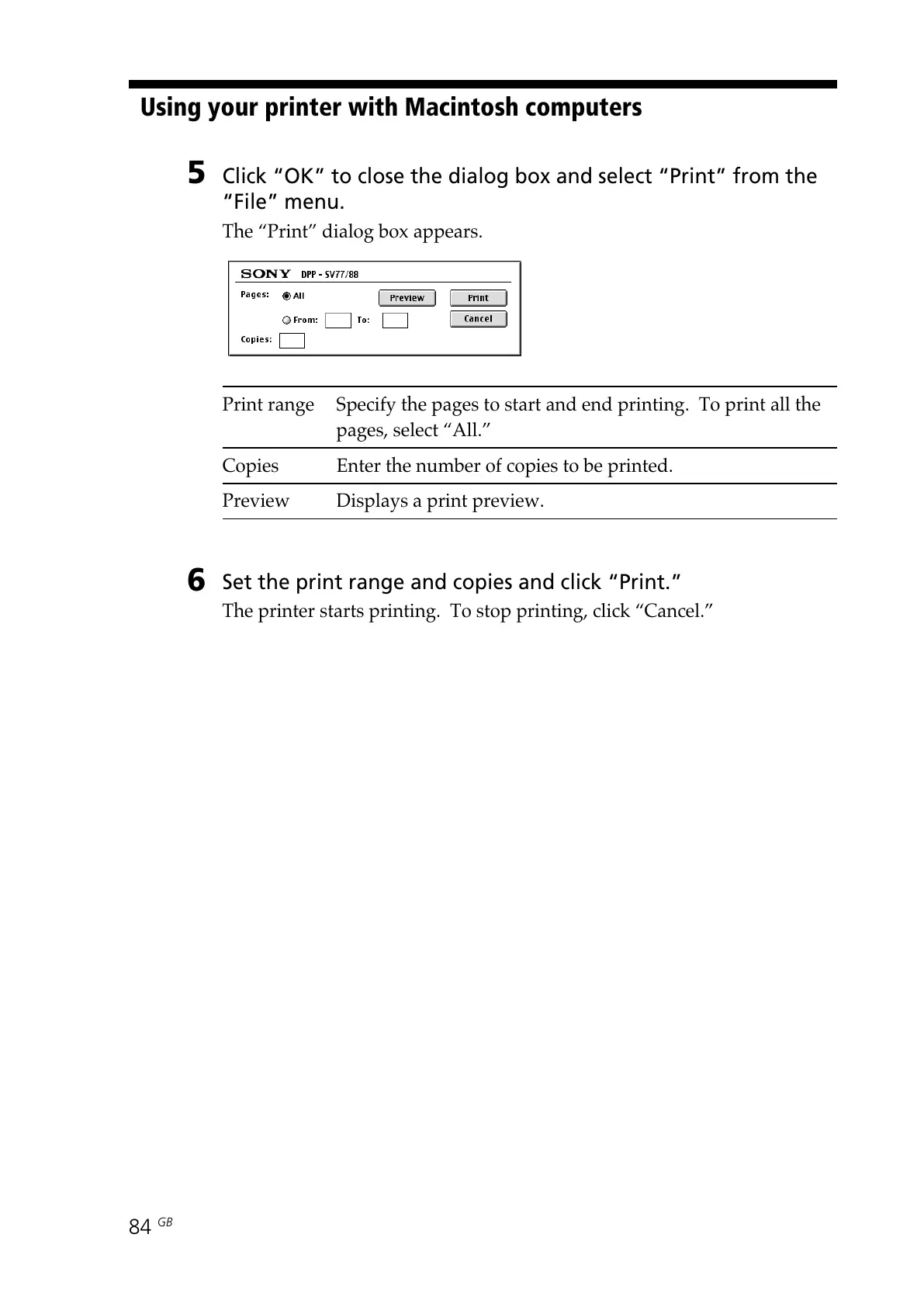
5 Click OK to close the dialog box and select Print from the
File menu.
The “Print” dialog box appears.
Print range Specify the pages to start and end printing. To print all the
pages, select “All.”
Copies Enter the number of copies to be printed.
Preview Displays a print preview.
6
Set the print range and copies and click Print.
The printer starts printing. To stop printing, click “Cancel.”
Using your printer with Macintosh computers

All manuals and user guides at all-guides.com

Table of Contents

Other manuals for Sony DPP--SV77

Related product manuals