18
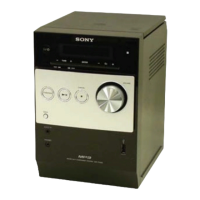
HCD-FL5D
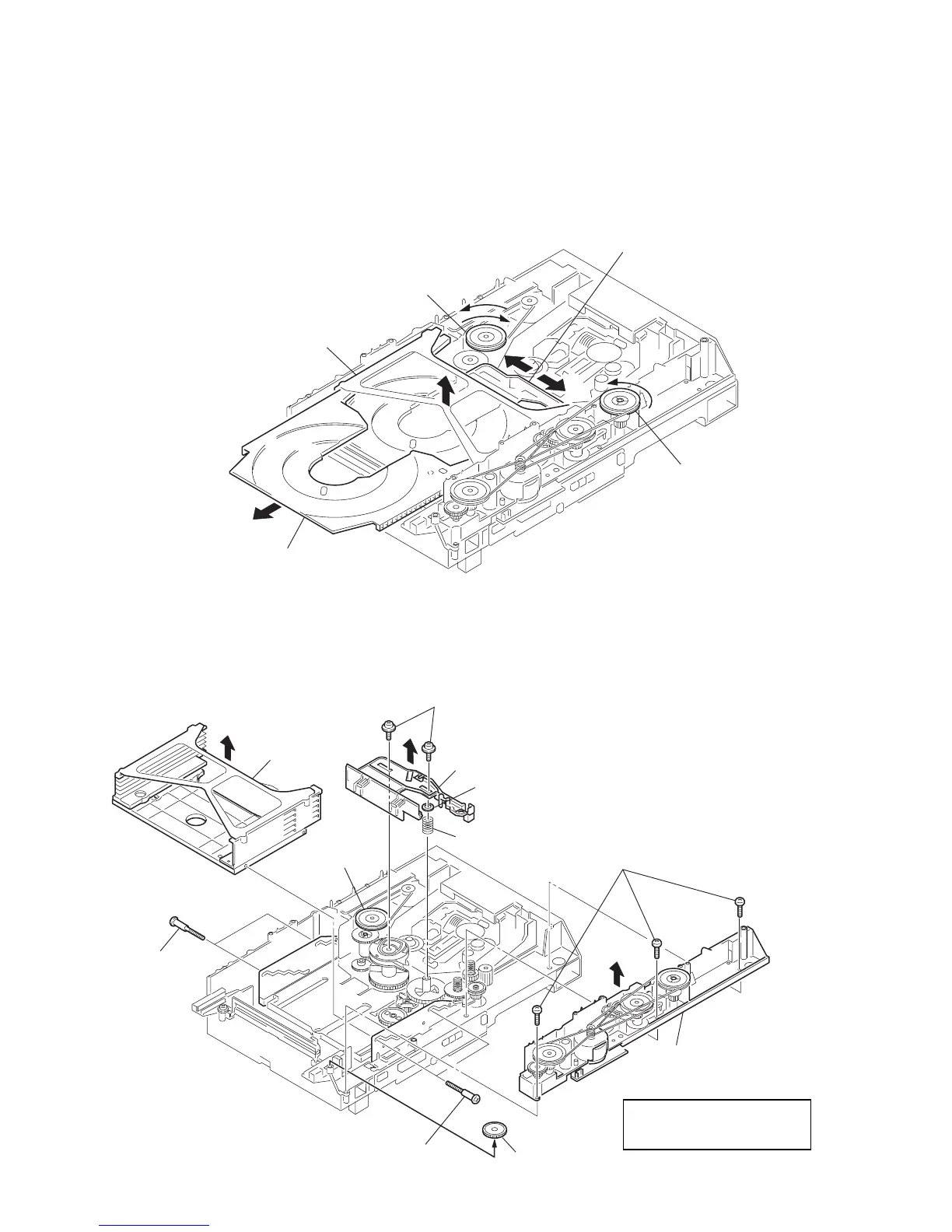
3-16. TRAY (SUB)
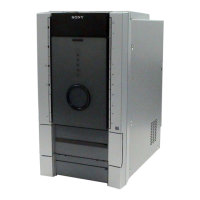
3-17. CHASSIS (MOLD B) SECTION, STOCKER SECTION, SLIDER (SELECTION)
A
B
pully (LD)
stocker section
tray (sub)
slider (selection)
pully (mode)
1
Rotating the pulley (LD), shift the slider (selection) in the arrow
A
direction.
2
Rotating the pulley (mode) in the arrow direction, adjust the tray (sub) to be removed.
3
Rotating the pulley (LD), shift the slider (selection) in the arrow
B
direction.
4
Rotating the pulley (mode) in the arrow direction, remove the tray (sub) to be removed.
6
stocker
section
1
three screws
(BVTP M2.6)
2
chassis (mold B) section
3
gear (eject)
4
two step screws
5
two step
screws
7
two screws
(PTPWH M2.6)
8
slider (selection)
9
washer
0
compression
spring
Pully (LD)
Note: Rotating the pully (LD),
shift the slider (selection)
to the left.



 To Next Page