HCD-FL5D
23
2
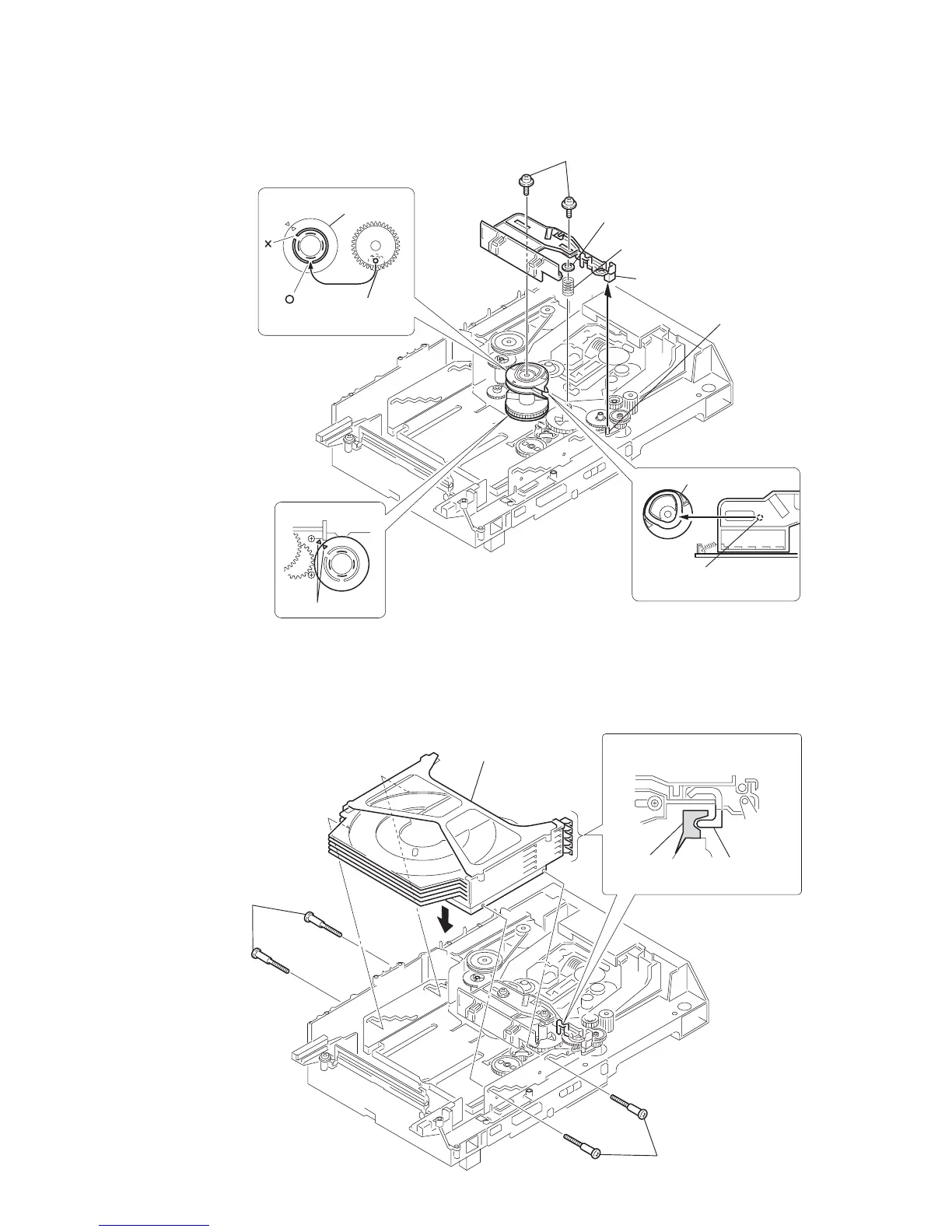
portion A of tray (sub)
1
stocker section
3
two step screws
3
two step screws
Hook the portion A of tray (sub)
to the slider (selection).
portion A
of tray (sub)
sticking of
slider (selection)
2
gear (chuking)
6
two screws
(PTPWH M2.6)
5
washer
3
convex portion of
slider (selection)
4
compression spring
7
Insert the slider (selection)
into the portion A.
1
rotary encoder
rotary encoder
Align with the slot of
rotary encoder.
align marking
portion A
Gear (chuking)
Insert a convex portion into
a groove of gear (chuking).
4-3. SLIDER (SELECTION) INSTALLATION
4-4. STOCKER SECTION INSTALLATION



 To Next Page