Deleting
all
images
(Formatting)
Formatting deletes all the images to recover
recordable free space.
Connect your camcorder to the wall outlet
(wall socket) using the supplied
AC
Adaptor
for this operation (p. 16).
" Notes
•
To
avoid the loss
of
important images, you should
save them (p. 47) before performing [MEDIA
FORMAT].
• While [MEDIA FORMAT]
is
activated, do not
disconnect the AC Adaptor.
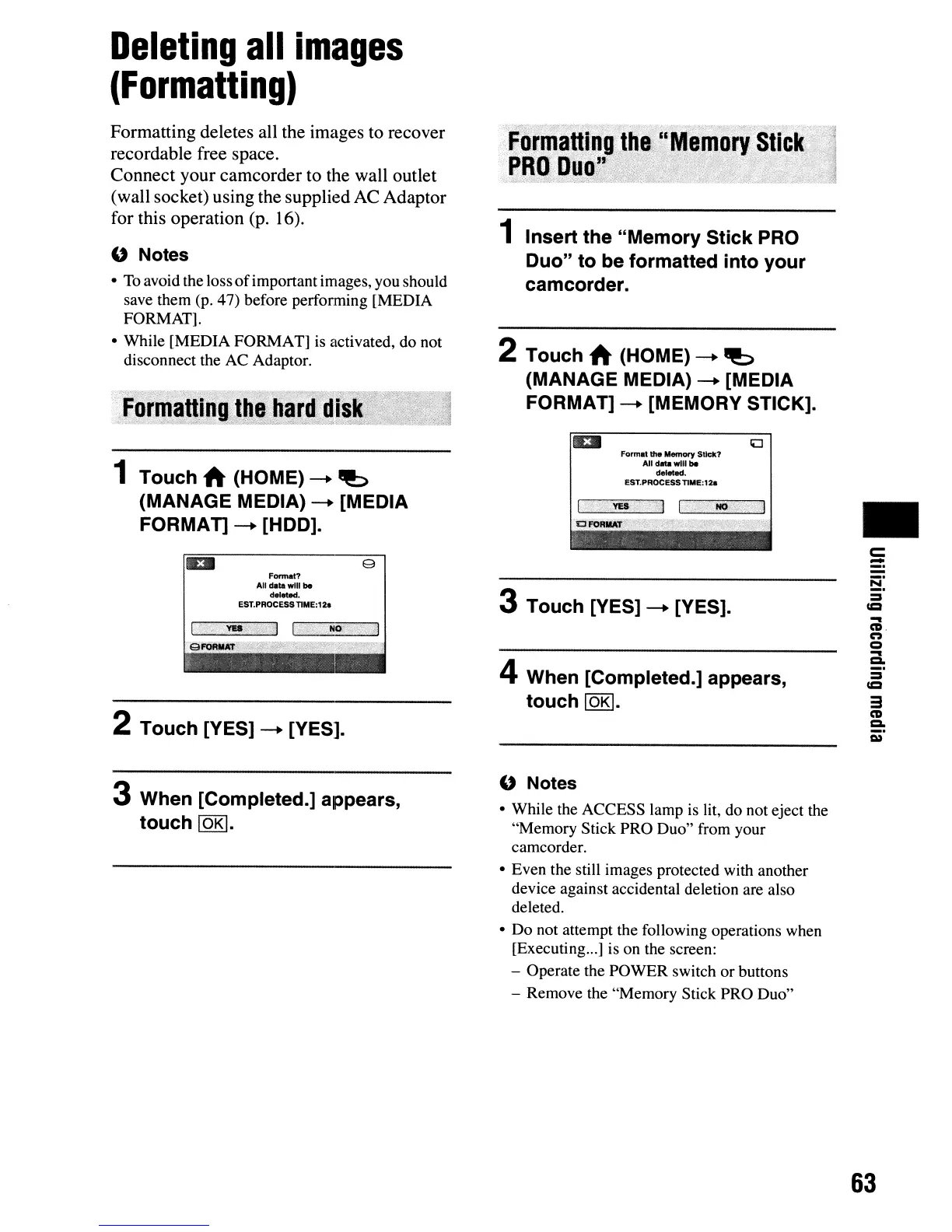
1 Touch A (HOME) ---.
~
(MANAGE MEDIA) ---. [MEDIA
FORMAn
---. [HOD].
Ell
9
Format?
All
data
will be
dol_.
EST.PROCESSTIME:12a
2 Touch [YES] ---. [YES].
3 When [Completed.] appears,
touch
lOKI.
1 Insert the "Memory Stick PRO
Duo" to be formatted into your
camcorder.
2 Touch A (HOME) ---.
~
(MANAGE MEDIA) ---. [MEDIA
FORMAT] ---. [MEMORY STICK].
Ell
Format the
Memory
SUck?
All
data
will
be
deletad.
EST.PROCESSTIME:12a
3 Touch [YES] ---. [YES].
4 When [Completed.] appears,
touch
lOKI.
" Notes
• While the ACCESS lamp is lit, do not eject the
"Memory Stick PRO Duo" from your
camcorder.
• Even the still images protected with another
device against accidental deletion are also
deleted.
• Do not attempt the following operations when
[Executing
...
] is on the screen:
- Operate the POWER switch or buttons
- Remove the "Memory Stick PRO Duo"
•
c::
-
8:
=
«=
...
CD
n
Q
a
=
«=
3
CD
c.
Q)
63




 To Next Page