'Q'TipS
• To check the copied still images after copying is
finished, select [MEMORY STICK] on
[PHOTO MEDIA SET] and play them back
(p.23).
Dividing
a
movie
Select the media which contains the movie
you want to divide before the operation
(p.22).
1 Touch A (HOME)
--.
EE
(OTHERS)
--.
[EDIT].
2 Touch [DIVIDE].
3 Touch the movie to be divided.
The selected movie starts playback.
4 Touch
I~
11\
at the point where you
want to divide the movie into
scenes.
The movie pauses.
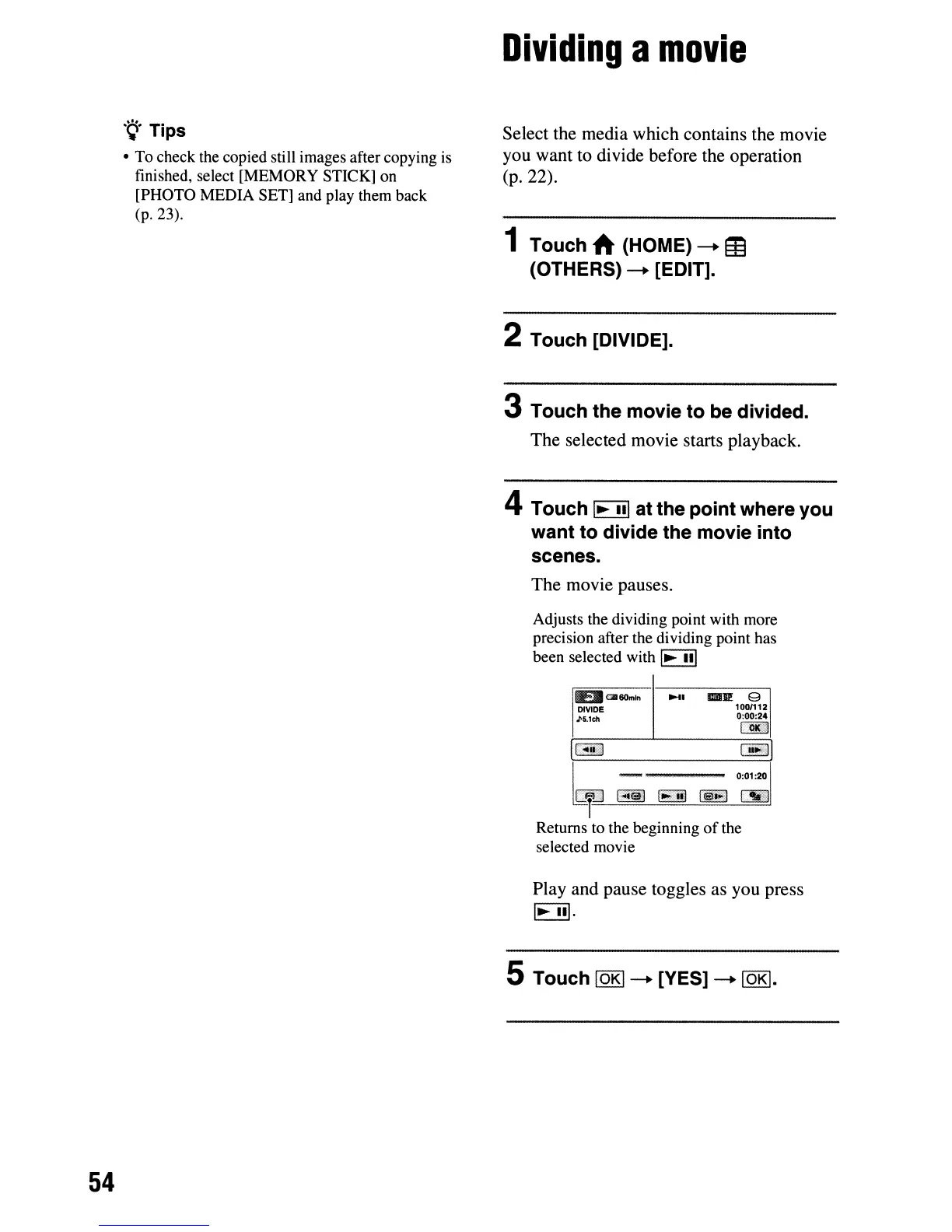
Adjusts the dividing point with more
precision after the dividing point has
been selected with
I~
III
EJlaleom
..
DIVIDE
J>5.1ch
_.
1lIIIJP:
e
1001112
0:00:24
1000iH
54
~::J
~
~
00lJ
.~
Returns to the beginning
of
the
selected movie
Play and pause toggles as you press
I~
III.
5 Touch IOKI--. [YES]
--.IOKI.












 To Next Page