" Notes
• You cannot restore movies once they are
divided.
• Do not remove the battery pack
or
the AC
Adaptor from your camcorder while dividing
the movie.
It may damage the media. Also, do
not eject the "Memory Stick PRO Duo" while
dividing movies on the "Memory Stick PRO
Duo."
• A slight difference may occur from the point
where you touch
I~
III
and the actual dividing
point, as your camcorder selects the dividing
point based on about half-second increments.
•
If
you divide the original movie, the movie
added to the Playlist will also be divided.
Creating
the
Playlist
The Playlist is a list showing thumbnails
of
the movies that you have selected.
The original movies are not changed even
if
you edit or delete the movies added to the
Playlist.
Select the media you want to create, play,
or edit a Playlist before the operation
(p.22).
" Notes
• Images with HD (high definition) image quality
and SD (standard definition) image quality are
added to an individual Playlist.
1 Touch
~
(HOME)
-.
m
(OTHERS)
-.
[PLAYLiST EDIT].
2 Touch
[m
ADD] or
[UsoU
ADD].
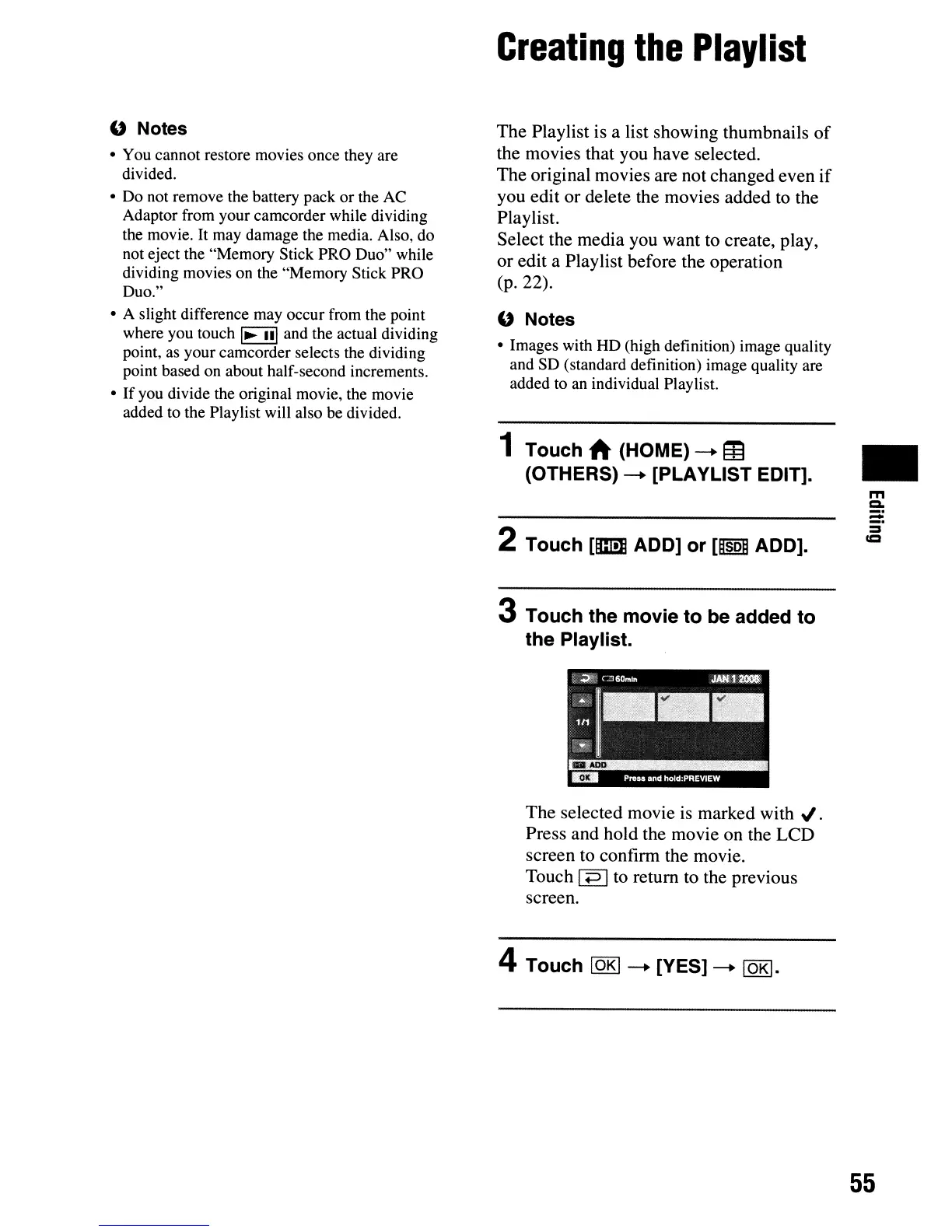
3 Touch the movie to be added to
the Playlist.
.4>:t'
= 6Qmln
JAtU
2llO81
;1--·
Press and hold:PREVIEW
The selected movie is marked
with'"
.
Press and hold the movie on the LCD
screen to confirm the movie.
Touch
Ip Ito return to the previous
screen.
4 Touch
lOKI
-.
[YES]
-.
lOKI.
•
m
=-
:=
=
=
55












 To Next Page