Recording
The images are recorded on the media selected in the media setting (p. 22).
In the default setting, both movies and still images are recorded on the hard disk.
~
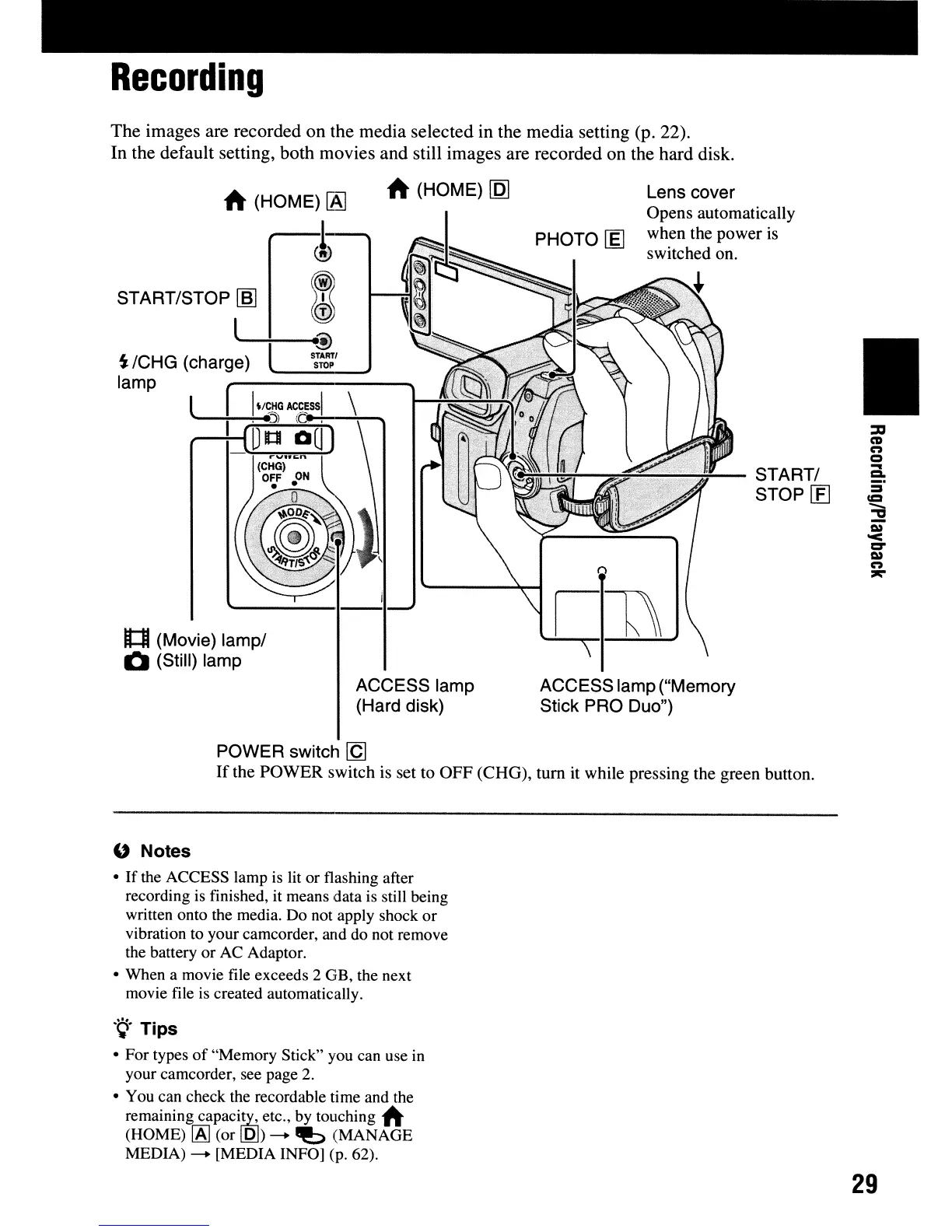
(HOME)!AJ
~
START/STOP
I!!I
I
l
.....
--+_
......
@
S:
/CHG (charge)
si~~'
lamp
l
1:1
(Movie) lamp/
1:1
(Still) lamp
ACCESS lamp
(Hard disk)
Lens cover
Opens automatically
when the power
is
switched on.
--=,=~~~~-
START/
f"'J'::I/JJ.~a
STOP
[E]
ACCESS lamp ("Memory
Stick PRO Duo")
•
POWER switch
[g
If
the POWER switch
is
set to OFF (CHG), tum
it
while pressing the green button.
" Notes
•
If
the ACCESS lamp
is
lit or flashing after
recording is finished, it means data is still being
written onto the media. Do not apply shock
or
vibration to your camcorder, and do not remove
the battery
or
AC Adaptor.
• When a movie file exceeds 2 GB, the next
movie file is created automatically.
.
~.
Tips
• For types
of
"Memory Stick" you can use in
your camcorder, see page
2.
• You can check the recordable time and the
remaining
capaciEY.;
etc., by touching
~
(HOME)
[AJ
(or
lQJ)
--.
"!:>
(MANAGE
MEDIA)
--.
[MEDIA INFO] (p. 62).
29




 To Next Page