Playing
the
image
on
a
TV
1
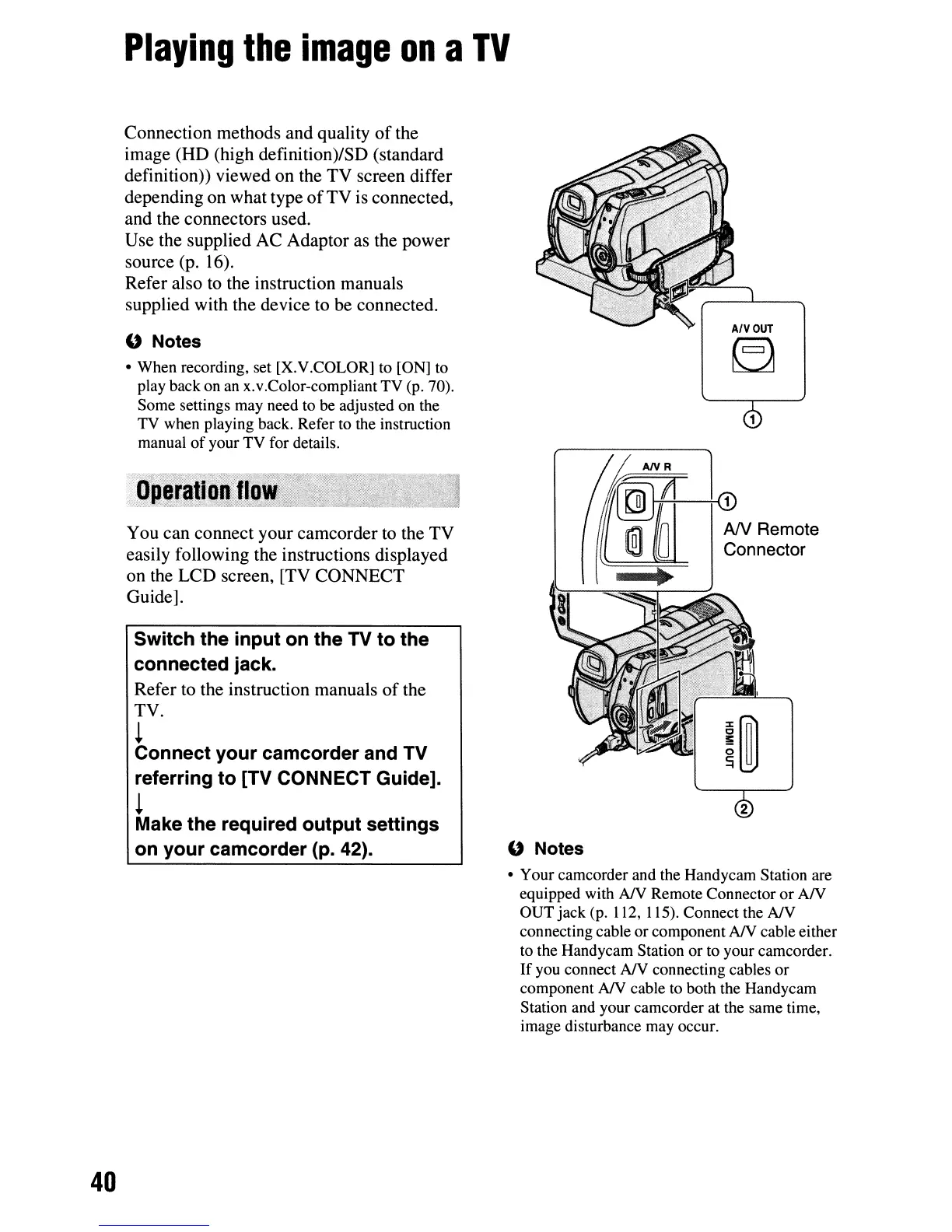
A/VOUT
~
ANR
(D
~
."
AN
Remote
1@1
0 Connector
~
" Notes
Switch the input on the TV to the
connected jack.
Refer to the instruction manuals
of
the
TV.
~
Connect your camcorder and TV
referring to [TV CONNECT Guide].
~
Make the required output settings
on your camcorder (p. 42).
You can connect your camcorder
to
the TV
easily following the instructions displayed
on the LCD screen, [TV CONNECT
Guide].
" Notes
• When recording, set [X.V.COLOR] to [ON] to
play back on
an
x.v.Color-compliant TV (p. 70).
Some settings may need to be adjusted on the
TV when playing back. Refer to the instruction
manual
of
your TV for details.
Connection methods and quality
of
the
image (HD (high definition)/SD (standard
definition)) viewed on the TV screen differ
depending on what type
of
TV is connected,
and the connectors used.
Use the supplied AC Adaptor as the power
source (p. 16).
Refer also
to
the instruction manuals
supplied with the device to be connected.
• Your camcorder and the Handycam Station are
equipped with
NY
Remote Connector
or
AN
OUT jack (p. 112, 115). Connect the
NV
connecting cable
or
component
NY
cable either
to the Handycam Station or to your camcorder.
If
you connect
NY
connecting cables
or
component
NY
cable to both the Handycam
Station and your camcorder at the same time,
image disturbance may occur.
40












 To Next Page