W T
[I]
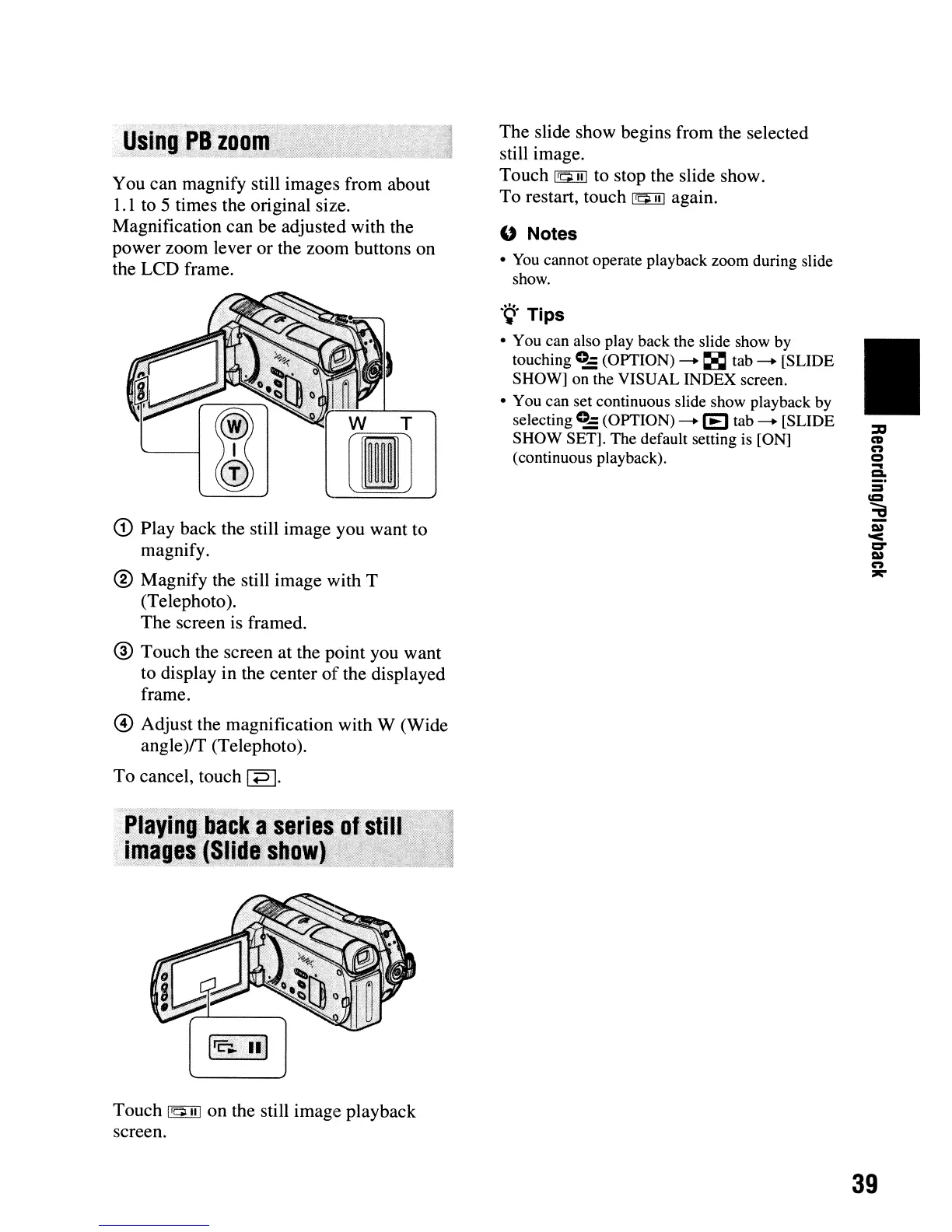
You can magnify still images from about
1.
1 to 5 times the original size.
Magnification can be adjusted with the
power zoom lever or the zoom buttons on
the LCD frame.
G) Play back the still image you want to
magnify.
® Magnify the still image with T
(Telephoto).
The screen
is
framed.
® Touch the screen at the point you want
to display in the center
of
the displayed
frame.
@ Adjust the magnification with W (Wide
angle
)ff
(Telephoto).
To cancel, touch
1P
I.
,,"'.
'::
::):,~:._:_.
'.
)}'tN)lf'': .. "
.,.@:t'».
..., $
..
-".,
:
•.
-«"f
"Playing,back
a$~des
Qf:$(ill"
.
imag~~JS(;~e~!J9!1)
:
§<.
"='
~~_:"
Touch
1~1I1
on the still image playback
screen.
The slide show begins from the selected
still image.
Touch
~
to stop the slide show.
To restart, touch
~
again.
" Notes
•
You
cannot operate playback zoom during slide
show.
.
~.
Tips
• You can also play back the slide show by
touching
c::
(OPTION)
-.
~
tab
-.
[SLIDE
SHOW] on the VISUAL INDEX screen.
• You can set continuous slide show playback by
selecting
0-
(OPTION)
-.
(E)
tab
-.
[SLIDE
SHOW SET]. The default setting is [ON]
(continuous playback).
•
39












 To Next Page