EasyManua.ls Logo

Sony MHC-V41D - Optical Pick-Up Block (CMS-S76 RFS7 G)

Sony MHC-V41D
72 pages
Print Icon
To Next Page IconTo Next Page
To Previous Page IconTo Previous Page
Loading...
MHC-V41D
17
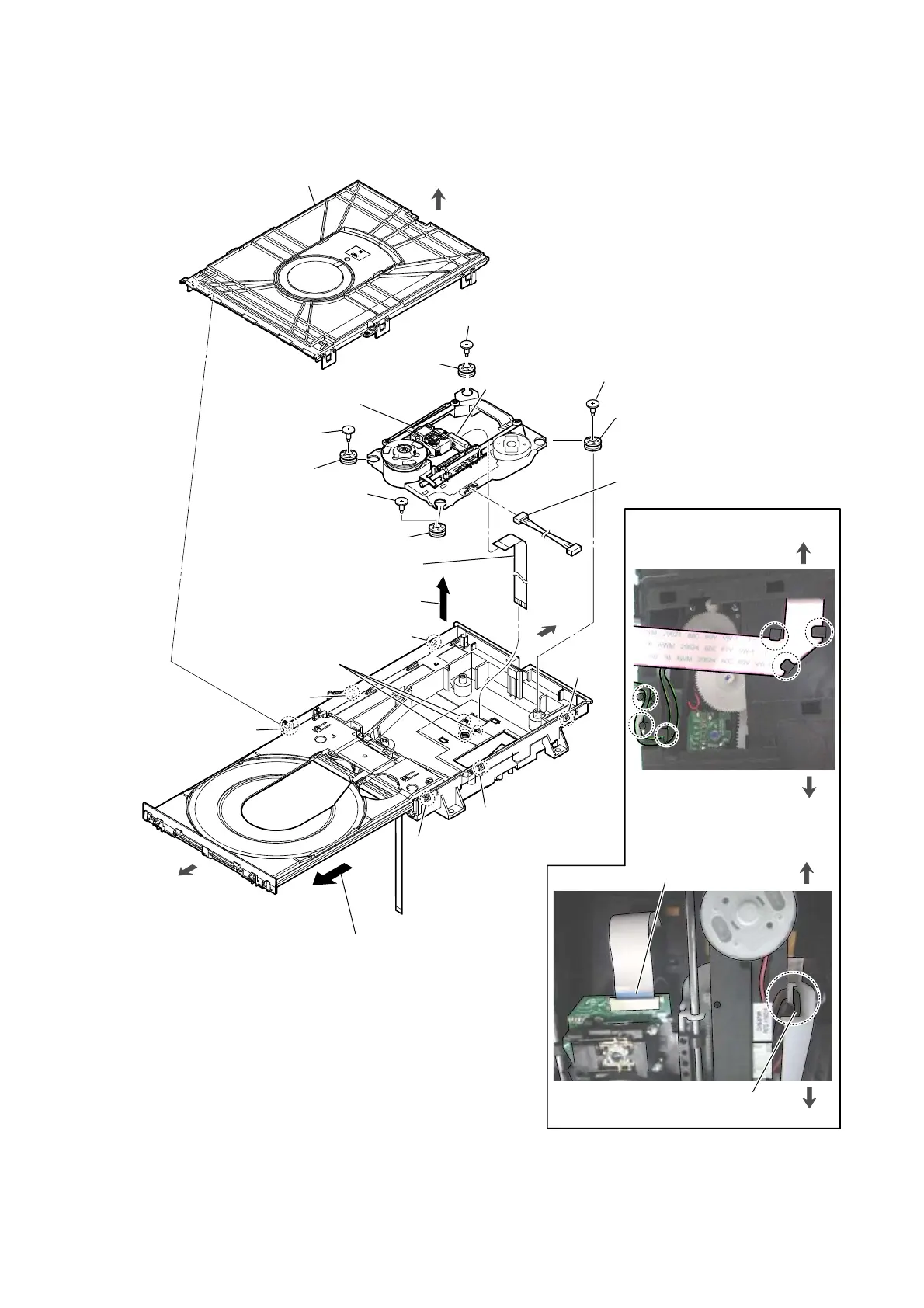
2-9. OPTICAL PICK-UP BLOCK (CMS-S76RFS7G)
5 insulator screw
8 flexible flat cable
(24P)
9 MOTHER board connection
cable connector
7 connector
0 insulator
0 insulator
0 insulator
0 insulator
qa optical pick-up block
(CMS-S76RFS7G)
6
Remove the
optical pick-up
block
in the direction of the arrow.
4
three claws
(See Fig. J)
1
claw
1
claw
1
claw
1
claw
1
claw
2
chuck holder block
– Bottom view –
– Top view –
3
Draw out the tray.
Note:
When you can not draw out the tray,
please refer to “HOW TO OPEN THE
TRAY WHEN POWER SWITCH
TURN OFF” on page 8.
5 insulator screw
5 insulator screw
5 insulator screw
The opposite side
is terminal side.
front side
rear side
Wire setting
< Fig. J >
1
claw
front side
rear side
MOTHER board
connection cable
< Fig. K >
front side
rear side
top side

Other manuals for Sony MHC-V41D

Related product manuals