EasyManua.ls Logo

Sony MHC-V41D - Initial System Configuration; Changing the TV Color System; Performing Quick Setup

Sony MHC-V41D
72 pages
Print Icon
To Next Page IconTo Next Page
To Previous Page IconTo Previous Page
Loading...
MHC-V41D
23
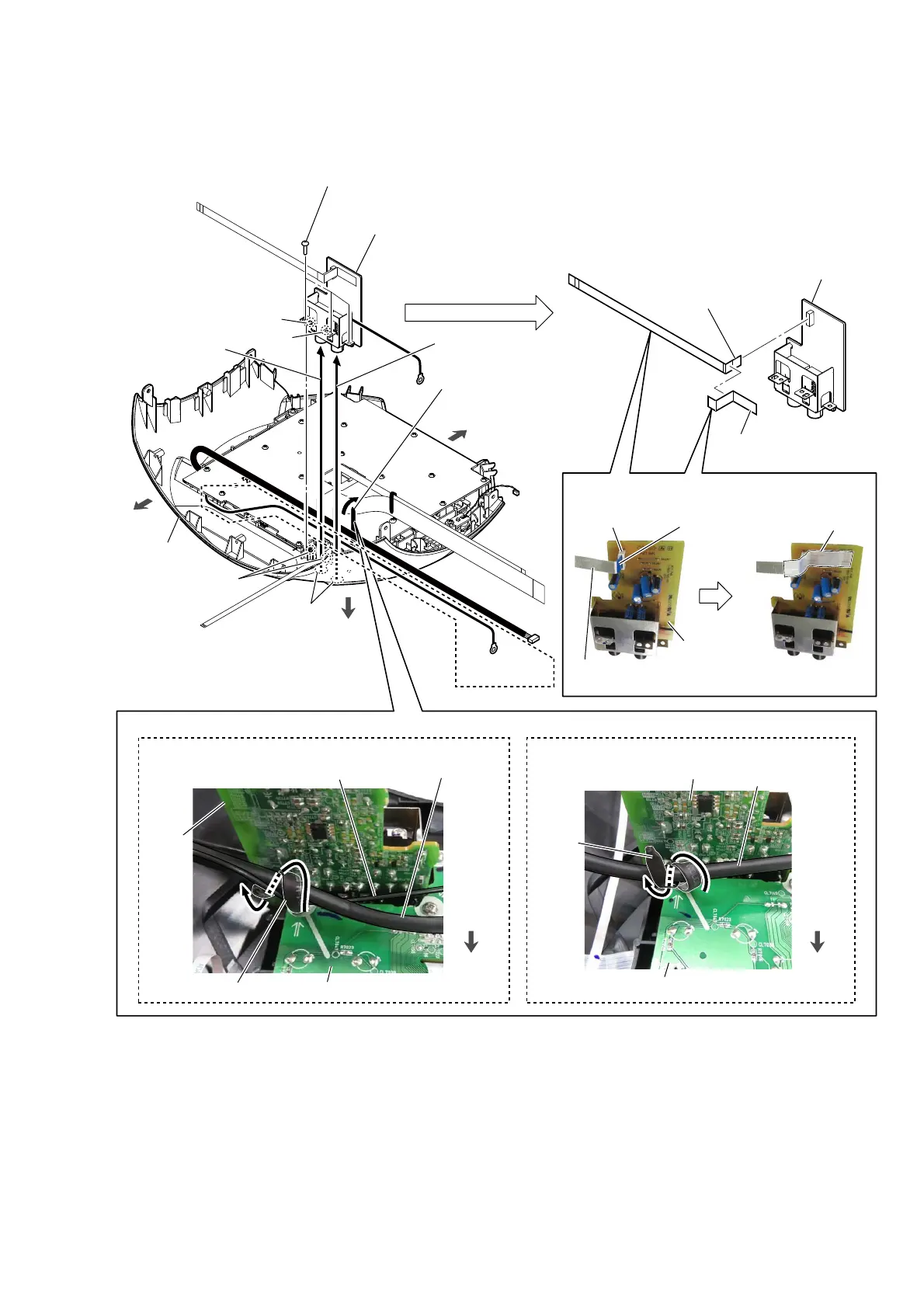
2-16. MIC BOARD
rear side
filament tape
(sub material)
two holes
1 Remove the wire from
the coating clip.
2 three screws
(BVTP2.6 u 8)
3 Draw the jack
out of the hole.
3 Draw the jack
out of the hole.
top panel block
7
MIC board
6
flexible flat cable (7P)
(CN7701)
5
filament tape
(sub material)
:LUHVHWWLQJ
CN7701
MIC board
The opposite side
is terminal side.
(LA)$(38.$86
hole
hole
two bosses
4 MIC board block
Note:
When installing the MIC board block,
align the two bosses and two holes.
front side
top side
%RWWRPYLHZ
%RWWRPYLHZ
front side
MIC
board
coating clip
PANEL board
PANEL board
cable
PANEL board
wire
)OH[LEOHIODWFDEOHVHWWLQJ
flexible flat cable
(7P)
$(38.$86
MIC board
coating
clip
PANEL board
PANEL board
cable
front side

Other manuals for Sony MHC-V41D

Related product manuals