MHC-V6D
6
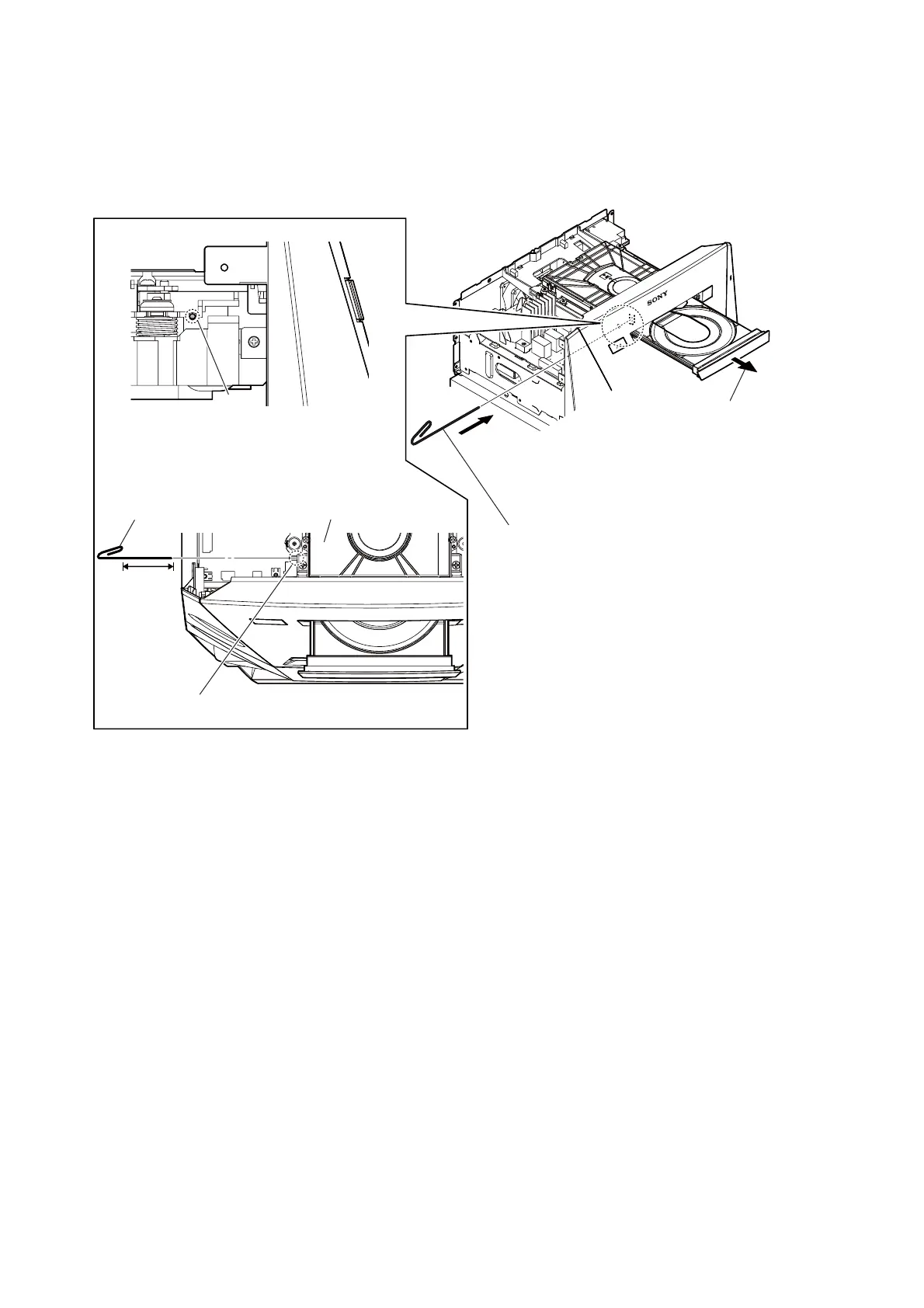
HOW TO OPEN THE TRAY WHEN POWER SWITCH TURN OFF
Note 1: After the side panel and top panel are removed, this work is done.
Note 2: Please prepare the thin wire (clip etc. processed to the length of 8 cm or more).
tray
CD mechanism deck
– Top view –
hole
8 cm or more
2 Draw out the tray.
1 Insert the clip etc. in the hole,
and push the lever in the direction
of the arrow.
thin wire (clip etc. )
– Left view –
hole



 To Next Page
 Loading...











