82
Remote/Media Status Screen
Chapter 7 Status Display
i.LINK Out: HDV/DV output status
Displays the output status of the HDV/
DV connector (HDV, DVCAM, or off)
depending on the “i.LINK I/O Select”
setting of the VIDEO SET menu.
Remote/Media
Status Screen
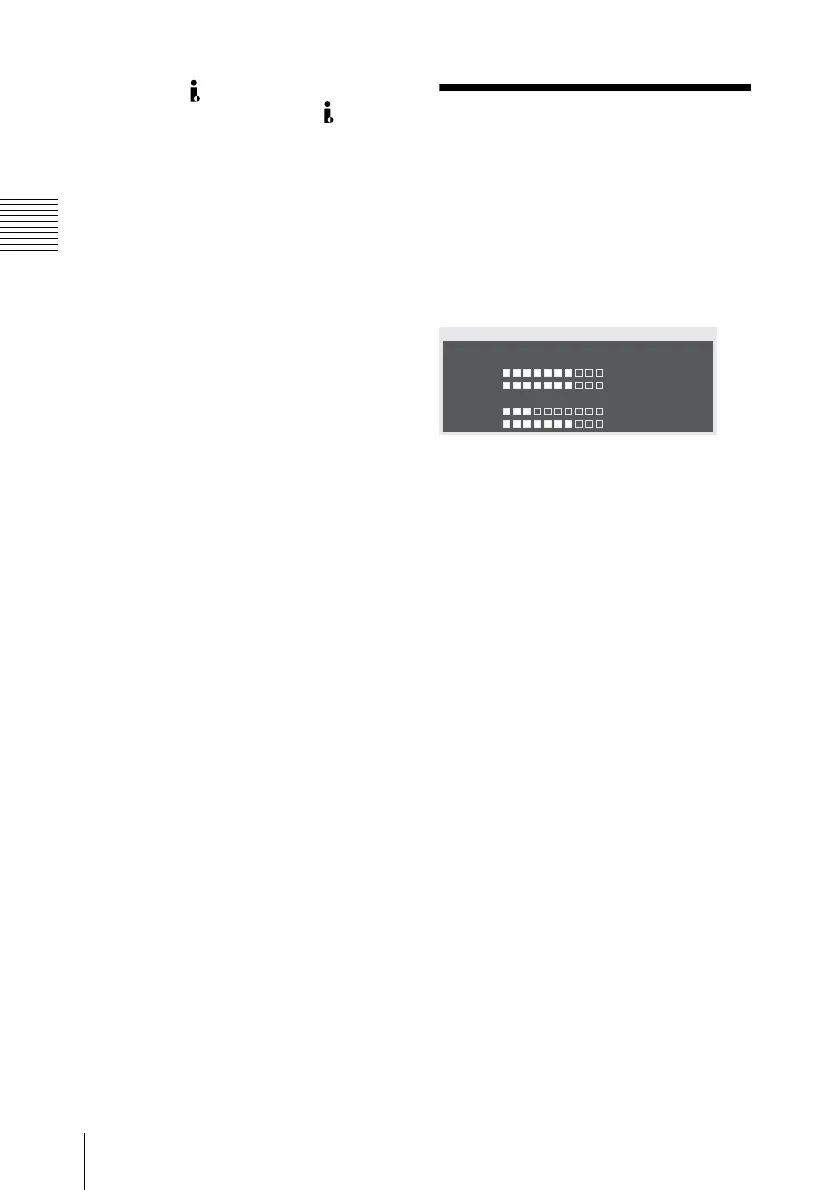
The remote/media status screen displays the
status of the IR remote commander,
remaining space of the media and available
recording time.
IR REMOTE: IR remote
commander status
Displays the status (ON: enabled, OFF:
disabled) of the IR remote commander.
HDD A/HDD B: Battery remaining
of PHU-60K/120K/120R units
Display the remaining power levels of the
batteries of the PHU-60K/120K/120R units
connected via the respective card slots
when PHU-60K/120K/120R Professional
Harddisk Units are connected.
Media A/Media B: Remaining
space of the media and available
recording time
The remaining space of the SxS memory
cards in the respective card slots are
indicated on the meters.
At the right of the remaining space meter,
the available time for recording if done at
the current bit rate is displayed, in minutes.
The time indication will be “- - min” if no
SxS memory card or an invalid card is in the
slot.
If the card is write-protected, “Protected” is
shown to the right of the available recording
time indication.
IR REMOTE :On
Battery
HDD A
HDD B
0
50
100
%
Media A
20
m
in
Media B
50
m
in
Protected
REMOTE/
M
EDIA 3/3



 To Next Page