76
Connecting an External Device with the i.LINK Connector
Chapter 6 Example Connections for Various Applications
Connecting an
External Device
with the i.LINK
Connector
When an HDV-compatible video format is
selected, you can connect an external
device to the HDV/DV connector to
perform dubbing of clips recorded on a SxS
memory card using the external device or to
record playback signals from the external
device on the SxS memory card in this unit.
You can also feed an HDV-format or a
DVCAM-format signal to a nonlinear
editing system connected via the HDV/
DV connector.
• Use the i.LINK(HDV) connector only for
one-to-one i.LINK connection.
• Playback signals of clips recorded in a
format other than SP 1080/60i (when
“Country” is set to “NTSC Area”) or SP
1080/50i (when “Country” is set to “PAL
Area”) and SP 1080/24P cannot be
output as converted to HDV signals.
• Playback signals of clips recorded in HQ
1080/24P or HQ 720/24P format cannot
be output as converted to DVCAM
signals.
• Use “i.LINK I/O Select”
(see page 90) of
the VIDEO SET menu to switch the
output format (between HDV and
DVCAM). Be sure to turn off the power
of the connected devices before
switching the output format.
• It is not possible to control the i.LINK-
connected device from this unit using
AV/C commands.
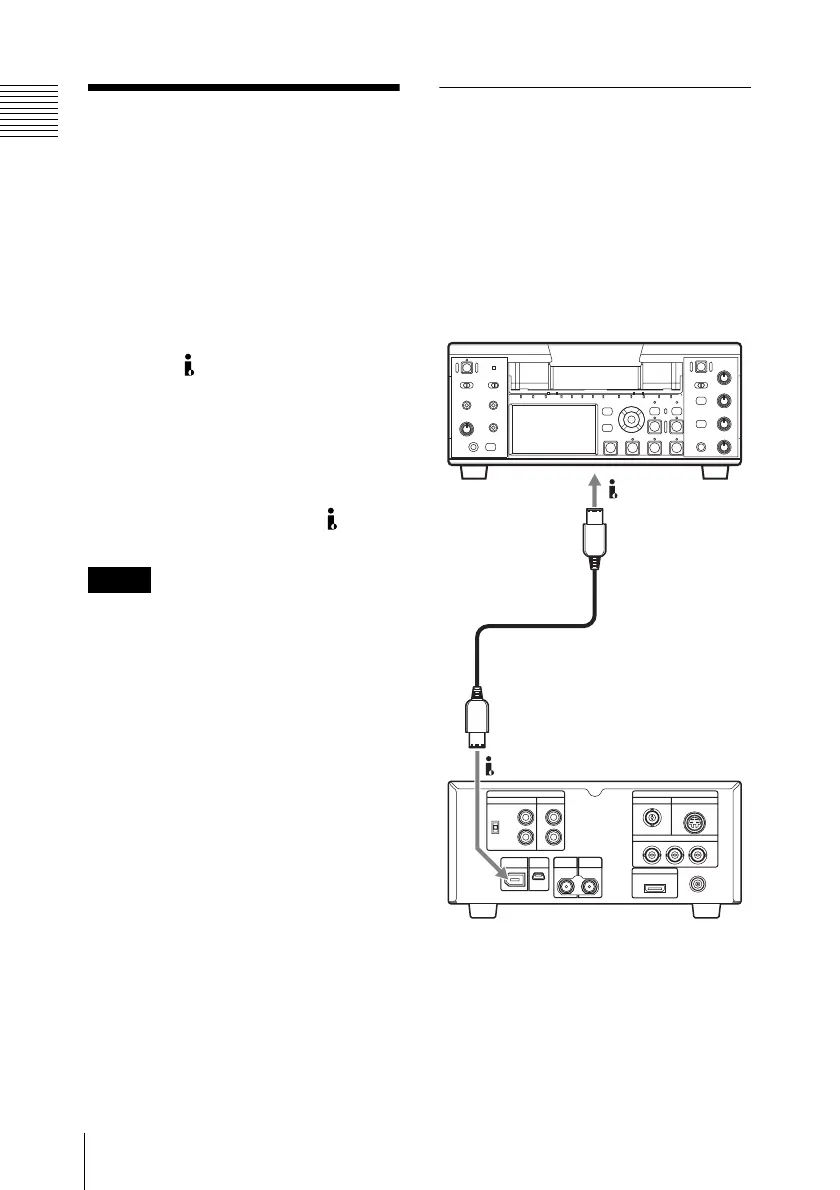
Dubbing clips
This section shows an example for
connecting this unit and the HVR-M35
HDV Videocassette Recorder to perform
dubbing clips from an SxS memory card to
a tape.
On how to use the HVR-M35, refer to the Operating
Instructions supplied with the HVR-M35.
a) i.LINK cable
b) Select the input format according to the video
format set on this unit.
c) Set “i.LINK I/O Select” (see page 90) of the
VIDEO SET menu to “DVCAM” or “HDV”.
Notes
HDV/DV
b)
a)
HDV/DV
c)
HVR-M35
This unit



 To Next Page