EasyManua.ls Logo

Sony SLV-SE620 - Step 4: Auto Set Up Function; Step 5: Selecting the TV system

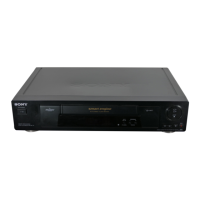
Sony SLV-SE620
96 pages
Print Icon
To Next Page IconTo Next Page
To Previous Page IconTo Previous Page
Loading...
SEE
SSS
ee
ee
ee
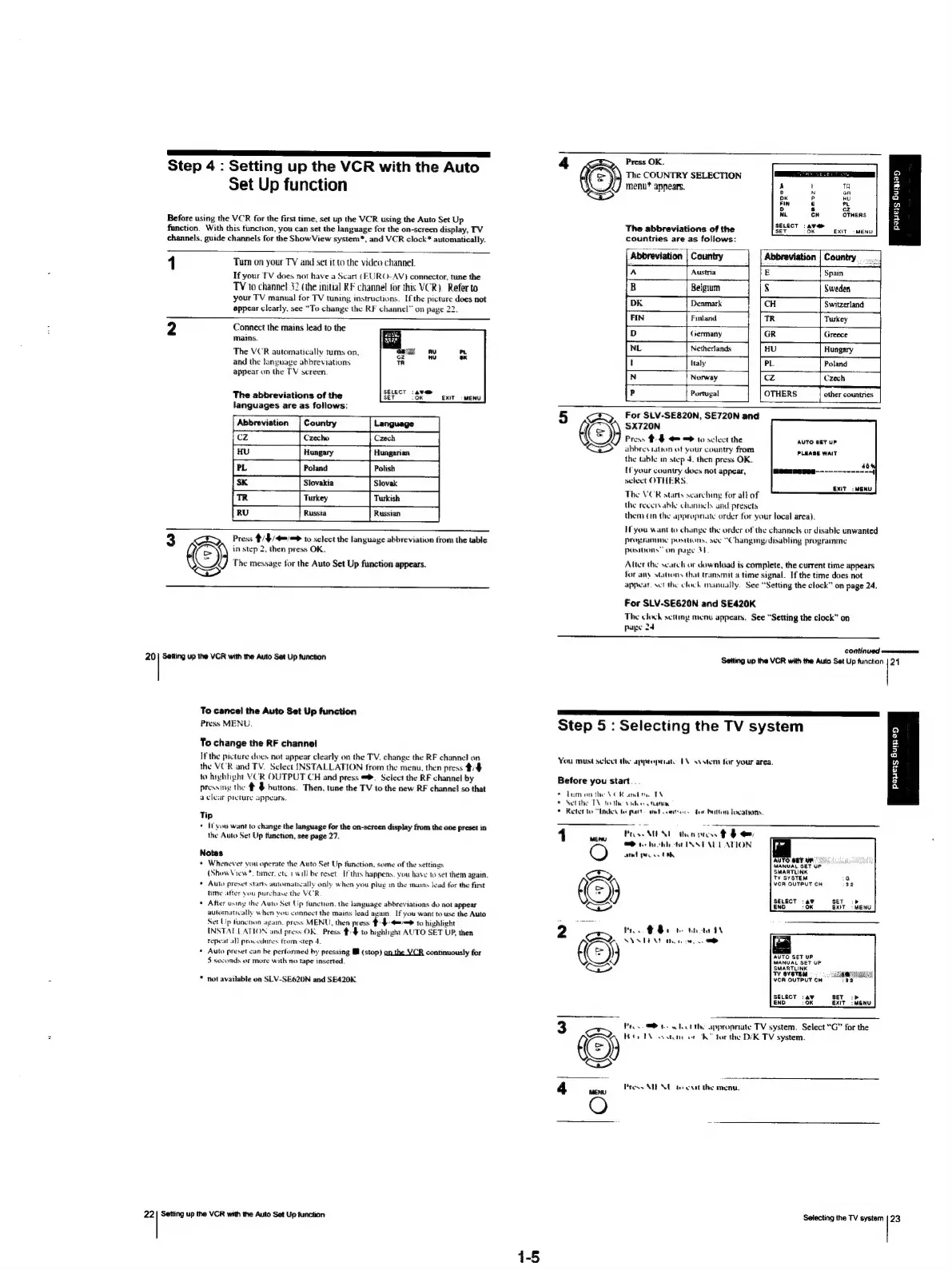
Step
4
:
Setting
up
the
VCR
with
the
Auto
Set
Up
function
Before
using
the
VCR
for
the
first
time,
set
up
the
VCR
using
the
Auto
Set
Up
function.
With
this
function,
you
can
set
the
language
for
the
on-screen
display,
TV
channels,
guide
channels
for
the
Show
View
system*,
and
VCR
clock*
automatically.
1
Tum
on
your
TY
and
set
it
to
the
video
channel.
If
your
TV
does
not
have
a
Scart
(EURO-AV)
connector,
tune
the
TV
to
channel
32
(the
initial
RF
channel
for
this
VCR).
Refer
to
your
TV
manual
for
TV
tuning
instructions.
If
the
picture
does
not
appear
clearly,
see
“To
change
the
RF
channel”
on
page
22.
2
Connect
the
mains
lead
to
the
mains.
The
VCR
automatically
turns
on,
and
the
language
abbreviations
appear
on
the
TV
screen.
13
1
The
abbreviations
of
the
ser
(Oe
exit
-wenu
languages
are
as
follows:
Abbreviation
3
CED,
Press
/4/4=/=
10
select
the
language
abbreviation
trom
the
table
t((
=)
in
step
2,
then
press
OK.
The
message
for
the
Auto
Set
Up
function
appears.
ear
20
|
Setting
up
the
VCR
with
the
Auto
Set
Up
function
To
cancel
the
Auto
Set
Up
function
Press
MENU.
To
change
the
RF
channel
If
the
picture
does
not
appear
clearly
on
the
TV,
change
the
RF
channel
on
the
VCR
and
TV.
Select
INSTALLATION
from
the
menu,
then
press
4/4
to
hightight
VCR
OUTPUT
CH
and
press
>.
Select
the
RF
channel
by
pressing
the
&
§
buttons.
Then,
tune
the
TV
to
the
new
RF
channel
so
that
aclear
pteture
appears.
Tip
+
(you
want
to
change
the
language
for
the
on-screen
display
from
the
one
preset
in
the
Auto
Set
Up
function,
see
page
27.
Notes
¢
Whenever
you
operate
the
Auto
Set
Up
function,
some
of
the
settings
{Show
View
*
timer.
ete)
will
be
reset.
If
this
happens.
you
have
to
set
them
again.
Auto
preset
starts
automateally
only
when
you
plug
mn
the
mains
Jead
for
the
first
time
after
you
purchase
the
VCR
After using
the
Auto
Set
Up
function.
the
language
abbreviations
do
not
appear
automatically
when
you
connect
the
mains
lead
again.
If
you
want
to
use
the
Auto
Set
Up
tunchon
agam.
press
MENU,
then
press
#4
4==
to
highlight
INSTAL
LATION
and
press
OK.
Press
/#
to
highlight
AUTO
SET
UP,
then
Tepeat
al}
procedures
tram
step
4.
Auto
preset
can
be
pertormed
by
pressing
Ml
(stop)
on
the
VCR
continuously
for
5
seconds
or
more
with
no
tape
inserted.
not
available
on
SLV-SE620N
and
SE420K.
22
|
Setting
up
the VCR
with
the
Auto
Set
Up
function
Press
OK.
The
COUNTRY
SELECTION
2
menu*
appears.
$
a
wo
OTHERS
g
The
abbreviations
of
the
ser
OR
ext
menu]
iit
countries
are
as
follows:
Al
1
|
Country
Austria
Belgium
Denmark
Finland.
t
Germany
Netherlands
ltaly
Norway
Portugal
5
AS
For
SLV-SE820N,
SE720N
and
SX720N
Press
#:$
=
=
to
select
the
AUTO
BET
UP
abbreviation
of
your
country
from
PLEASE
WAIT
the
table
in
step
4.
then
press
OK.
ab
Hf
your
country
does
not
appear,
(@eenenses-------------{
select
OTHERS,
: ?
EXIT:
MENU
The
VCR
starts
searching
for
all
of
the
reeenvable
channels
und
presets
them
(in
the
appropriate
order
for
your
local
area).
Ifyou
want
to
change
the
order
of
the
channels
or
disable
unwanted
Programme
posthons,
see
“Chang
mg
disabling
programme
Posibons”
on
page
34
Atter
the
scarch
or
download
is
complete,
the
current
time
appears
Jor
any
stahons
that
transmit
a
time
signal.
If
the
time does
not
appear.
sect
thy
clock
manually.
See
“Setting
the
clock”
on
page
24.
For
SLV-SE620N
and
SE420K
The
clock
sctng
menu
appears.
See
“Setting
the
clock”
on
page
24
CONTINUE
won
Setting
up
the
VCR
with
the
Auto
Set
Up
function
|
24
SSS
SL
a
i
a
EE
Step
5
:
Selecting
the
TV
system
You
must
select
the
appropriate
EN
sv
stem
for
your
area.
payers
Bum
en
Before
you
start
e
tumon
the
VOR
andi
TN
©
Setthe
TY
tothe
ve
fan
©
Refer
te
“inden
te
pus
Wed
comtrors
fet
button
locations.
1
wey
PES
MENT
thon
tess
#
t+
OQ
2
tee
boot
ote
INSTALL
ATION
fr
seth
ps
OO
AUTO:
GBT
UP.
MANUAL
SET
UP
SMARTLINK
TV
SYSTEM
VCR
OUTPUT
CH
SELECT
:a9
re)
ENO:
0K
i
©
See
RY
*
NY
STEN
thote
cw
om
AUTO
SET
UP
MANUAL
SET
UP
VCR
OUTPUT
CH
SELECT
:
av
SET
cp
ENO
10K
EXIT:
MENU
Pe.
what
on
“appropriate
TV
system.
Select
“G”
for
the
©
ha,
ag
systenr
or
(K™
forthe
D/K
TV
system.
4
Prose
MIEN
to
exit
the
menu.
aac!
Selecting
the
TV
system
(23

Table of Contents

Related product manuals