~
HOM
I
You
can use the HDMI settings menu to
operate
components
connected to the HDMI
jacks. For details on adjusting the relevant
parameters, see "Settings for HDMI (HDMI
menu)"
(page 60).
Q
IiiiiiiI
System
Fordetails on adjusting the system using the
System settings menu, see
"Settings
for the
system (System settings menu)" (page 61).
Navigating
through
menus
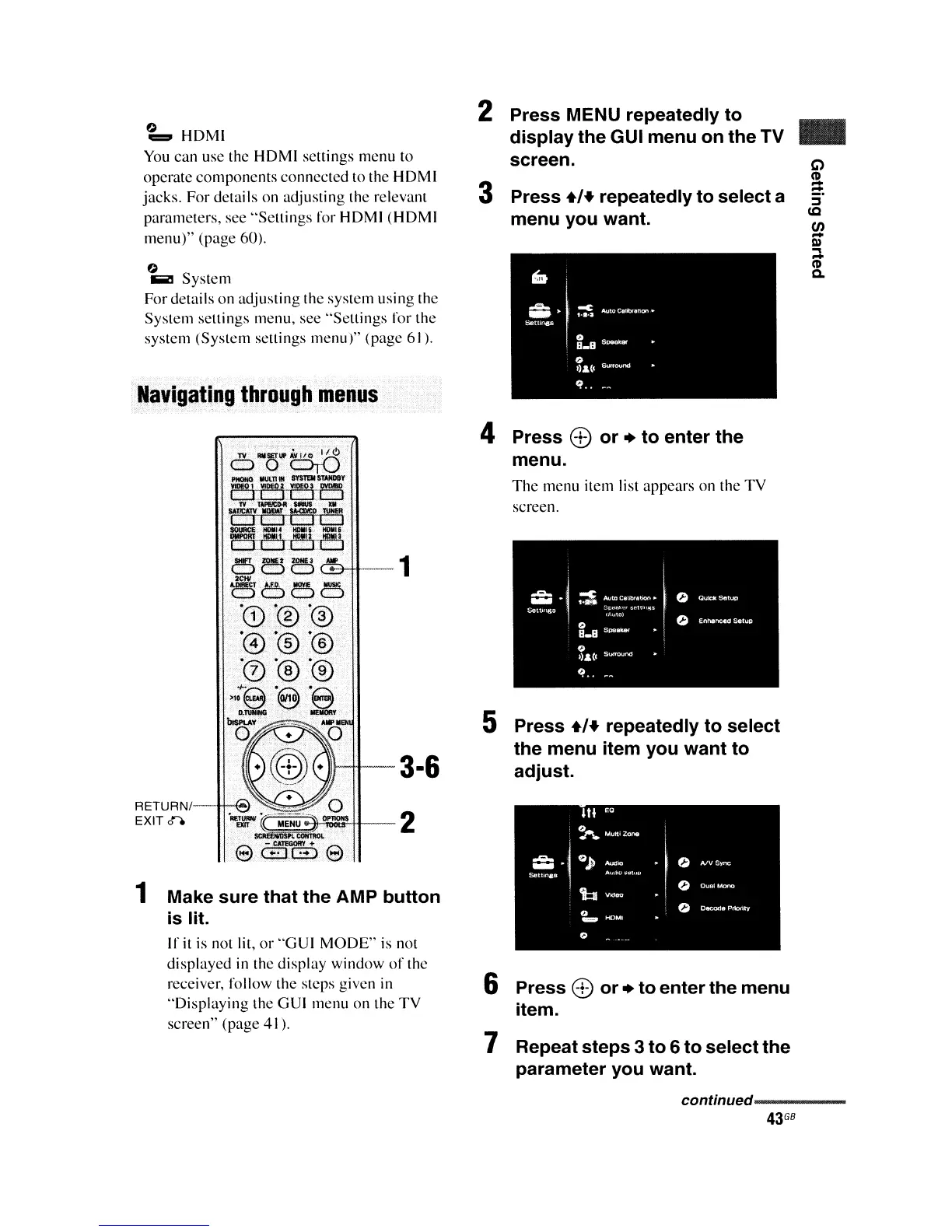
2 Press MENU repeatedly
to
display
the
GUI
menu
on
the
TV
screen.
3 Press
.,+
repeatedly
to
select
a
menu
you
want.
..
-1
RETURNI
EXIT 0"0
1 Make
sure
that
the
AMP
button
is
lit.
If
it
is not lit,
or
"GUI
MODE"
is
not
displayed in the display window
of
the
receiver, follow the steps given in
"Displaying
the GUI menu on the
TV
screen" (page 41).
4 Press
0)
or
+
to
enter
the
menu.
The
menu item list appears on the
TV
screen.
5 Press
.,+
repeatedly
to
select
the
menu item
you
want
to
adjust.
III
EO
~IIAUltiZOroe
-1
OJ)
0
-"
A/VSync
Setll"8S
.
'b
0
0
0
OltCQfl&PrIority
'"""
0
6 Press
0)
or
+
to
enter
the
menu
item.
7 Repeat
steps
3
to
6
to
select
the
parameter
you
want.
continued-----
43
G8















 To Next Page