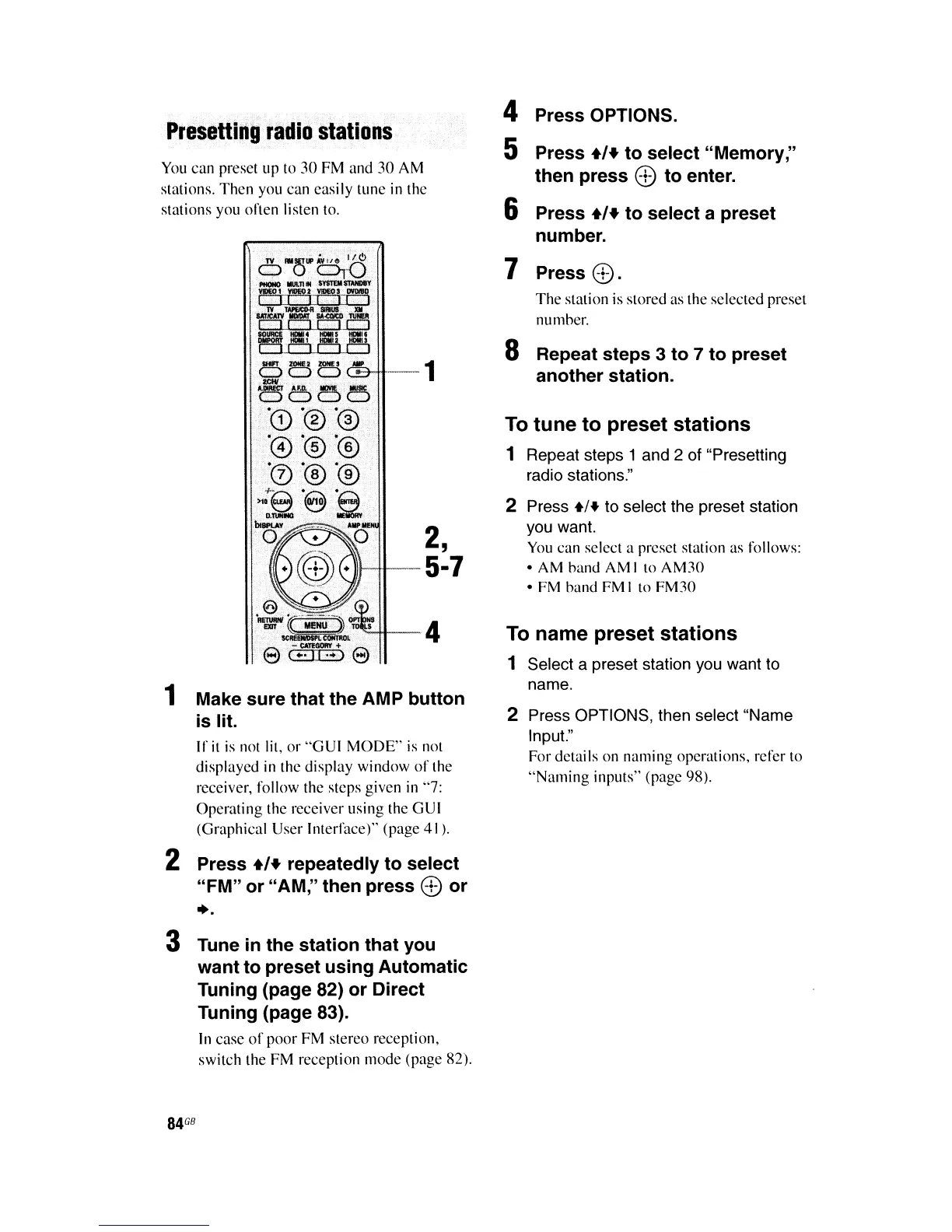
Presetting
radio
stations
You
can preset up to
30
FM
and 30 AM
stations. Then you can easily tune in the
stations you often listen to.
CB-tt--1
2,
1It-tt-5·7
··"-Hr--4
1 Make
sure
that
the
AMP
button
is
lit.
If
it
is
not lit, or
"GUI
MODE"
is
not
displayed
in
the display window
of
the
receiver, follow the steps given
in
"7:
Operating the receiver using the GUI
(Graphical User Interface)" (page 41).
2 Press
+1+
repeatedly
to
select
"FM"
or
"AM," then
press
ED
or
+.
3 Tune
in
the
station
that
you
want
to
preset
using
Automatic
Tuning (page 82)
or
Direct
Tuning (page 83).
In
case
of
poor FM stereo reception,
switch the FM reception mode (page 82).
84
G8
4 Press OPTIONS.
5 Press
+1+
to
select
"Memory,"
then
press
ED
to
enter.
6 Press
+1+
to
select a preset
number.
7 Press
ED.
The
station is stored as the selected preset
numher.
8 Repeat
steps
3
to
7
to
preset
another
station.
To
tune
to
preset
stations
1 Repeat steps 1 and 2 of "Presetting
radio stations."
2 Press
+1+
to select the preset station
you want.
You
can select a preset station as follows:
• AM hand AM I to
AM30
• FM hand FM I to FM30
To name preset
stations
1 Select a preset station you want to
name.
2 Press OPTIONS, then select "Name
Input."
For details on naming operations, refer to
"Naming
inputs" (page 98).















 To Next Page