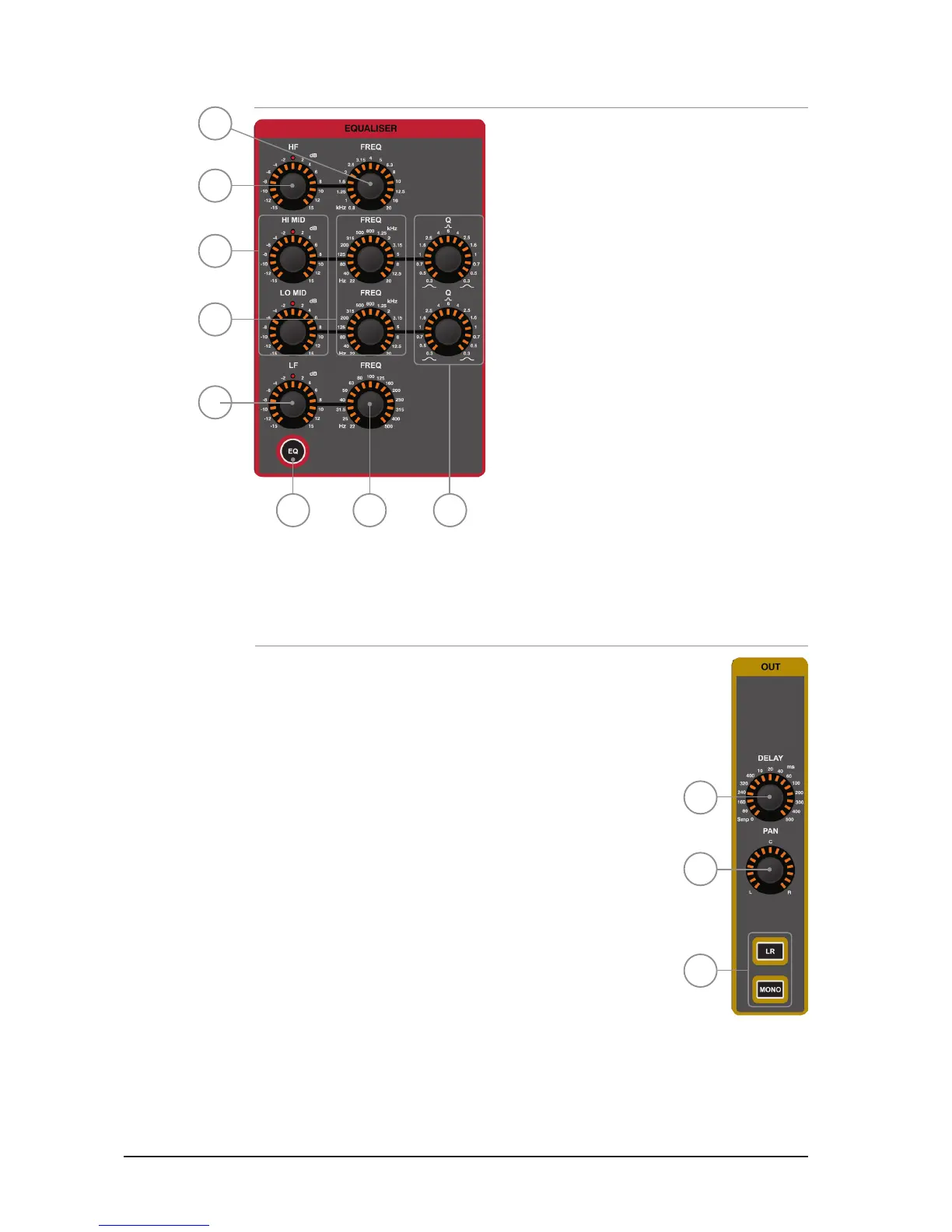
PARAMETRIC EQ SECTION
1. HF GAIN: indicates and adjusts the dB gain or
cut of the High Frequency shelf lters.
2. HF FREQuency: indicates and adjusts the
frequency at which the High Frequency shelf
lters operate.
3. Hi MID & LO MID GAIN: indicates and adjusts the
dB gain or cut of the Mid Frequency bell lters.
4. Hi MID & LO MID FREQuency: indicates
and adjusts the frequency at which the Mid
Frequency bell lters operate.
5. Hi MID & LO MID ‘Q’: indicates and adjusts the
width of the Mid Frequency bell lters.
6. LF GAIN: indicates and adjusts the dB gain or
cut of the Low Frequency shelf lters.
7. LF FREQuency: indicates and adjusts the
frequency at which the Low Frequency shelf
lters operate.
8. EQ key: toggles the EQ IN or OUT. Pressing and holding the key will activate INTERROGATE
mode for this function.
OUT SECTION:
1. DELAY: indicates and adjusts the delay applied to the channel
or bus; turn to ‘0’ (fully CCW) to turn the delay off.
2. PAN: indicates and adjusts the PAN (or BALANCE for stereo
sources) of the channel or bus routing to the main LR bus.
3. LR & MONO keys: toggles the routing of the channel or bus
to the main LR and MONO buses. Pressing and holding these
keys will activate INTERROGATE mode for the function.
2
1
3
4
5
6
78
1
2
3













 To Next Page