CUE CONTROL — see also CUE LIST
1. CUE LIST key: press when lit to bring the CUE LIST
menu to the touch screen.
2. STORE key: press to STORE a new cue at the end
of the use list.
NOTE: Pressing and Holding ALT, then pressing
STORE will insert a new cue after the current cue.
NOTE: Cues are stored with the default name
‘Unnamed Snapshot n’ where ‘n’ is a count of
how many cues exist rather than its position in
the cue list.
3. NEXT key: press the NEXT key when lit to recall the
next (current cue number +1) cue.
NOTE: Pressing and Holding ALT, then pressing NEXT will recall the cue numerically prior
to the current cue (current cue number -1)
4. RECALL key: Press the RECALL key when lit to recall again the currently active cue OR if the
CUE LIST is open the cue that is highlighted.
NOTE: If the CUE LIST is open you may scroll to any cue and press the SCROLL/ADJUST
encoder to instantly recall it.
NOTE: For more information on the Cue List and Snapshot Control see also CUE LIST.
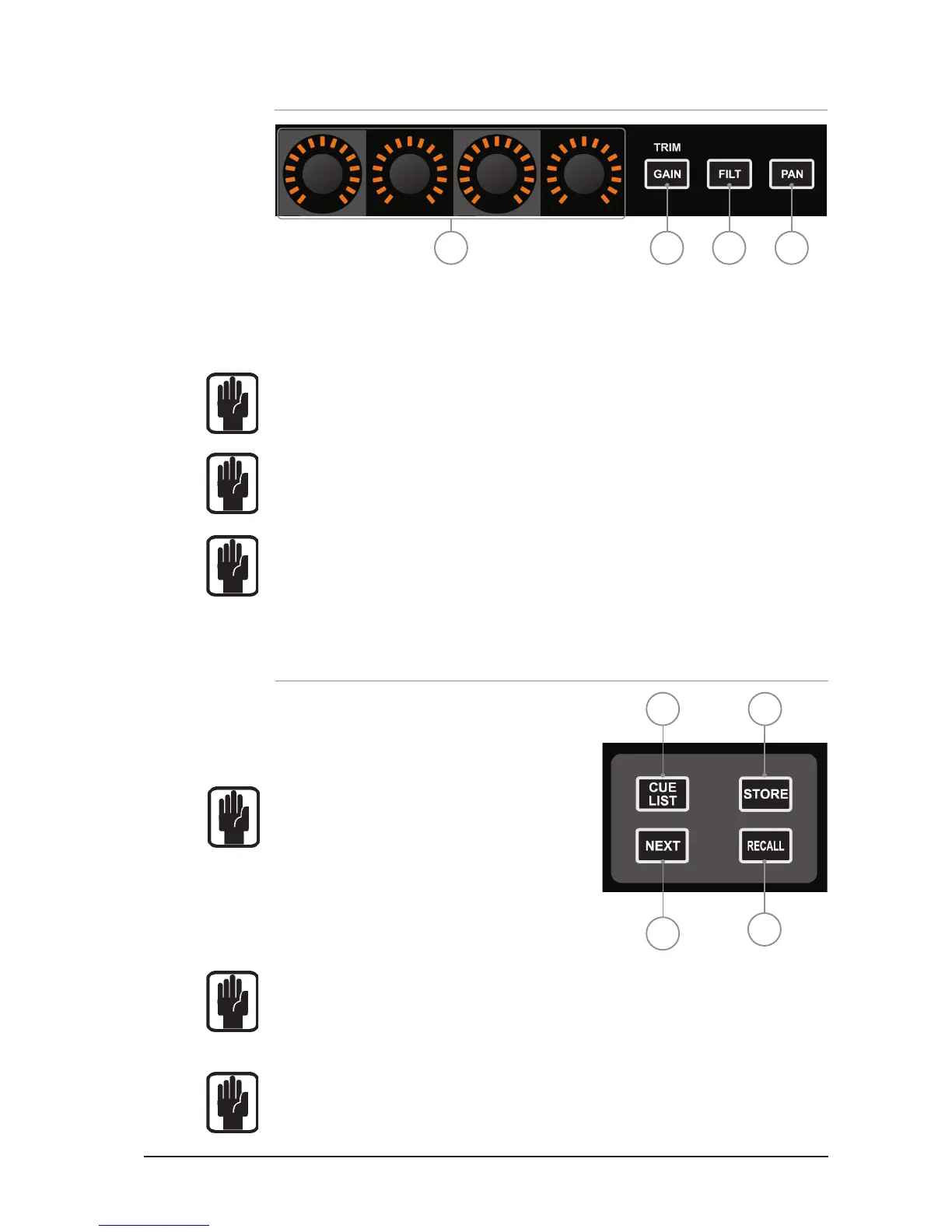
GLOBAL MODE ENCODERS AND FUNCTIONS
The Global Mode encoders offer control of a key parameter across all channels or buses currently
active on the surface:
1. GLOBAL ‘GAIN/TRIM’ key: press to make all the encoders function as the input GAIN (or TRIM
for LINE & DIGITAL sources) for all the channels on the currently active input fader layer.
NOTE: This key has no function in BUS or MATRIX modes.
2. GLOBAL ‘FILT’ key: press to make all the encoders function as the input HPF for all the channels
on the currently active input fader layer.
NOTE: This key has no function in BUS or MATRIX modes.
3. GLOBAL ‘PAN’ key: press to make all the encoders function as the PAN for all the channels or
buses on the channels on the currently active input or bus fader layer.
NOTE: This key has no function in MATRIX mode.
NOTE: when mixing to a stereo bus using the tOTEM follow keys the global encoders will
switch to PAN mode and shall act as the PAN or BALANCE control from the channels to
the bus.
4 1 2 3
1 2
3
4













 To Next Page