LEXICON
TM
INTERFACE
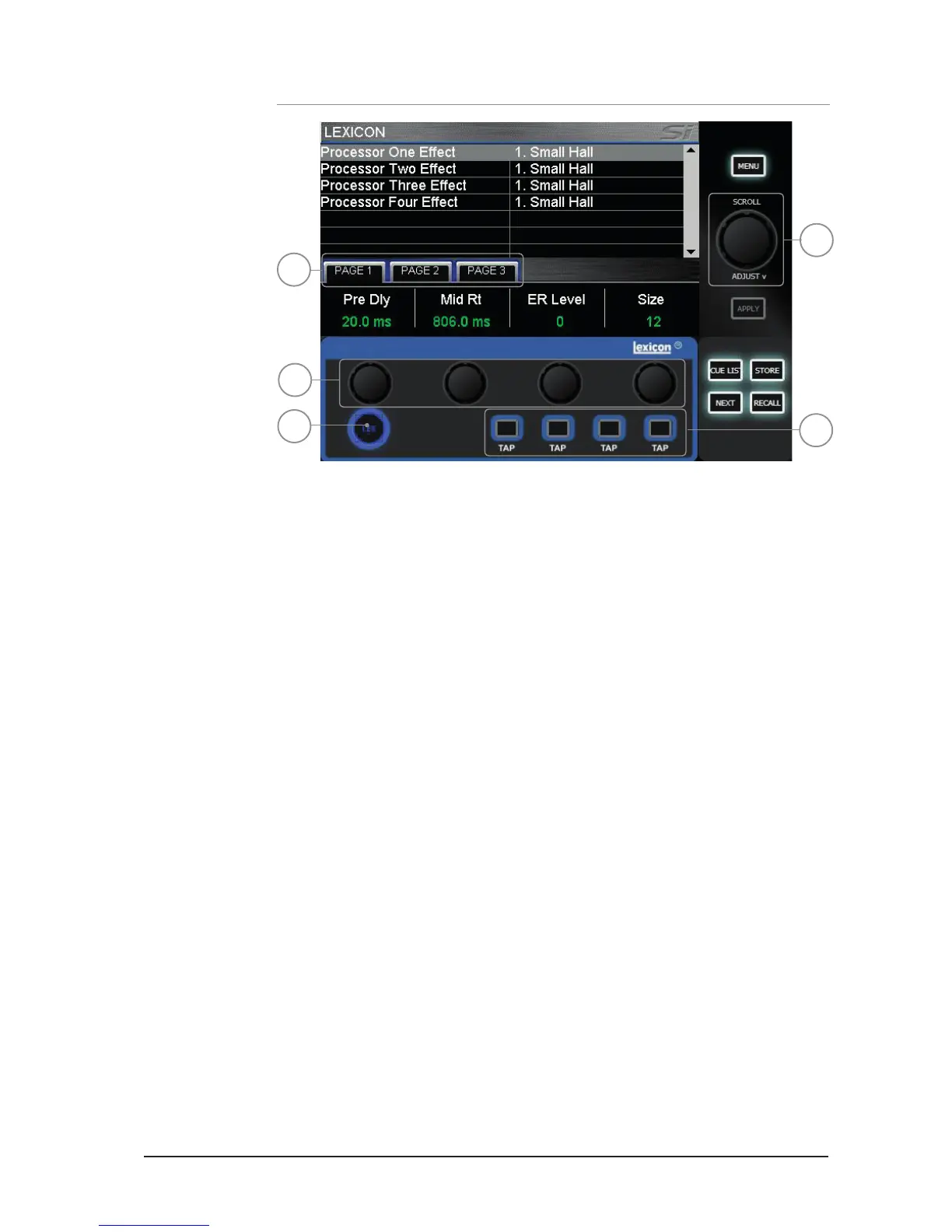
1. LEXicon key: press to open the Lexicon menu pages.
2. Lexicon encoders (x4): used to adjust the parameters within an effect. The encoders are
context dependent upon what is shown on the touch screen at any given time.
3. TAP keys (x4): used to set the tempo of any of the patch using delays/measures; the
keys ash with the set tempo.
4. SCROLL/ADJUST encoder: used to navigate between processors, pressing the encoder
allows a different patch to be selected from the 29 available patches:
Reverb Patches: 14 types
Delays: 7 types
Effects: 8 types including Chorus, Flanger, Phaser and Rotary
5. PAGE TABS: used to navigate through parameters available in the selected patch; tabs 2
and 3 are greyed out as appropriate if there are no parameters on those tabs.
2
1
3
4
5













 To Next Page