PATCHING
The patching system on the Si console allows almost any source to feed any channel and any
bus to feed any output; the following functionality is available:
• Input Patch — Source for an input channel, selected from the INPUTS menu
• Direct Out Patch — Destination for a channel direct out, selected from the INPUTS menu
• Bus Patch (x2) — Destination for a bus out, selected from the OUTPUTS menu
• Oscillator Patch — Destination for a oscillator out, selected from the OSC menu
• Monitor Patch — Destination for a monitor line out, selected from the MONITOR menu
Once the PATCH window opens you can quickly change the patching of other channels or buses
simply by SELecting an alternative input or bus.
NOTE: Patch changes are stored per cue, having made any patch changes the cue must be
stored or updated to make the change permanent.
NOTE: The system will only show option cards if tted, if the show was created on a console
with an expansion card tted or if the show was created with an option card in the ofine
editor Virtiual Si.
Setting or Changing the Input Patch
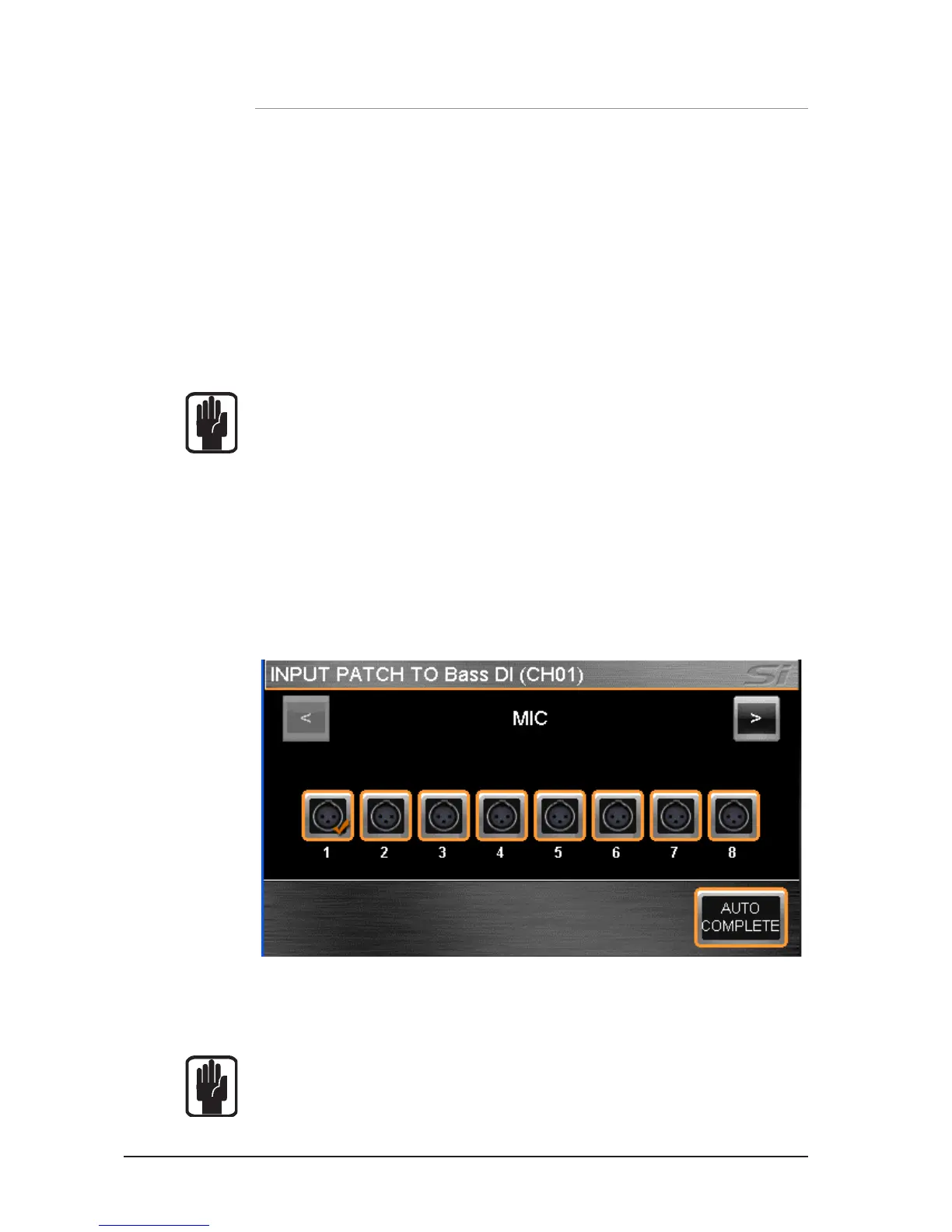
The INPUT PATCH screen shows the current input patch with an orange ‘tick’ (in this case MIC
Input 1, to channel name Bass DI which is channel 1 on the console).To change to another source
simply touch the icon or browse alternative sources using the SCROLL/ADJUST encoder or left/
right (< >) arrows on the touch screen.
To have the system automatically patch multiple channels press the AUTO COMPETE button; this
will increment the input by 1 and patch by 1 until a logical group of patches is complete.
To leave the PATCH set-up press MENU, CUE LIST or LEX.
NOTE: The system will display a warning requiring conrmation before the AUTO re-patch
happens.
NOTE: Any single input may be used a maximum of four times, in the event you attempt to
use a single source more than this a warning will be displayed.













 To Next Page