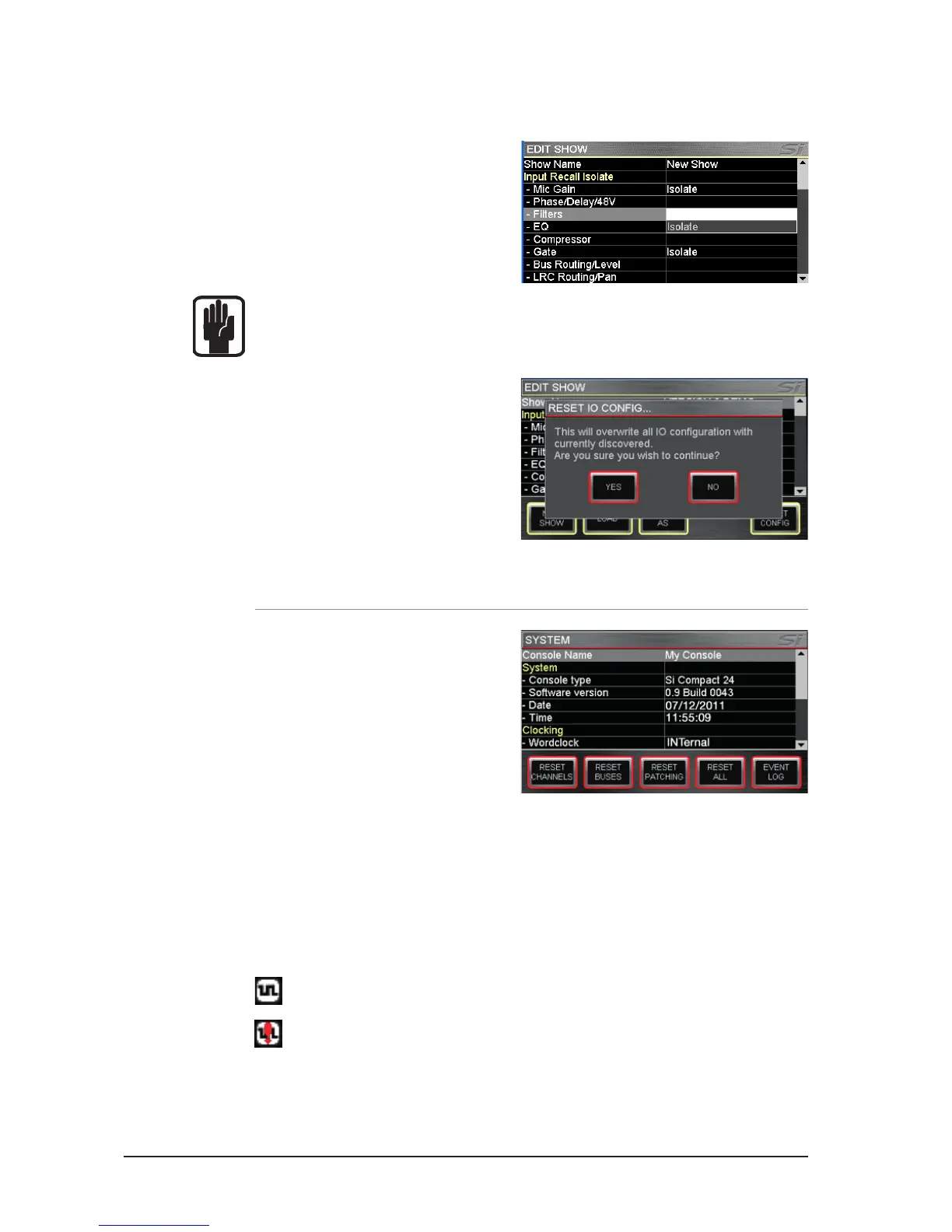
SYSTEM MENU
The system menu home screen displays
general information regarding the console,
software, version, conguration and similar:
Console Name: Allows the console to be
‘personalised’ with any user information
such as owner’s name, serial number, asset
number or similar. Scroll to highlight the
line item then ‘click’ to open the QWERTY
keyboard. Selection is stored as part of the console conguration.
SYSTEM: Information about the console:
Console Type – Displays type of console, cannot be edited.
Software Version – Current software version, cannot be edited.
Date (Time)- Current date (time), select & ‘click’ to edit.
CLOCKING: Select from INTernal or EXTernal word clock – See ‘Word Clock’. When set to
EXTernal an icon is displayed on the LCD screen:
If incoming word clock is OK.
If incoming clock is lost, or out of range.
EDIT SHOW – Global Recall Isolate: Prevents the automation recalling isolated parameters
(or groups of parameters) when a cue is replayed; scroll to the desired list item, press the
encoder and select Isolate.
Parameters are logically grouped as:
Input Recall Isolate
Bus Recall Isolate
Matrix Recall Isolate
Output GEQ Isolate
Patching Recall Isolate
Lexicon Recall Isolate
NOTE: When storing a cue all audio parameters are stored regardless of any ISO to be
‘isolated’ from the automation.
RESET CONFIG: Clears the console
database records of any option cards or
external I/O systems that may have been
attached to the console and forces a ‘re-
discovery’ of any installed option cards or
connected I/O system such as a Soundcraft
Compact Stagebox; see I/O Discovery for
further details.













 To Next Page