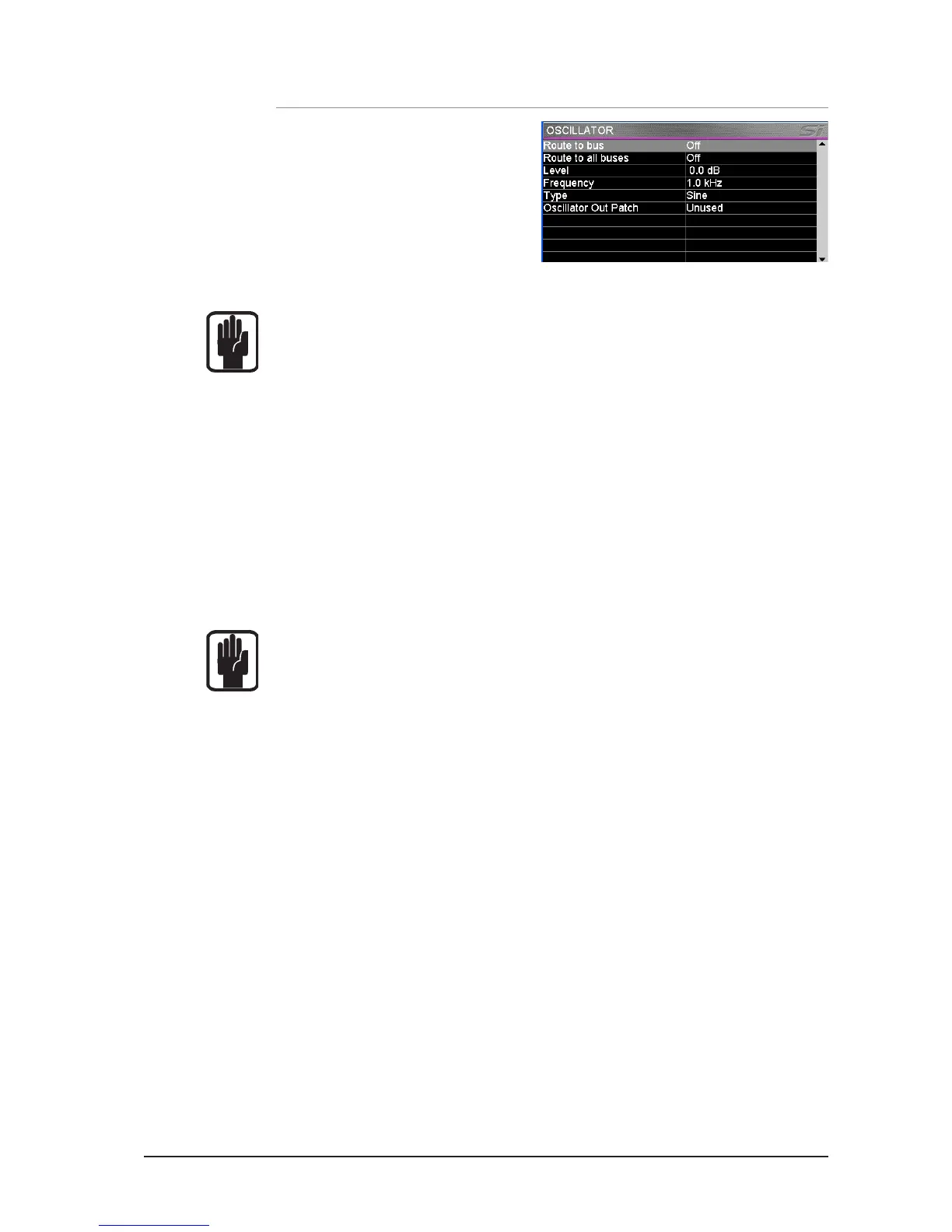
OSC MENU
Home screen displays all settings and
parameters concerned with the oscillator
function.
ROUTE TO BUS: Enables routing of the
oscillator to individual buses; the actual
routing to any given bus is enabled/disabled
by the BUS and MATRIX SOLO keys.
ROUTE TO ALL BUSES: Enables routing of the oscillator to all buses.
NOTE: It is not possible to route directly to LR and MONO buses, for this function route
the oscillator to a bus then use the LR and MONO routing keys of that bus to route the
osciallator as required.
NOTE: Oscillator settings default to Off following a power cycle.
LEVEL: Indicates level of the oscillator to any buses or output patch; the setting is changed
using the SCROLL/ADJUST encoder.
FREQUENCY: Indicates frequency of the oscillator for Sine type; the setting is changed using
the SCROLL/ADJUST encoder.
TYPE: Indicates the oscillator signal type; the setting is changed between Sine and Pink
using the SCROLL/ADJUST encoder.
OSCILLATOR OUT PATCH: Indicates patch point if any, assigned to the oscillator, by default
there is no output patched. Use the SCROLL/ADJUST encoder to highlight the item and
select a patch.
NOTE: Oscillator is always active when patched regardless of any other oscillator settings.
NOTE: Only Oscillator patches are stored per cue.













 To Next Page