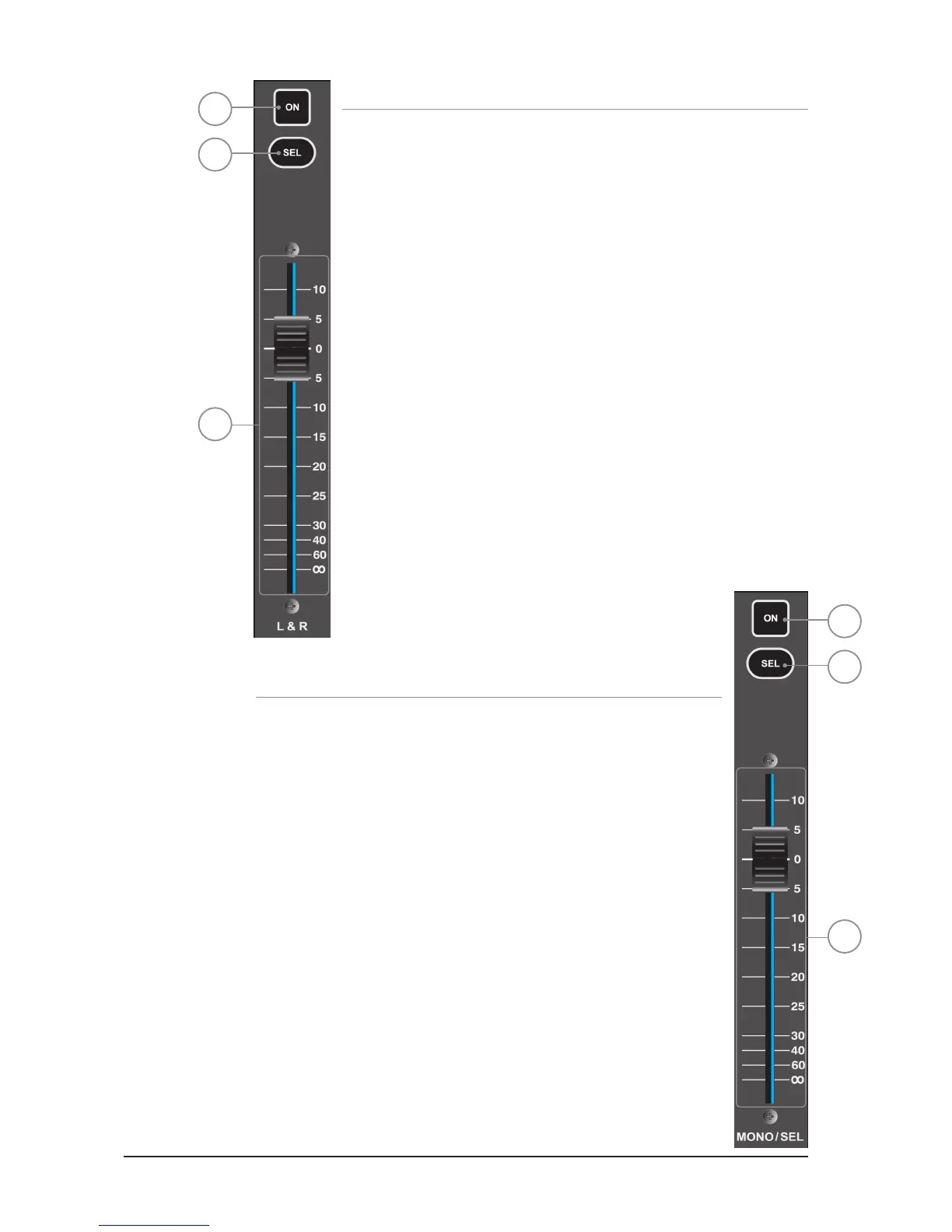
MASTER LR FADER AND ASSOCIATED KEYS
1. MASTER LR fader: sets the overall level of the main Left & Right bus out.
2. MASTER LR ON key: toggles the main LR bus ON/OFF.
3. MASTER SELect key: assigns (SELects) the ACS to the main Left & Right buses.
MONO/SEL FADER AND ASSOCIATED KEYS
1. MONO/SEL fader: sets the overall level of the MONO bus out unless a FADER
FOLLOW is active; in this event fader may act as one of the following:
• FADER FOLLOW 1-14 or MTX1-4 active - Fader is the master level for BUS ‘n’.
• FX FOLLOW 1-4 active - Fader is the channel level of FX Return channel ‘n’
2. MONO ON key: Toggles the MONO bus ON/OFF unless a FADER FOLLOW is
active; in this event the key may act as one of the following:
• FADER FOLLOW 1-14 or MTX1-4 active – ON is the master ON/OFF for Bus ‘n’.
• FADER FOLLOW FX1-4 active – ON is the ON/OFF for FX Return channel ‘n’
3. MONO SELect key: Assigns (SELects) the ACS Channel to the MONO bus unless
a FADER FOLLOW is active, in this event the key may act as one of the following:
• FADER FOLLOW 1-14 or MTX1-4 active – SELects Bus ‘n’ to the ACS.
• FADER FOLLOW FX1-4 active – SELects associated FX Return channel ‘x’
to the ACS.
2
3
1
2
3
1













 To Next Page