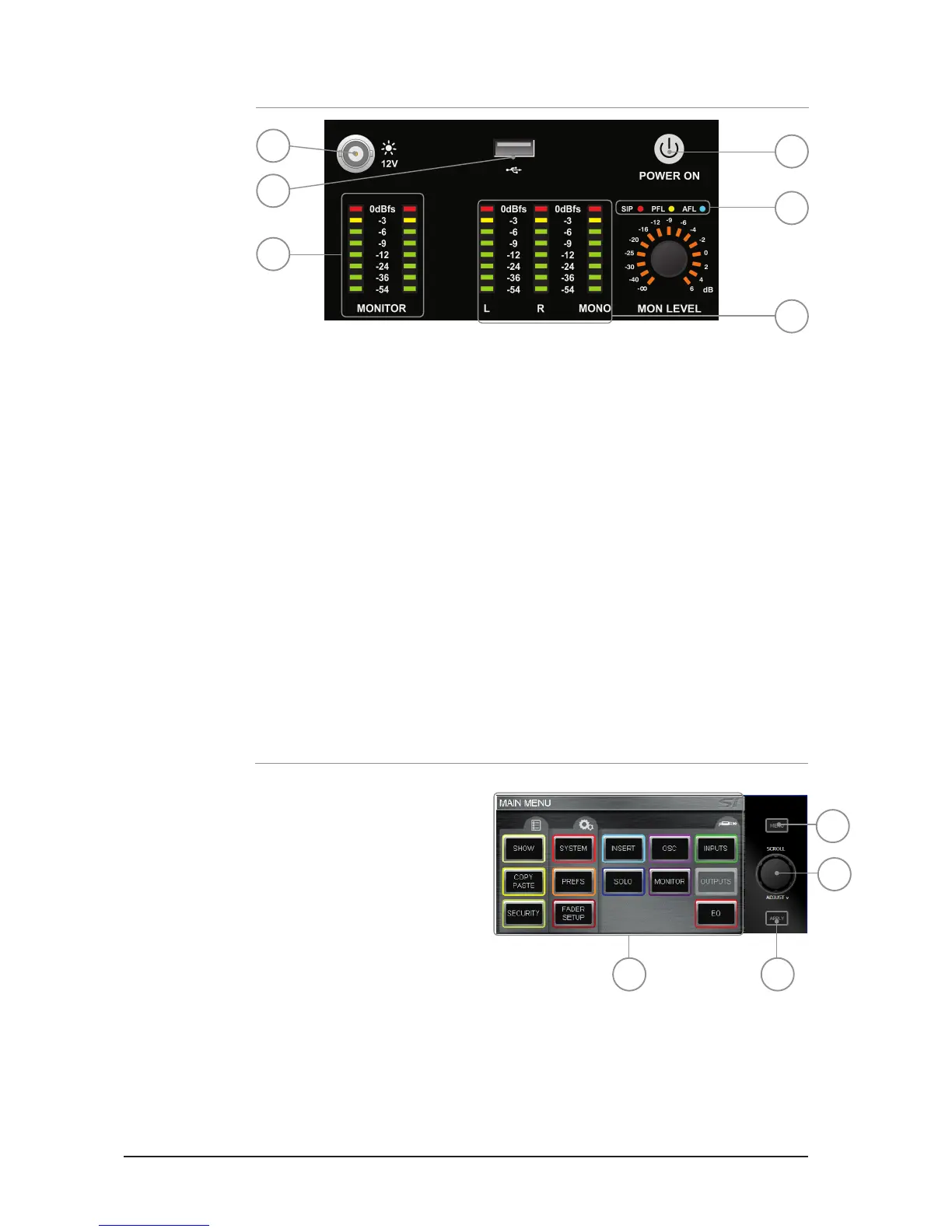
TOUCH SCREEN ENCODERS AND BUTTONS
1. TOUCH SCREEN: colour touch screen interface.
2. MENU key: Press when lit to return
to the MAIN MENU page.
3. APPLY key: Press when lit to ‘APPLY’
a change such as re-naming a cue,
channel, show or similar.
4. SCROLL/ADJUST encoder: Rotate to
scroll up/down lists, press to select or
activate a highlighted function.
POWER METERS AND MONITORS
1. 12V LAMP OUT: Connector for LED or similar console light; maximum total load 100mA
per socket.
2. USB: Insert USB key for loading and backup of shows, software updates and similar.
3. POWER: Toggles console power ON/OFF. To prevent accidental shut-down a 2-stage
shut-down procedure is required:
Press & Hold the POWER ON key for ~2 seconds, the power light will ash orange.
Conrm shutdown by pressing the POWER ON key again whilst the light is ashing.
If the conrmation is not received within ~5 seconds the POWER ON key will revert to
solid green and the shutdown procedure is cancelled.
4. MONITOR meters: Indicate the level in the engineers monitor system; this is normally
the LR signal but may be PFL/AFL, or other signal as set in the MONITOR system menus.
5. L, R and MONO meters: Full-time uninterrupted monitoring of the main Left, Right and
MONO buses.
6. SIP, PFL & AFL indicators: Illuminates to show the current mode or active state of the
SOLO system.
1
4
3
6
5
2
1 3
4
2













 To Next Page